
Nissan Murano: Back Door Lock / Back Door Touch Sensor
CAUTION:
-
Use care not to bend touch sensor.
-
Replace the back door touch sensor if it has been dropped or sustained an impact.
REMOVAL
Release touch sensor clips using a suitable tool.
Disconnect the harness connector from the touch sensor and remove.
INSTALLATION
Installation is in the reverse order of removal.
CAUTION:
After installation, check back door open/close and lock/unlock operation.
 Back Door Stay
Removal and Installation
REMOVALSupport back door using a suitable tool.
WARNING:
Bodily injury may occur if no supporting rod is holding back door open when removing back door stay...
 Emergency Lever
Unlock Procedure
UNLOCK PROCEDURENOTE:
If back door lock cannot be unlocked due to a malfunction or battery discharge, perform unlock procedure to unlock back door assembly...
Other information:
Nissan Murano (Z52) 2015-2024 Service Manual: Chassis Can Communication Circuit
Diagnosis Procedure CHECK CAN DIAGNOSIS Check the CAN diagnosis results from CONSULT to see that the Nissan Murano vehicle CAN communication circuit and ITS CAN communication circuit have no malfunction. Are the CAN communication circuits normal? YES>> GO TO 2...
Nissan Murano (Z52) 2015-2024 Owners Manual: Continuously Variable Transmission (CVT) fluid
CAUTION NISSAN recommends using Genuine NISSAN CVT Fluid NS-3 (or equivalent) ONLY in NISSAN CVTs. Do not mix with other fluids. Do not use Automatic Transmission Fluid (ATF) or manual transmission fluid in a NISSAN CVT, as it may damage the CVT...
Categories
- Manuals Home
- Nissan Murano Owners Manual
- Nissan Murano Service Manual
- System malfunction
- Fuel recommendation
- Shift lock release
- New on site
- Most important about car
Fuel gauge
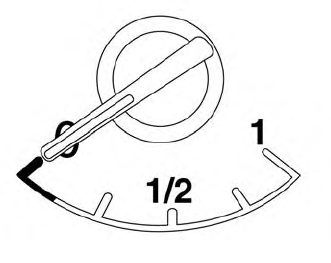
The gauge indicates the approximate fuel level in the tank.
The gauge may move slightly during braking, turning, acceleration, or going up or down hills.
The gauge needle returns to 0 (Empty) after the ignition switch is placed in the OFF position.

Copyright © 2026 www.nimurano.com