
Nissan Murano: Dtc/circuit Diagnosis / U1010 Control Unit(can)
Nissan Murano (Z52) 2015-2024 Service Manual / Electrical & Power Control / Power Control System :: Ipdm E/r / Dtc/circuit Diagnosis / U1010 Control Unit(can)
DTC DETECTION LOGIC
| DTC No. | CONSULT screen terms (Trouble diagnosis content) | DTC Detection Condition | |
|---|---|---|---|
| U1010 |
CONTROL UNIT(CAN) (Control unit CAN) |
Diagnosis condition | When ignition switch ON. |
| Signal (terminal) | — | ||
| Threshold | — | ||
| Diagnosis delay time | 2 seconds or more | ||
POSSIBLE CAUSE
-
IPDM E/R
FAIL-SAFE
—
PERFORM DTC CONFIRMATION PROCEDURE
 CONSULT
-
Ignition switch ON and wait for 2 seconds or more.
-
Select “Self Diagnostic Result” mode of “IPDM E/R”.
-
Check DTC.
Is DTC displayed?
YES>>Refer to DTC Diagnosis Procedure.
NO>>To check malfunction symptom before repair: Refer to Intermittent Incident.
NO>>Confirmation after repair: Inspection End.
REPLACE IPDM E/R
Replace IPDM E/R. Refer to Removal and Installation.
>>
Inspection End.
 U1000 Can Comm Circuit
DTC Description
CAN (Controller Area Network) is a serial communication line for real time applications. It is an on-Nissan Murano vehicle multiplex communication line with high data communication speed and excellent error detection ability...
 B2098 Ign Relay on Circ
DTC Description
IPDM E/R operates the ignition relay-1 when it receives an ignition switch ON signal from BCM via CAN communication.
Turn the ignition relay-1 OFF by pressing the push-button ignition switch once when the Nissan Murano vehicle speed is 2...
Other information:
Nissan Murano (Z52) 2015-2024 Service Manual: Main Power Window and Door Lock/unlock Switch
Removal and Installation REMOVAL Pull armrest in direction shown () then starting at rear release main power window and door lock/unlock switch finisher (1) pawls using a suitable tool (A). : Front : Pawl Disconnect the harness connectors (A) from the main power window and door lock/unlock switch (1) and harness connector (B) from the door mirror remote control switch (2) and remove...
Nissan Murano (Z52) 2015-2024 Service Manual: Front Axle :: Symptom Diagnosis. Noise, Vibration and Harshness (nvh) Troubleshooting
NVH Troubleshooting Chart Use chart below to find the cause of the symptom. If necessary, repair or replace these parts. Reference — Inspection — Exploded View — Inspection NVH Troubleshooting Chart Inspection NVH Troubleshooting Chart NVH Troubleshooting Chart Inspection NVH Troubleshooting Chart NVH Troubleshooting Chart Possible cause and SUSPECTED PARTS Excessive joint angle Joint sliding resistance Imbalance Improper installation, looseness Parts interference Wheel bearing damage FRONT SUSPENSION FRONT AXLE TIRE WHEEL DRIVE SHAFT BRAKE STEERING Symptom DRIVE SHAFT Noise × × - - - × × × × × - × × Shake × - × - - × × × × × - × × FRONT AXLE Noise - - - × × × × × × × × × Shake - - - × × × × × × × × × Vibration - - - × × × × - × - × - × Shimmy - - - × × - × - × × - × × Shudder - - - × - × - × × - × × Poor quality ride or handling - - - × × - × - × × - - - Inspect Front Axle for cracks or damage...
Categories
- Manuals Home
- Nissan Murano Owners Manual
- Nissan Murano Service Manual
- Vehicle Dynamic Control (VDC) OFF switch
- Memory storage function (key-link)
- Rear bench seat adjustment
- New on site
- Most important about car
Seatback pockets
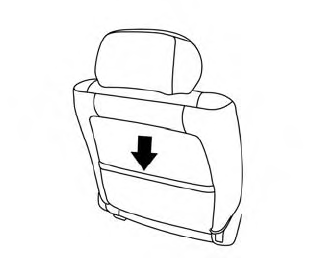
Theremaybe one or two seatback pockets located on the back of the driver and passenger seats. The pockets can be used to store maps.
WARNING

Copyright © 2026 www.nimurano.com