
Nissan Murano: Sonar System :: Removal and Installation / Sonar Sensor
REAR SONAR SENSOR OUTER
Release pawls using suitable tool and remove rear sonar sensor (1).
 NOTE:
NOTE:
Rear sonar sensor (inner) shown, rear sonar sensor (outer) similar.
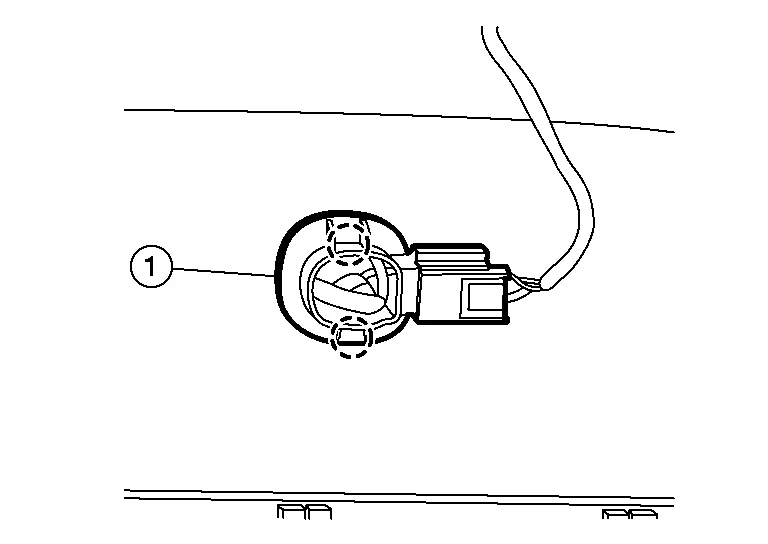
 |
:Pawl |
Disconnect the harness connector from rear sonar sensor.
Remove the rear sonar sensor finisher from the rear bumper fascia (if necessary).
CAUTION:
If the rear sonar sensor finisher is replaced, clean area before installation.
Installation is in the reverse order of removal.
REAR SONAR SENSOR INNER
Remove rear bumper fascia. Refer to Exploded View.
Release pawls using suitable tool and remove rear sonar sensor (1).
|
:Pawl |
Disconnect the harness connector from rear sonar sensor.
Remove the rear sonar sensor finisher from the rear bumper fascia (if necessary).
CAUTION:
If the rear sonar sensor finisher is replaced, clean area before installation.
Installation is in the reverse order of removal.
FRONT SONAR SENSOR OUTER
Partially remove front portion of front fender protector. Refer to Exploded View.
Release pawls using suitable tool and remove front sonar sensor (1).
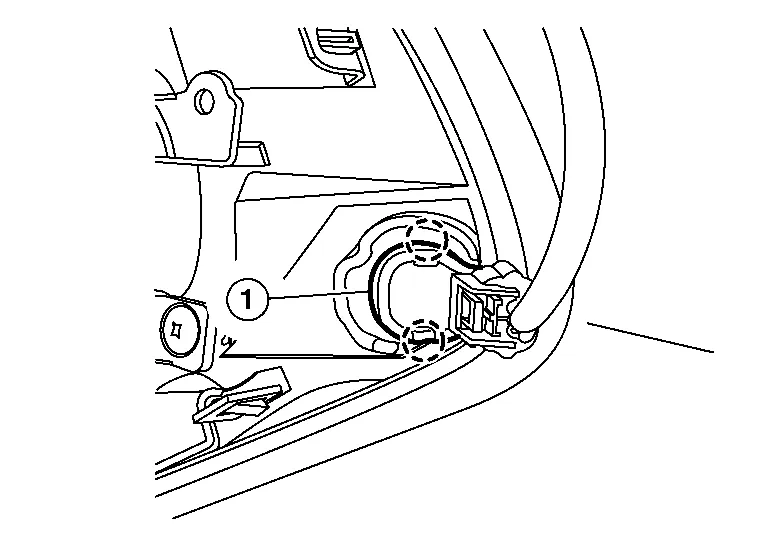
|
:Pawl |
Disconnect the harness connector from front sonar sensor.
Remove the front sonar sensor finisher from the front bumper fascia (if necessary).
CAUTION:
If the front sonar sensor finisher is replaced, clean area before installation.
Installation is in the reverse order of removal.
FRONT SONAR SENSOR INNER
Remove front under cover. Refer to Removal and Installation.
Disconnect the harness connector (A) from the front sonar sensor inner (1).
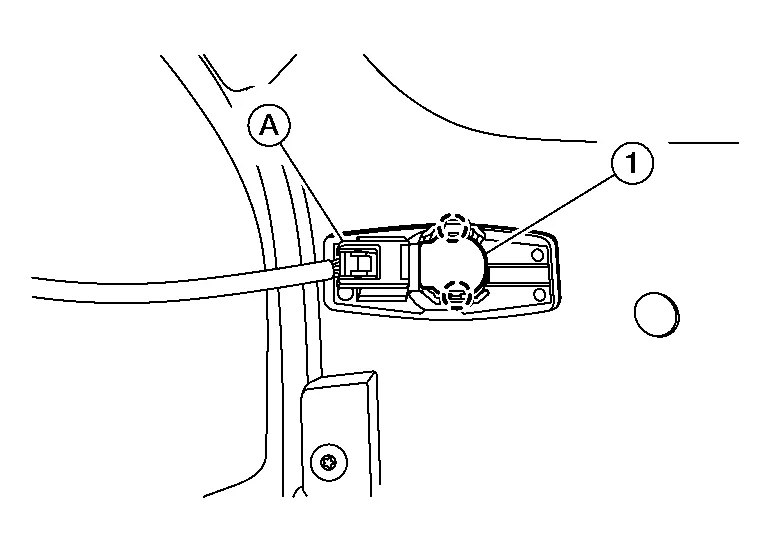
|
:Pawl |
Using a suitable tool, release pawls from the front sonar sensor inner and remove.
Remove the front sonar sensor finisher from the bumper fascia (if necessary).
CAUTION:
Verify that the connector direction is within the specification shown when assembling the bumper fascia.
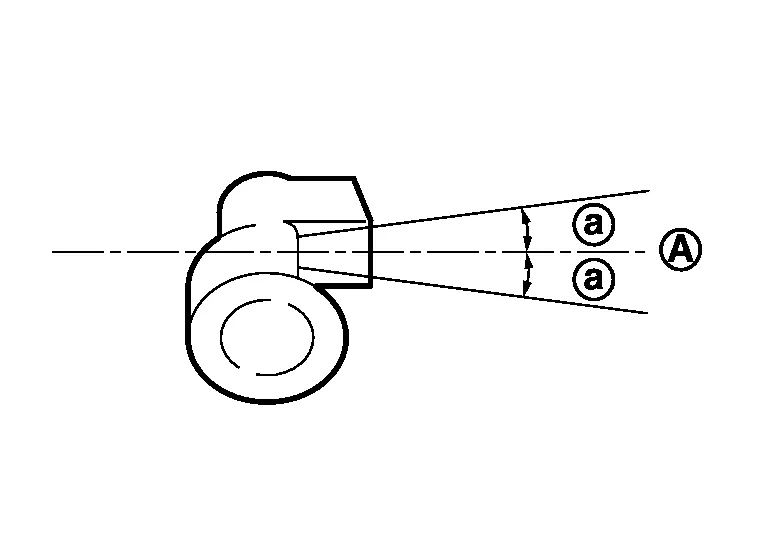
| (A) | : Horizontal position |
| (a) | : ± 10° |
Install front sonar sensor inner to sensor finisher.
Degrease and clean the inner side of the front bumper fascia and apply adhesion promoter to the area shown (A).
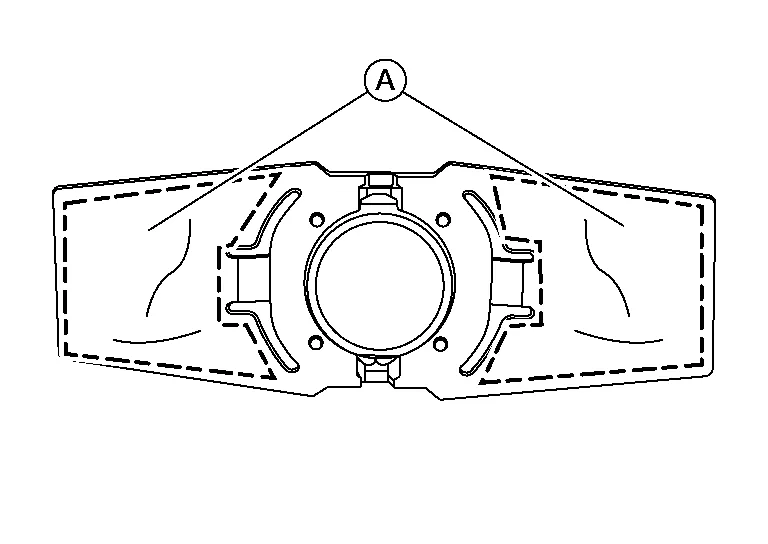
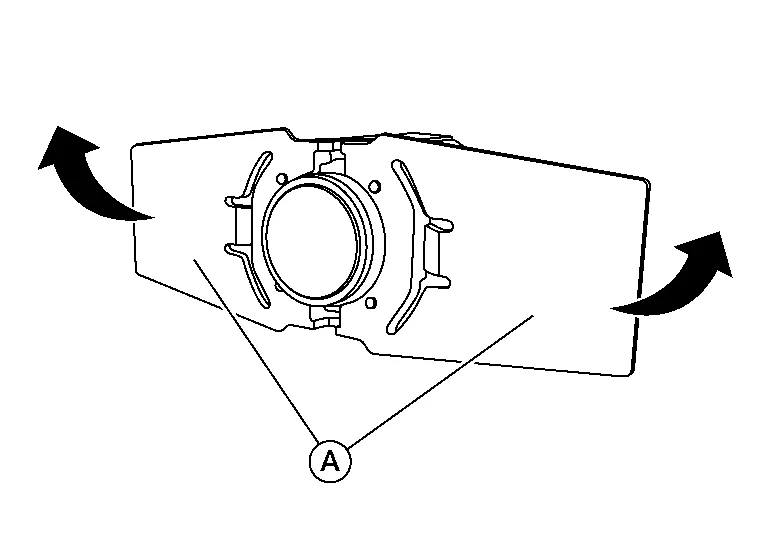
Let the adhesion promoter dry for more than three minutes and peel off the double sided tape film, and then taking precautions not to contact the bumper with the double sided tape (A), bend the front sonar sensor inner finisher in the direction shown.
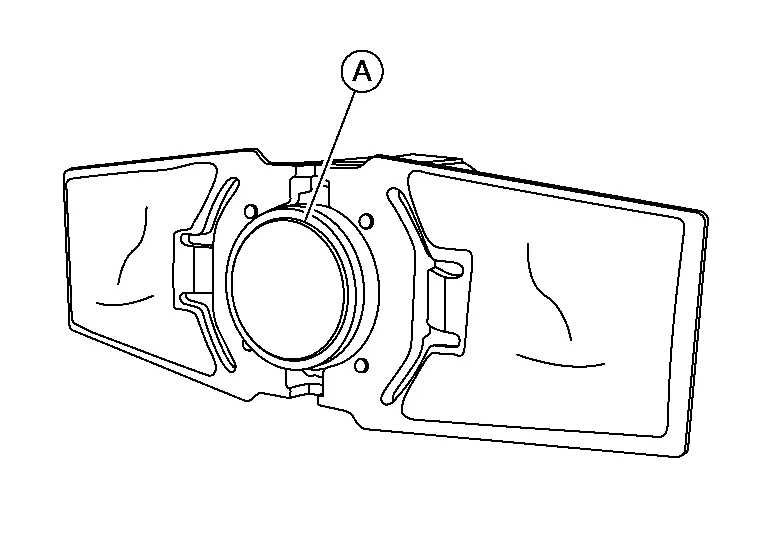
Match the part of the front sonar sensor inner (A) shown in the figure to the sensor installing hole of the front bumper fascia.
Remove the front sonar sensor inner from the sensor finisher and press the adhesion face (A) for more than two seconds to securely bond the front sonar sensor inner finisher to front bumper fascia inner.
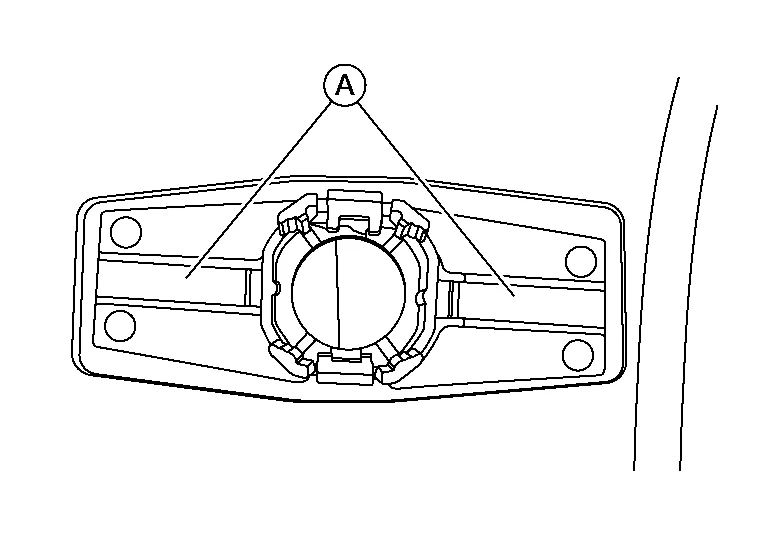
| Target pressure | : 50.0 N (5.1 kg, 11.24 lb) |
CAUTION:
-
When temperature is less than 15°C (59°F), use a drier, etc., to warm the adhesion face and proceed.
-
After installing front sonar sensor inner finisher, do not move finisher for two - three hours.
Install front sonar sensor inner to the sensor finisher.
Shake the part of the front sonar sensor inner finisher (A) up and down and then right and left to confirm that the finisher has been installed (bonded) firmly.
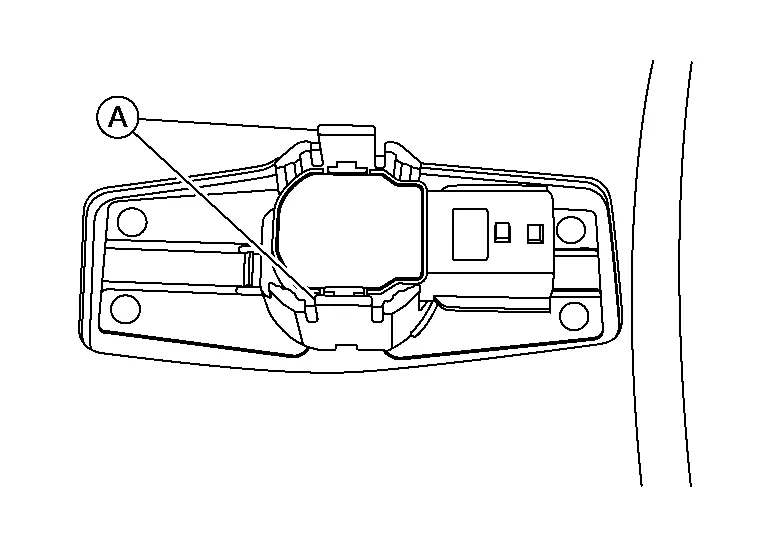
Connect the harness connector to the front sonar sensor inner.

 Sonar Buzzer
Removal and Installation
REMOVALRemove instrument lower panel LH. Refer to Removal and Installation.
Disconnect harness connector from the sonar buzzer...
Other information:
Nissan Murano (Z52) 2015-2024 Owners Manual: Fog light switch (if so equipped)
To turn the fog lights on, turn the headlight switch to the position, then turn the fog light switch to the position. To turn the fog lights on with the headlight switch in the AUTO position, the headlights must be on, then turn the fog light switch to the position...
Nissan Murano (Z52) 2015-2024 Service Manual: Instrument Panel Tweeter
Diagnosis Procedure CONNECTOR CHECK Check the AV control unit, Bose speaker amp. and speaker connectors for the following: Proper connection Damage Disconnected or loose terminals Is the inspection result normal? YES>> GO TO 2. NO>> Repair the terminals or connectors...
Categories
- Manuals Home
- Nissan Murano Owners Manual
- Nissan Murano Service Manual
- How to enable/disable the LDW system
- Shift lock release
- GAS STATION INFORMATION
- New on site
- Most important about car
Seatback pockets

Theremaybe one or two seatback pockets located on the back of the driver and passenger seats. The pockets can be used to store maps.
WARNING
