
Nissan Murano: Rear Door Lock / Outside Handle
REMOVAL
Fully close rear door glass.
Remove rear door finisher. Refer to Removal and Installation.
Remove rear door vapor barrier.
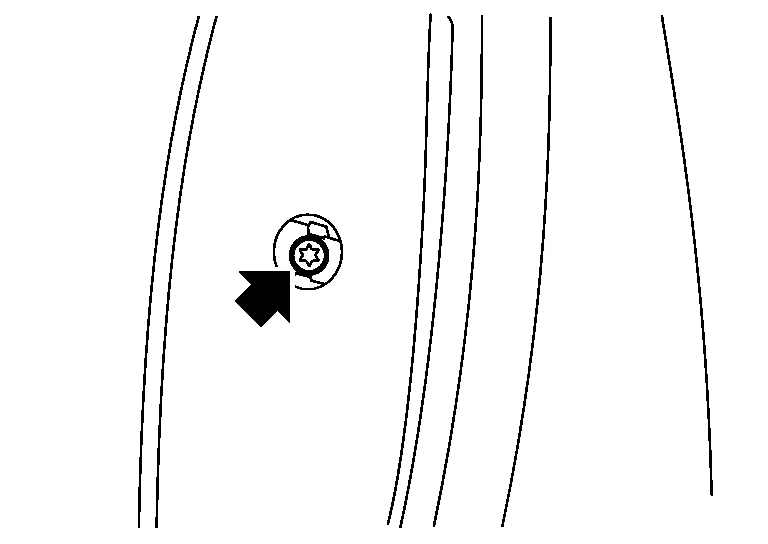
Remove door side grommet and bolt from grommet hole.
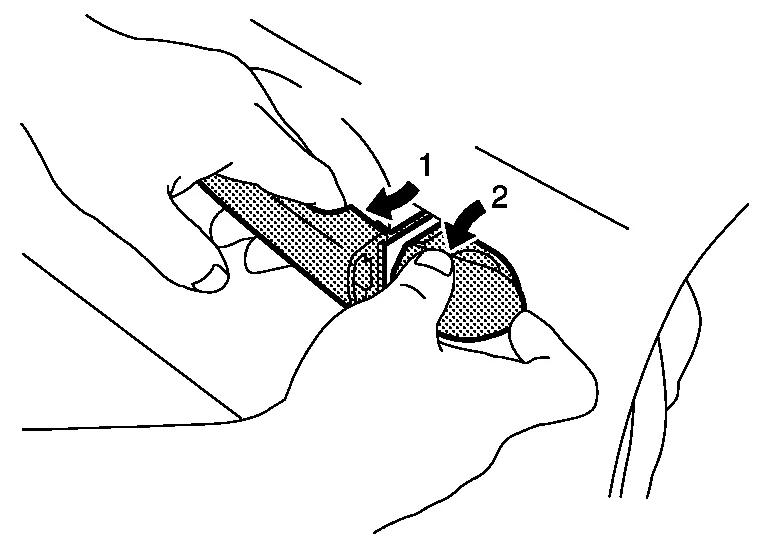
While pulling (1) outside handle, remove (2) outside handle escutcheon.
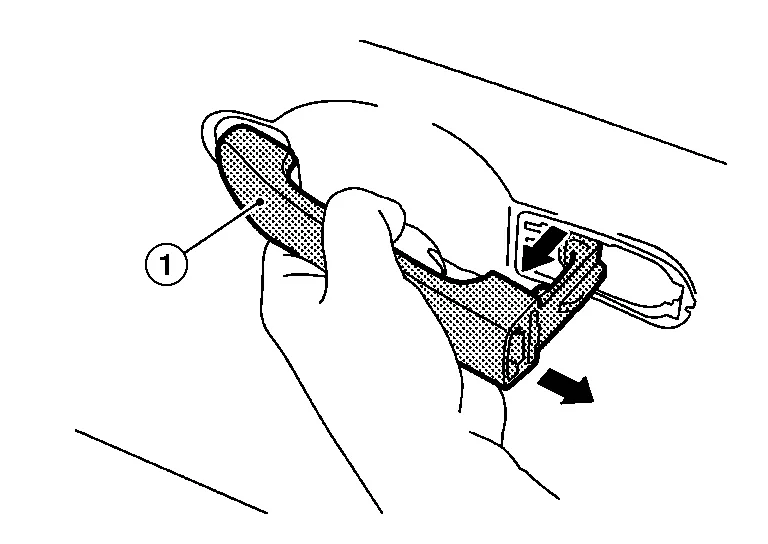
While pulling outside handle (1), slide toward rear of Nissan Murano vehicle to remove outside handle.
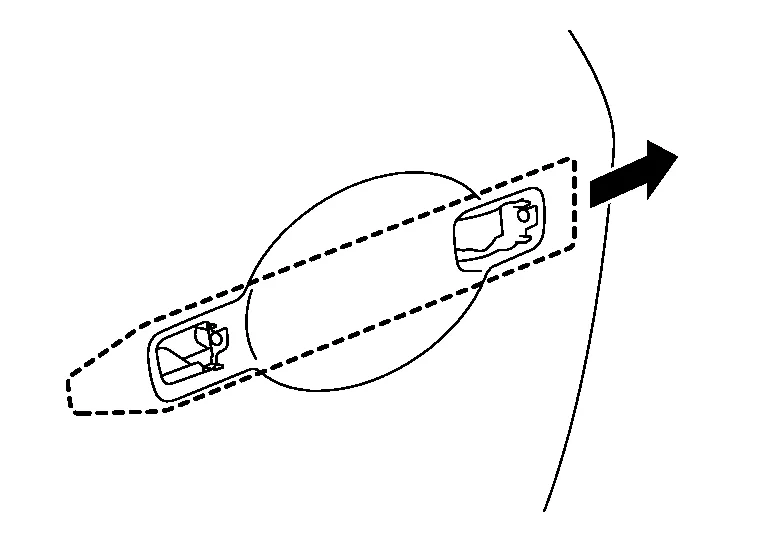
Remove front gasket and rear gasket.
Slide outside handle bracket toward rear of Nissan Murano vehicle to remove.
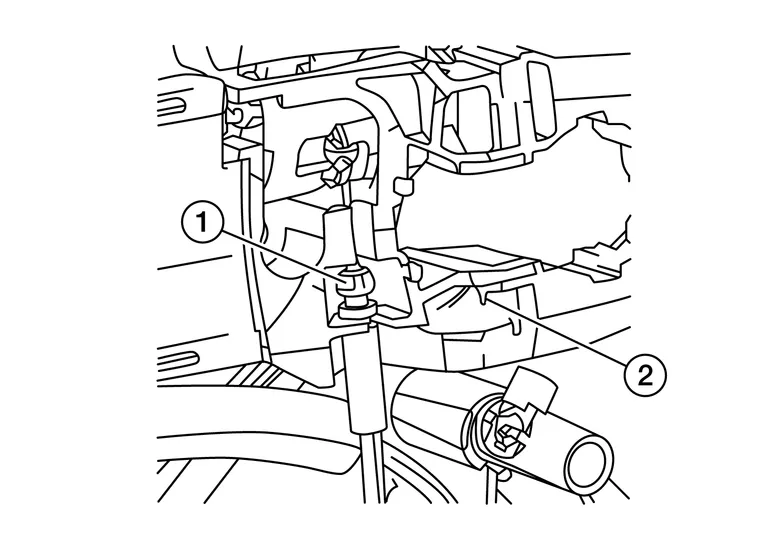
Disconnect outside handle cable(1) from outside handle bracket(2).
INSTALLATION
Installation is in the reverse order of removal.
CAUTION:
-
After installation, check that door lock cable is properly engaged to outside handle bracket.
-
After installation, check door open/close and lock/unlock operation.
 Inside Handle
Removal and Installation
REMOVALRemove rear door finisher. Refer to Removal and Installation.
Remove inside handle screws.INSTALLATIONInstallation is in the reverse order of removal...

Other information:
Nissan Murano (Z52) 2015-2024 Service Manual: Mirrors :: Basic Inspection. Diagnosis and Repair Work Flow
Work Flow OVERALL SEQUENCEDETAILED FLOWINTERVIEW CUSTOMER Interview the customer to obtain as much information as possible about the conditions and environment under which the malfunction occurred. >> GO TO 2. REPRODUCE THE MALFUNCTION Reproduce the malfunction on the Nissan Murano vehicle that the customer describes...
Nissan Murano (Z52) 2015-2024 Service Manual: P1212 Tcs Communication Line
DTC Description DESCRIPTIONThis CAN communication line is used to control the smooth engine operation during the TCS operation. Pulse signals are exchanged between ECM and “ABS actuator and electric unit (control unit)”.Be sure to erase the malfunction information such as DTC not only for “ABS actuator and electric unit (control unit)” but also for ECM after TCS related repair...
Categories
- Manuals Home
- Nissan Murano Owners Manual
- Nissan Murano Service Manual
- Checking engine oil level
- Rear bench seat adjustment
- Settings
- New on site
- Most important about car
LATCH (Lower Anchors and Tethers for CHildren) system

LATCH system lower anchor locations - bench seat
Your vehicle is equipped with special anchor points that are used with LATCH system compatible child restraints. This system may also be referred to as the ISOFIX or ISOFIX compatible system. With this system, you do not have to use a vehicle seat belt to secure the child restraint unless the combined weight of the child and child restraint exceeds 65 lbs. (29.5 kg). If the combined weight of the child and child restraint is greater than 65 lbs. (29.5 kg), use the vehicle’s seat belt (not the lower anchors) to install the child restraint. Be sure to follow the child restraint manufacturer’s instructions for installation.
