
Nissan Murano: Srs Air Bag :: Removal and Installation / Crash Zone Sensor
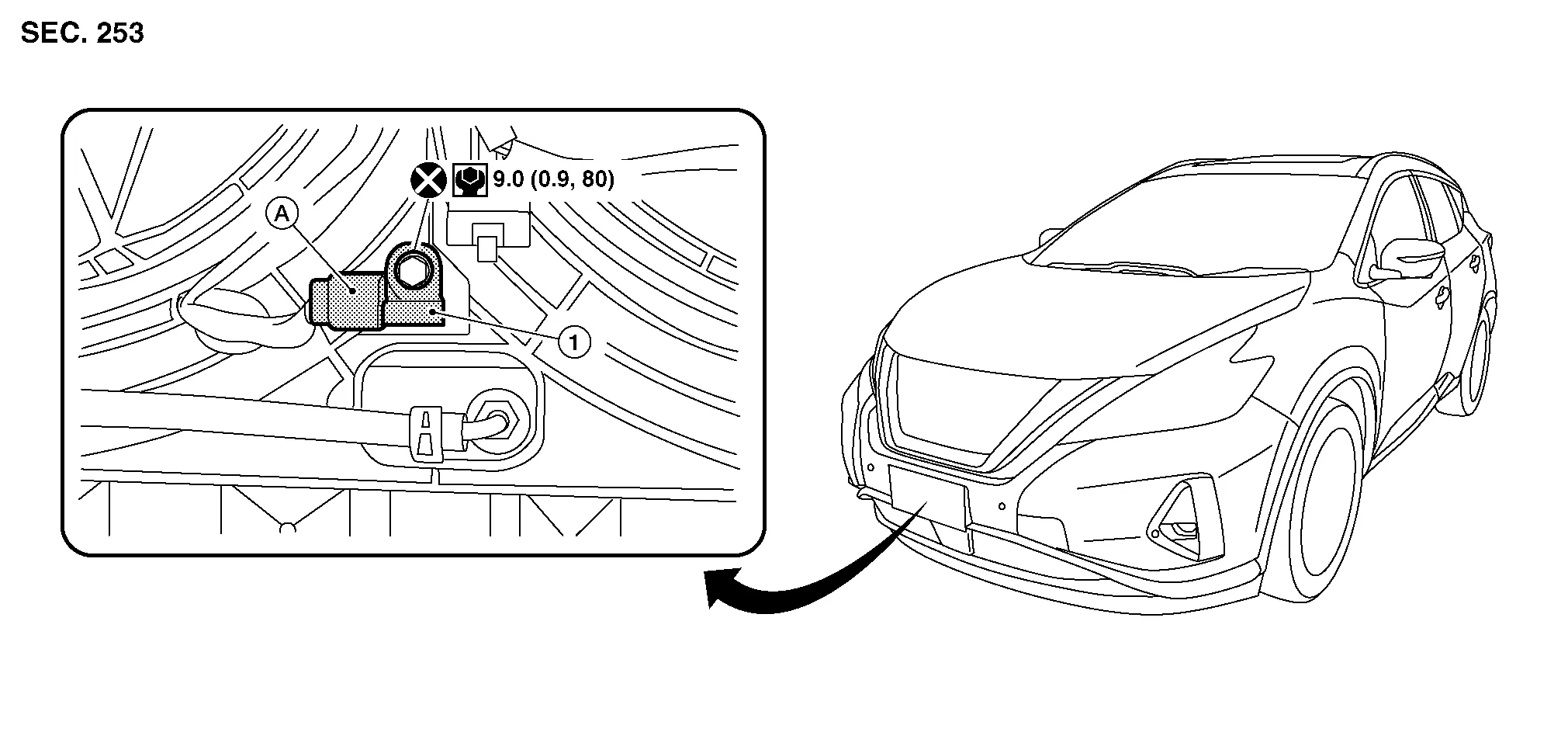
| 1. | Crash zone sensor | A. | Crash zone sensor harness connector |
WARNING:
-
Before servicing SRS, place the ignition switch in the OFF position, disconnect both battery terminals then wait at least three minutes.
-
Do not use air tools or electric tools for servicing.
REMOVAL
Disconnect negative and positive battery terminals then wait at least three minutes. Refer to Removal and Installation.
Remove front under cover. Refer to Removal and Installation.
Disconnect harness connector from crash zone sensor.
Remove crash zone sensor bolt.
CAUTION:
Do not reuse crash zone sensor bolt.
Remove crash zone sensor.
CAUTION:
-
Replace crash zone sensor if it has been dropped or sustained an impact.
-
Do not strike crash zone sensor.
-
Replace crash zone sensor if either driver air bag or front passenger air bag has been deployed.
INSTALLATION
Installation is in the reverse order of removal.
CAUTION:
-
Do not reuse crash zone sensor bolt.
-
Do not damage harness connector during installation.
-
After installation is complete, check that no system malfunction is detected causing air bag warning lamp to illuminate.
-
If a malfunction is indicated by air bag warning lamp after repair or replacement of malfunctioning parts, perform SRS final check. Refer to SRS Final Check.
 Rear Side Air Bag Module
Removal and Installation
The rear side air bag module is part of the second row seatback. For unit disassembly and assembly of the second row seat, refer to Seatback (LH) or Seatback (RH)...
 Satellite Sensor
Exploded View
1.
Front door satellite sensor
2.
Front side air bag satellite sensor
3.
Rear side air bag satellite sensor
A.
Front door satellite sensor harness connector
B...
Other information:
Nissan Murano (Z52) 2015-2024 Service Manual: Shipping Mode Cancel Operation
Work Procedure SHIPPING MODE CANCEL OPERATION Ignition switch OFF. Press in (turn on) the extended storage switch. Refer to How To Check. Ignition switch ON. Ignition switch OFF and wait at least 2 seconds. NOTE: Pressing in the extended storage switch moves the mode from Shipping to Normal...
Nissan Murano (Z52) 2015-2024 Owners Manual: How to use the vehicle information display
The vehicle information display can be changed using the OK and buttons located on the steering wheel. OK — change or select an item in the vehicle information display. — scroll up or down the vehicle information menu items. If the vehicle information display is not showing a menu with the buttons, pressing the will change to the previous/next audio preset...
Categories
- Manuals Home
- Nissan Murano Owners Manual
- Nissan Murano Service Manual
- Memory storage function (key-link)
- Intelligent Forward Collision Warning (I-FCW)
- All-Wheel Drive (AWD) (if so equipped)
- New on site
- Most important about car
Autolight system
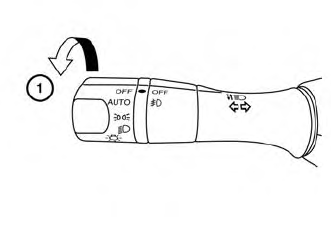
The autolight system allows the headlights to turn on and off automatically. The autolight system can:
Turn on the headlights, front parking, tail, license plate and instrument panel lights automatically when it is dark. Turn off all the lights (except daylight running lights) when it is light. Keep all the lights on for a period of time after you place the ignition switch in the OFF position and all doors are closed.