
Nissan Murano: Door & Lock :: Removal and Installation / Automatic Back Door Close Switch
Nissan Murano (Z52) 2015-2024 Service Manual / Body Exterior, Doors, Roof & Vehicle Security / Door & Lock :: Removal and Installation / Automatic Back Door Close Switch
REMOVAL
Release the automatic back door close switch finisher pawls using a suitable tool.
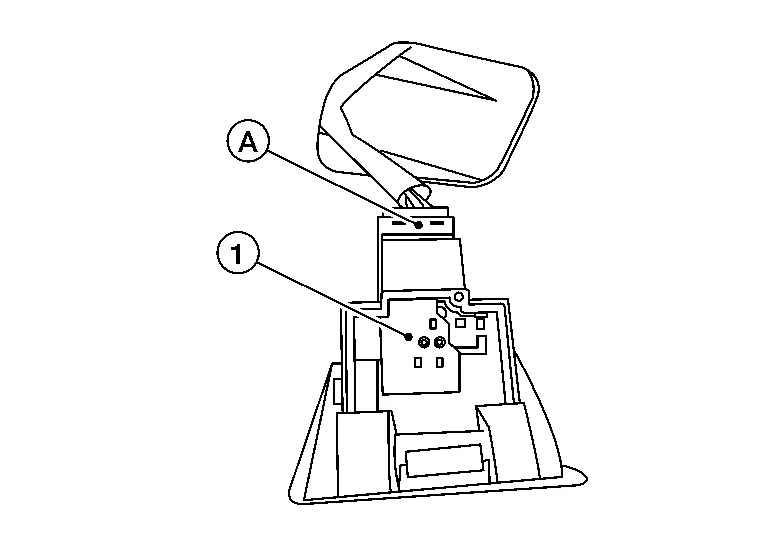
Disconnect the harness connector (A) from the automatic back door close switch (1) and remove.
Release pawls and remove automatic back door switch finisher (1) (if necessary).
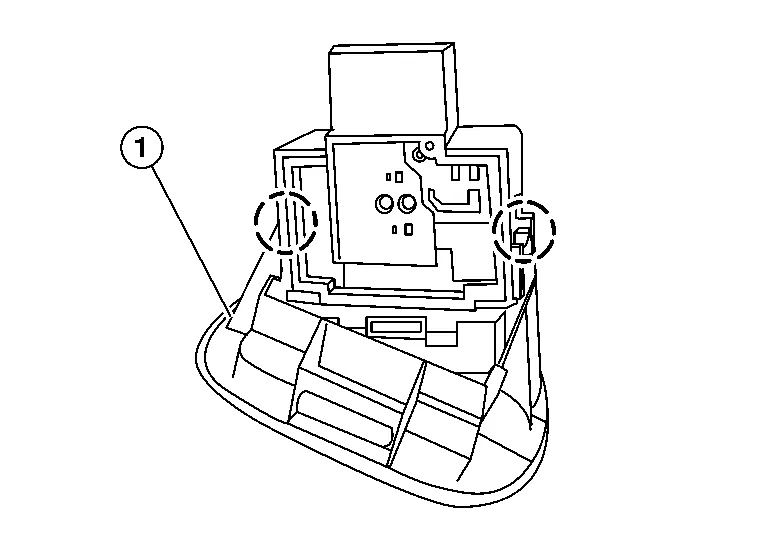
 : Pawl
INSTALLATION
Installation is in the reverse order of removal.
 Automatic Back Door Switch
Exploded View
1.
Upper switch carrier
2.
Middle switch carrier
3.
Heated steering wheel switch (if equipped)
4.
VDC OFF switch
5.
Automatic back door switch (if equipped)
6...
 Security Control System :: Precaution. Precautions
Precaution for Supplemental Restraint System (SRS) "AIR BAG" and "SEAT BELT PRE-TENSIONER"
The Supplemental Restraint System such as “AIR BAG” and “SEAT BELT PRE-TENSIONER”, used along with a front seat belt, helps to reduce the risk or severity of injury to the driver and front passenger for certain types of collisions...
Other information:
Nissan Murano (Z52) 2015-2024 Service Manual: Heated Seat System
Component Parts Location A. Rear of center console B. Front of center console C. Front seat LH (RH similar) (view with seat and cushions removed) D. 2nd row seats No. Component Function 1. 2nd row heated seat switch LH Refer to Second Row Heated Seat Switch...
Nissan Murano (Z52) 2015-2024 Service Manual: Wheel and Tire
Exploded View 1. Wheel and tire 2. Wheel nut Removal and Installation REMOVALRemove wheel nuts using power tool. Remove wheel and tire.INSTALLATIONInstallation is in reverse order of removal.CAUTION: When installing wheel nuts, tighten them diagonally by dividing the work two or three times in order to prevent wheels from developing any distortion...
Categories
- Manuals Home
- Nissan Murano Owners Manual
- Nissan Murano Service Manual
- Fuel recommendation
- Vehicle Dynamic Control (VDC) OFF switch
- How to enable/disable the LDW system
- New on site
- Most important about car
Unfastening the seat belts. Checking seat belt operation
Unfastening the seat belts
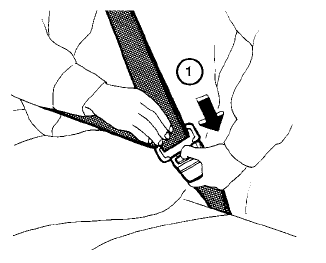
To unfasten the seat belt, press the button
on the buckle  . The seat belt
automatically
retracts.
. The seat belt
automatically
retracts.

Copyright © 2026 www.nimurano.com