
Nissan Murano: Symptom Diagnosis / The System Does Not Detect the Vehicle Ahead at All
When ICC system is active, the ICC system does not perform any control even though there is a vehicle ahead.
CHECK ICC SYSTEM DISPLAY ON INFORMATION DISPLAY
-
Start the self-diagnosis mode of combination meter. Refer to On Board Diagnosis Function.
-
Check that the information display turns ON normally.
Is the inspection result normal?
YES>>GO TO 2.
NO>>Replace the combination meter.
VISUAL CHECK (1)
Check the contamination and foreign matter on the distance sensor (ICC sensor) area of the front bumper.
Is foreign matter adhered?
YES>>GO TO 4.
NO>>GO TO 3.
VISUAL CHECK (2)
Check distance sensor (ICC sensor) for contamination and foreign matter.
Is foreign matter adhered?
YES>>GO TO 4.
NO>>GO TO 5.
WIPE OUT DIRT AND FOREIGN MATTER
Wipe out the contamination and foreign matter in the area around the distance sensor (ICC sensor).
>>
GO TO 10.
VISUAL CHECK (3)
Check distance sensor (ICC sensor) for cracks and/or scratches.
Are there cracks or scratches?
YES>>GO TO 7.
NO>>GO TO 6.
DISTANCE SENSOR (ICC SENSOR) ALIGNMENT ADJUSTMENT
-
Adjust the distance sensor (ICC sensor) alignment. Refer to Work Procedure.
-
Perform ICC system action test. Refer to Description.
-
Check that the Nissan Murano vehicle ahead detection performance improves.
Does it improve?
YES>>Inspection End.
NO>>GO TO 7.
CHECK INFORMATION DISPLAY
-
Select “Self Diagnostic Result” mode of “LASER/RADAR”. Refer to CONSULT Function (LASER/RADAR).
-
Check that the segment of information is displayed normally.
Is the inspection result normal?
YES>>GO TO 8.
NO>>Refer to DTC Index
REPLACE DISTANCE SENSOR (ICC SENSOR)
-
Replace the distance sensor (ICC sensor). Refer to Removal and Installation.
-
Adjust the distance sensor (ICC sensor) alignment. Refer to Work Procedure.
-
Perform ICC system action test. Refer to Description.
-
Check that the Nissan Murano vehicle ahead detection performance improves.
Does it improve?
YES>>Inspection End.
NO>>GO TO 9.
REPLACE ADAS CONTROL UNIT
Replace ADAS control unit. Refer to Removal and Installation.
>>
GO TO 10.
CHECK ICC SYSTEM
-
Erase the “Self Diagnostic Result”, and then perform “Self Diagnostic Result” again after performing the action test. (Refer to Description for action test.)
-
Check that the ICC system is normal.
>>
Inspection End.
 Frequently Cannot Detect the Vehicle Ahead / Detection Zone Is Short
Diagnosis Procedure
The detection function may become unstable in the following cases.
When distance sensor (ICC sensor) reflections from the vehicle ahead are interrupted...

Other information:
Nissan Murano (Z52) 2015-2024 Service Manual: Fuel System :: Disassembly and Assembly. Fuel Level Sensor Unit
Exploded View Fuel Level Sensor Unit 1. Fuel level sensor unit 2. Fuel tank temperature sensor A. Fuel level sensor unit harness connector B. Fuel pump harness connector C. Fuel tank temperature sensor harness connector D. Float arm assembly Disassembly and Assembly DisassemblyNOTE: Before disassembly, note the proper placement of the wires to the correct terminals and correct wire routing to the terminals...
Nissan Murano (Z52) 2015-2024 Service Manual: Door Assembly
Exploded View 1. Rear door sash 2. Rear door outside rear tape 3. Rear door sash rear tape 4. Rear door striker 5. Rear door weather strip 6. Rear door seal 7. Vapor barrier 8. Rear door lower hinge 9. Rear door check link 10...
Categories
- Manuals Home
- Nissan Murano Owners Manual
- Nissan Murano Service Manual
- Checking engine oil level
- Vehicle Dynamic Control (VDC) OFF switch
- Indicator lights
- New on site
- Most important about car
Fuel gauge
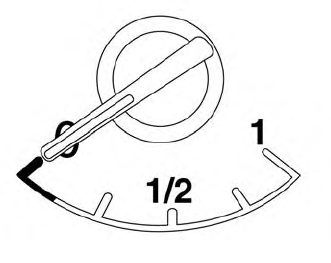
The gauge indicates the approximate fuel level in the tank.
The gauge may move slightly during braking, turning, acceleration, or going up or down hills.
The gauge needle returns to 0 (Empty) after the ignition switch is placed in the OFF position.
