
Nissan Murano: Removal and Installation / Side Oil Seal
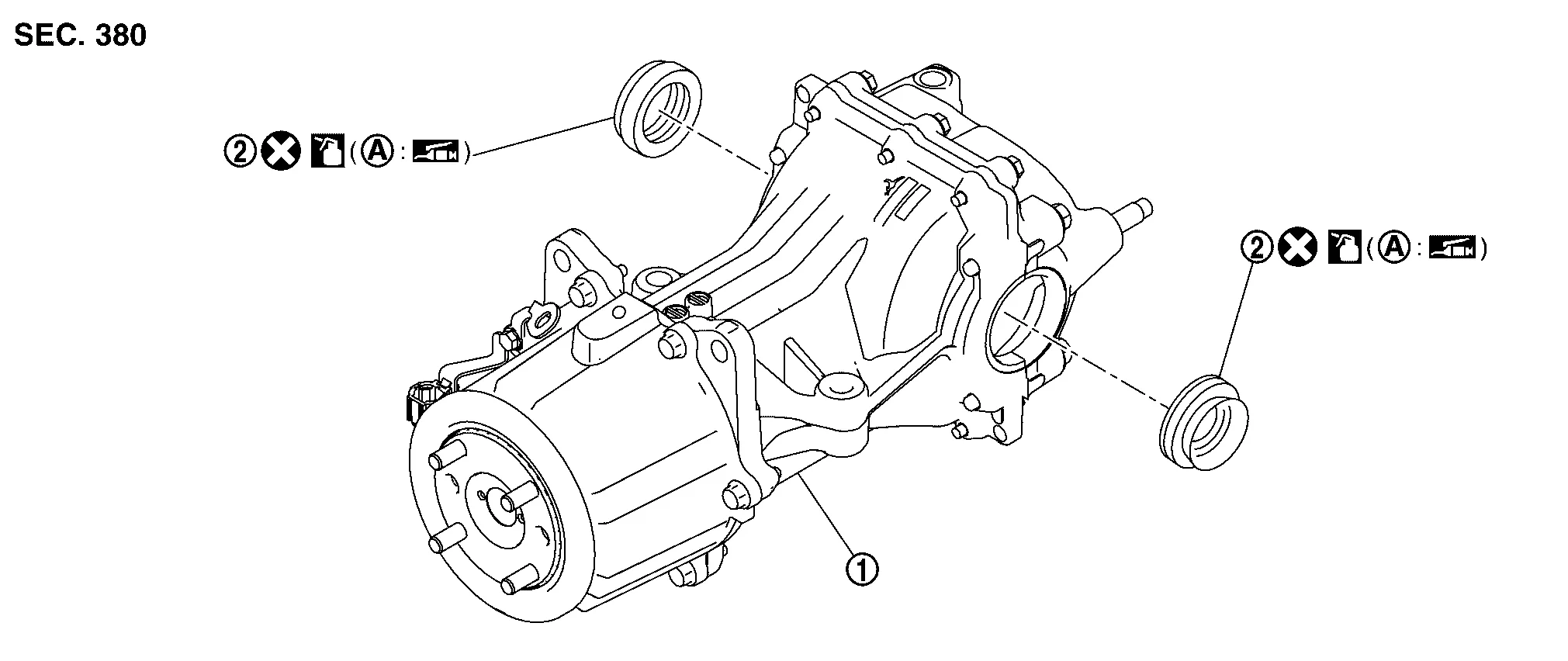
 |
Rear final drive assembly |  |
Side oil seal | ||
 |
Oil seal lip | ||||
 : Always replace after every disassembly. : Always replace after every disassembly. |
|||||
 : Apply gear oil. : Apply gear oil. |
|||||
 : Apply multi-purpose grease. : Apply multi-purpose grease. |
|||||
REMOVAL
Drain gear oil. Refer to Draining.
Remove rear drive shafts. Refer to Removal and Installation.
Remove side oil seal, using oil seal remover (commercial service tool).
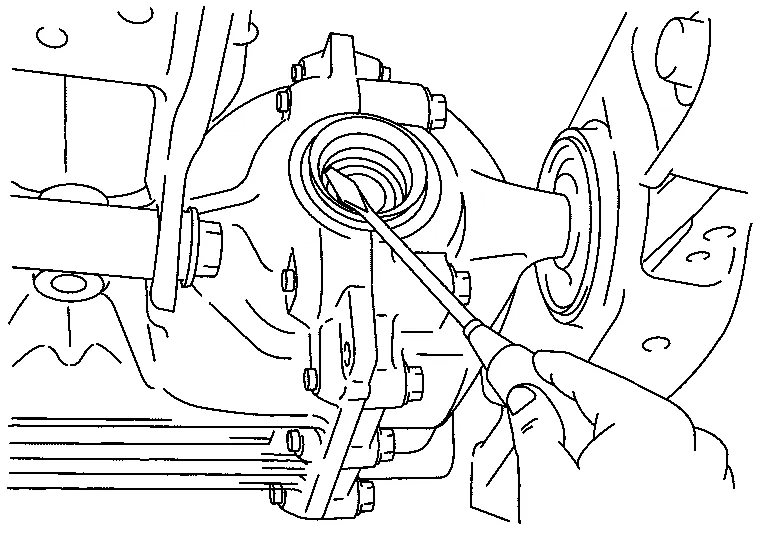
CAUTION:
Do not damage gear carrier and rear cover.
INSTALLATION
Using the drift (A) (SST: KV38100200), drive side oil seal until it becomes flush with the gear carrier end.
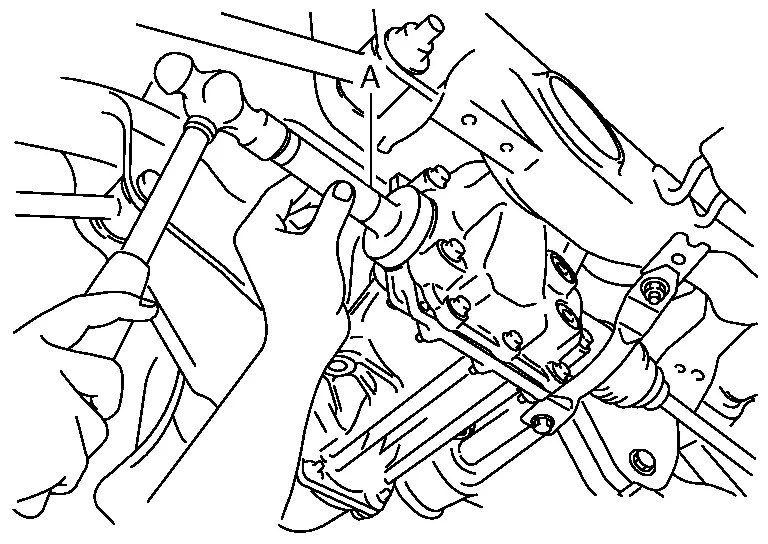
CAUTION:
-
Do not reuse oil seal.
-
When installing, do not incline oil seal.
-
Apply multi-purpose grease onto oil seal lip, and gear oil onto the circumference of oil seal.
Install rear drive shafts. Refer to Removal and Installation.
Refill gear oil to the final drive. Refer to Refilling.
Check final drive for leaks.
Check oil level. Refer to Inspection.
 Drive Pinion Oil Seal
Exploded View
Rear final drive assembly
Drive pinion oil seal
Electric controlled coupling assembly
Oil seal lip
: Always replace after every disassembly...
 Electric Controlled Coupling
Exploded View
Rear final drive assembly
Wave spring
Electric controlled coupling assembly
Reamer bolt
Connector bracket
Stud bolt
: N·m (kg-m, in-lb)
: N·m (kg-m, ft-lb)
: Always replace after every disassembly...
Other information:
Nissan Murano (Z52) 2015-2024 Service Manual: Rear Suspension Arm
Exploded View 1. Rear suspension arm bushing 2. Rear suspension member 3. Rear knuckle 4. Ball joint seat 5. Cotter pin 6. Stabilizer connecting rod 7. Rear suspension arm Front Removal and Installation REMOVALRemove the rear wheel and tire using power tool...
Nissan Murano (Z52) 2015-2024 Service Manual: Power Supply and Ground Circuit
Diagnosis Procedure Regarding Wiring Diagram information, refer to Wiring Diagram.CHECK FUSES Check that the following fuse is not blown: Signal name Fuse No. Ignition power supply 29 (10A) Is the fuse blown? YES>> Replace the blown fuse after repairing the affected circuit...
Categories
- Manuals Home
- Nissan Murano Owners Manual
- Nissan Murano Service Manual
- Indicator lights
- Rear bench seat adjustment
- Fuel recommendation
- New on site
- Most important about car
Vehicle security system

Your vehicle has two types of security systems:
Vehicle security system NISSAN Vehicle Immobilizer SystemThe vehicle security system provides visual and audible alarm signals if someone opens the doors, liftgate or the hood when the system is armed. It is not, however, a motion detection type system that activates when a vehicle is moved or when a vibration occurs.
