
Nissan Murano: Engine Mechanical :: Removal and Installation / Rear Timing Chain Case

| 1. | O-ring | 2. | Blind plug (if equipped) | 3. | Rear timing chain case |
| 4. | Cylinder block | 5. | O-ring | 6. | O-ring |
| A. | Refer to Removal and Installation. |  |
Engine front |
CAUTION:
-
After removing timing chain, do not turn the crankshaft and camshaft separately, or the valves will strike the pistons.
-
Before removing the upper oil pan, remove the crankshaft position sensor (POS).
-
Be careful not to damage sensor edges.
REMOVAL
Remove the engine assembly. Refer to Removal and Installation (FWD) or Removal and Installation (AWD).
Remove upper oil pan. Refer to Removal and Installation (Upper Oil Pan).
Remove the front timing chain case. Refer to Removal and Installation.
Remove the timing chains (primary) and (secondary). Refer to Removal and Installation.
Remove the rear timing chain case.
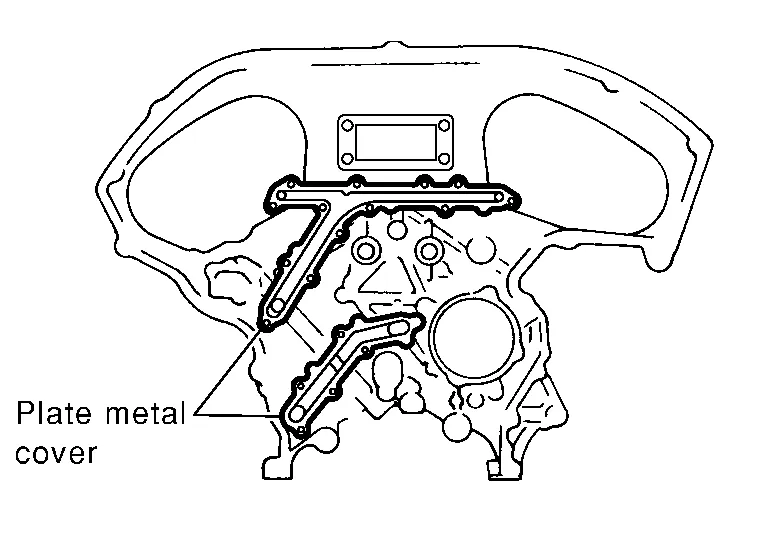
CAUTION:
-
Do not remove the plate metal cover for the oil passage.
-
After removing the chain case, do not apply any load to the case that might bend it.
-
After removing the bolts, separate the mating surface and remove the old liquid gasket using Tool (A).
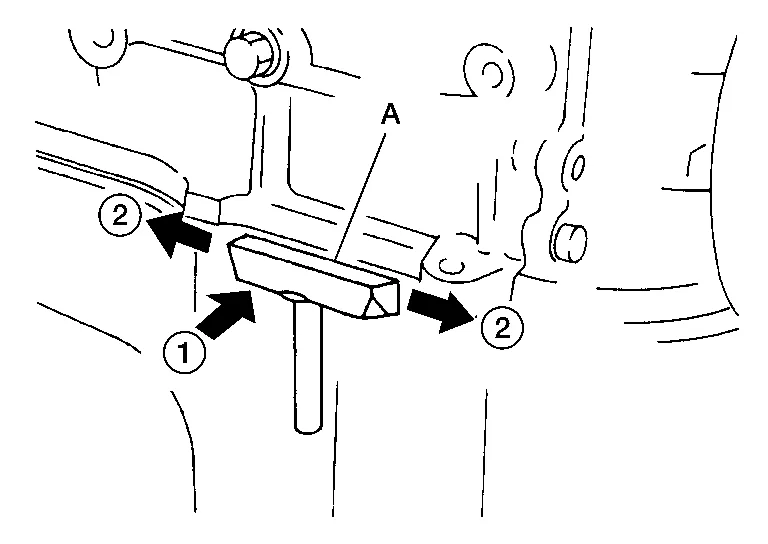
Tool number (A) : KV10111100 (J-37228) CAUTION:
Do not damage the mating surfaces.
-
Tap the seal cutter to insert it (1).
-
In areas where the Tool is difficult to use, lightly tap to slide it (2).
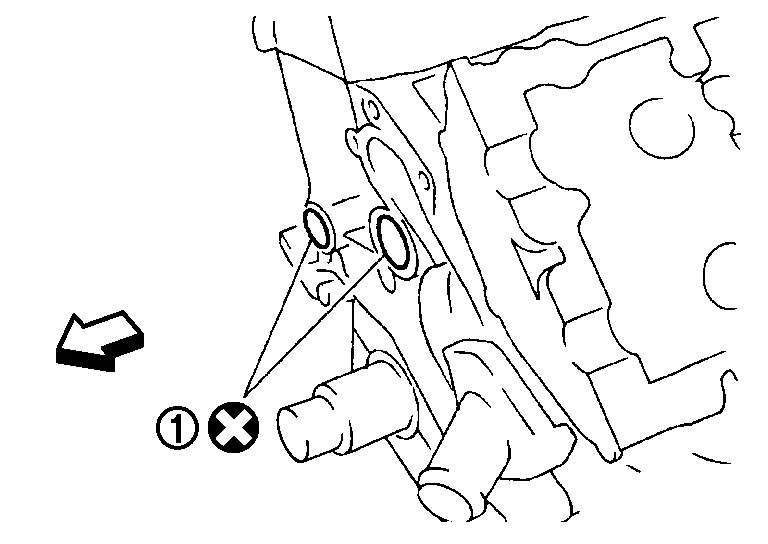
Remove O-rings (1) from cylinder block.
|
: Engine front |
CAUTION:
Do not reuse O-rings.
Use a scraper to remove all of the old Silicone RTV Sealant from the front and rear timing chain case and opposite mating surfaces.
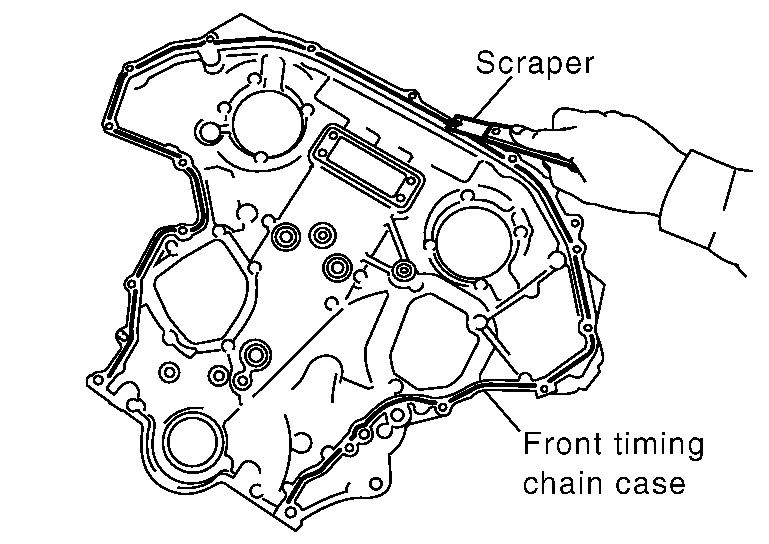
CAUTION:
Do not damage the mating surfaces.
Remove all old Silicone RTV Sealant from all the bolt holes and bolts.
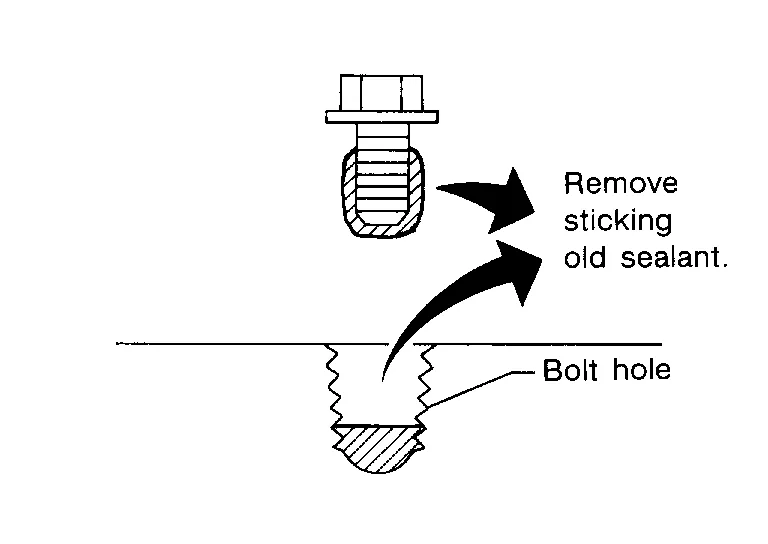
CAUTION:
Do not damage the threads or mating surfaces.
INSTALLATION
Install O-rings (1) on cylinder block.
|
: Engine front |
CAUTION:
Do not reuse O-rings.
Apply Genuine Silicone RTV Sealant or equivalent, to the rear timing chain case using suitable tool as shown. Refer to Recommended Chemical Products and Sealants.
CAUTION:
-
Installation should be done within 5 minutes after applying liquid gasket.
-
Do not fill the engine with engine oil for at least 30 minutes after the components are installed to allow the sealant to cure.
-
Wipe off liquid gasket where it touches the engine coolant passage at point (A).
-
Follow the installation instructions for applying the liquid gasket. Pay particular attention to the water pump and cylinder area.
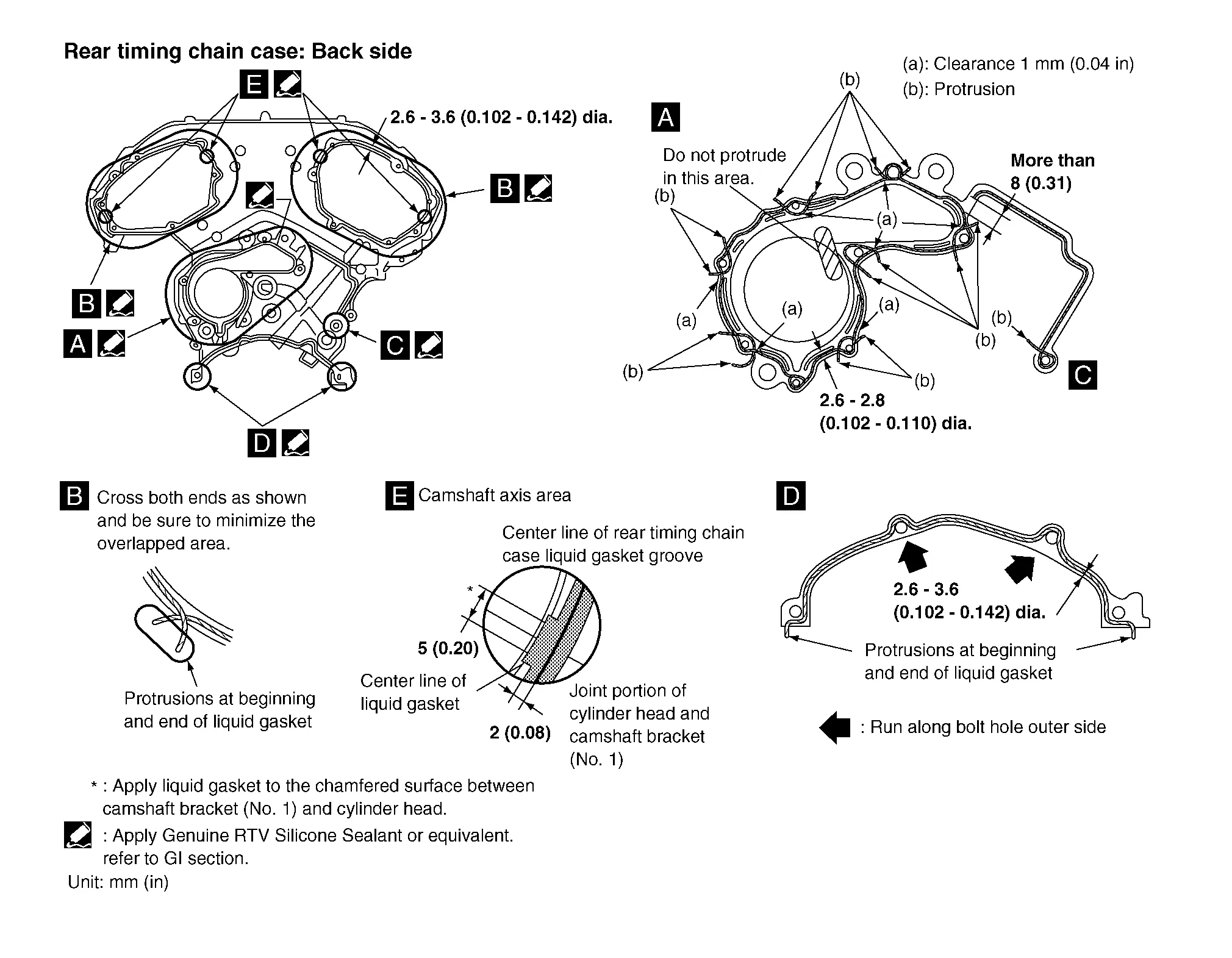
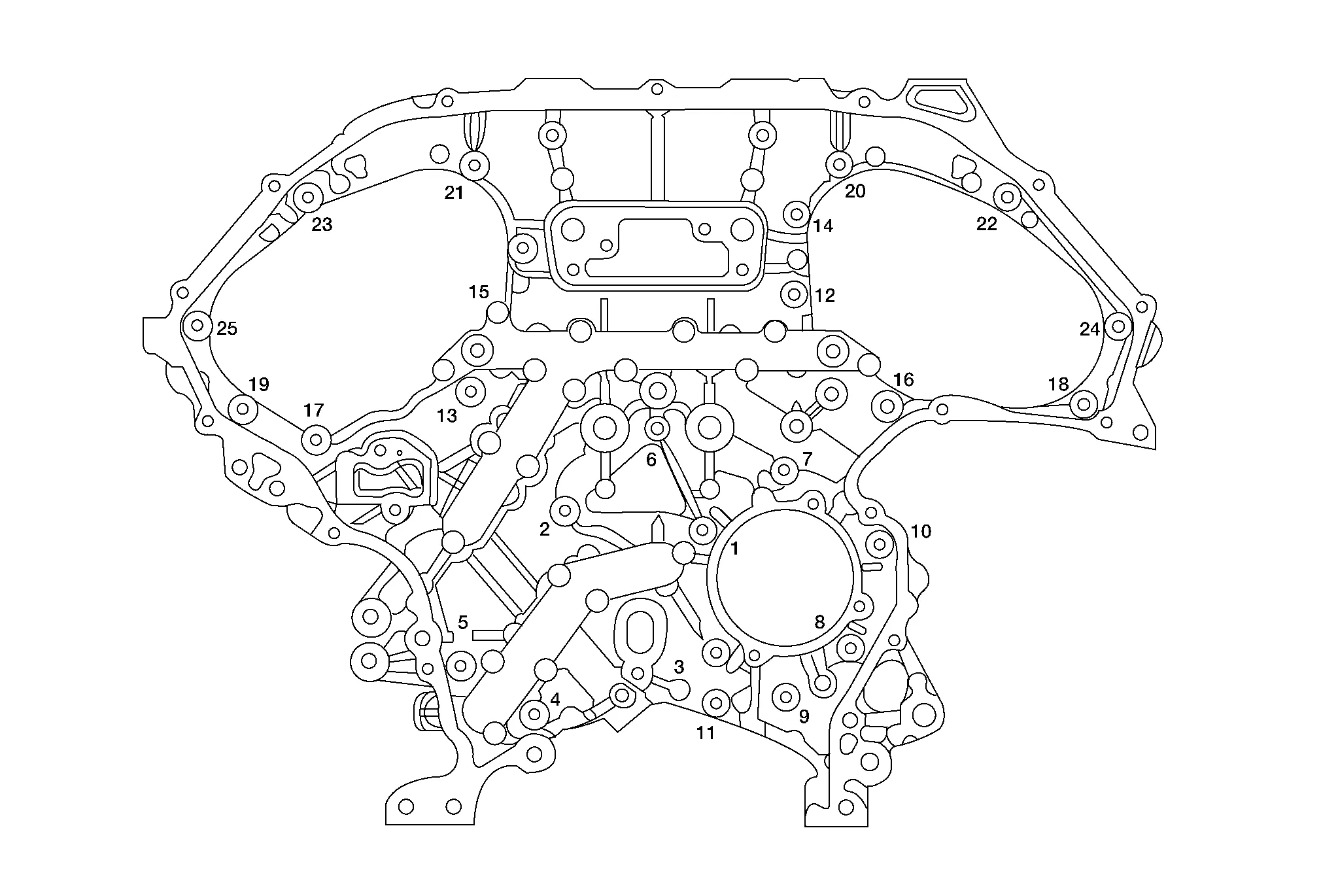
Align the rear timing chain case and water pump assembly with the dowel pins (RH and LH) on the cylinder block and install the case. Make sure the O-rings stay in place during installation.Tighten the bolts in the numerical order as shown. There are two bolt lengths used. Follow the chart below for proper bolt length specifications.
| Bolt length | Bolt position | Torque specification |
| 20 mm (0.79 in) | 1, 2, 3, 6, 7, 8, 9, 10 | 12.7 N·m (1.3 kg-m, 9 ft-lb) |
| 16 mm (0.63 in) | All except the above | 12.7 N·m (1.3 kg-m, 9 ft-lb) |
 NOTE:
NOTE:
If liquid gasket protrudes, wipe it off immediately.
Install the timing chains (primary and secondary). Refer to Removal and Installation.
Install the front timing chain case. Refer to Removal and Installation.
Install the upper oil pan. Refer to Removal and Installation (Upper Oil Pan).
Install the engine assembly. Refer to Removal and Installation (FWD) or Removal and Installation (AWD).
 Timing Chain
Exploded View
1.
Timing chain tensioner (secondary) (bank 2)
2.
Internal chain guide
3.
Timing chain tensioner (secondary) (bank 1)
4.
Camshaft sprocket (bank 1) (EXH)
5...
 Camshaft
Exploded View
1.
Camshaft position sensor bracket (bank 1)
2.
Camshaft brackets
3.
No. 1 camshaft bracket (bank 1)
4.
Camshaft (EXH) (bank 1)
5...
Other information:
Nissan Murano (Z52) 2015-2024 Service Manual: P0441 Evap Control System
DTC Description DTC DETECTION LOGICIn this evaporative emission (EVAP) control system, purge flow occurs during non-closed throttle conditions. Purge volume is related to air intake volume. Under normal purge conditions (non-closed throttle), the EVAP canister purge volume control solenoid valve is open to admit purge flow...
Nissan Murano (Z52) 2015-2024 Service Manual: Combination Meter
Exploded View 1. Combination meter 2. Cluster lid A Metal clip Removal and Installation REMOVALCAUTION: Never install a combination meter from an Advanced Driver Assistance System (ADAS) equipped Murano Nissan Murano vehicle into a non-ADAS equipped vehicle, or vice versa...
Categories
- Manuals Home
- Nissan Murano Owners Manual
- Nissan Murano Service Manual
- Memory storage function (key-link)
- Checking engine oil level
- Passenger compartment
- New on site
- Most important about car
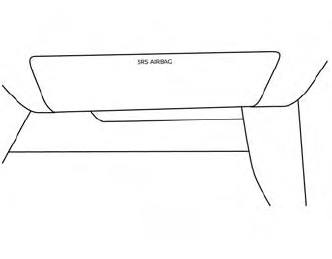
Driver and passenger supplemental knee air bag
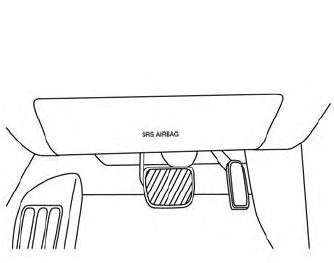
Driver’s side
The knee air bag is located in the knee bolster, on the driver’s and passenger’s side. All of the information, cautions and warnings in this manual apply and must be followed. The knee air bag is designed to inflate in higher severity frontal collisions, although it may inflate if the forces in another type of collision are similar to those of a higher severity frontal impact. It may not inflate in certain collisions.
Passenger’s side
