
Nissan Murano: Over Fender / Rear Over Fender
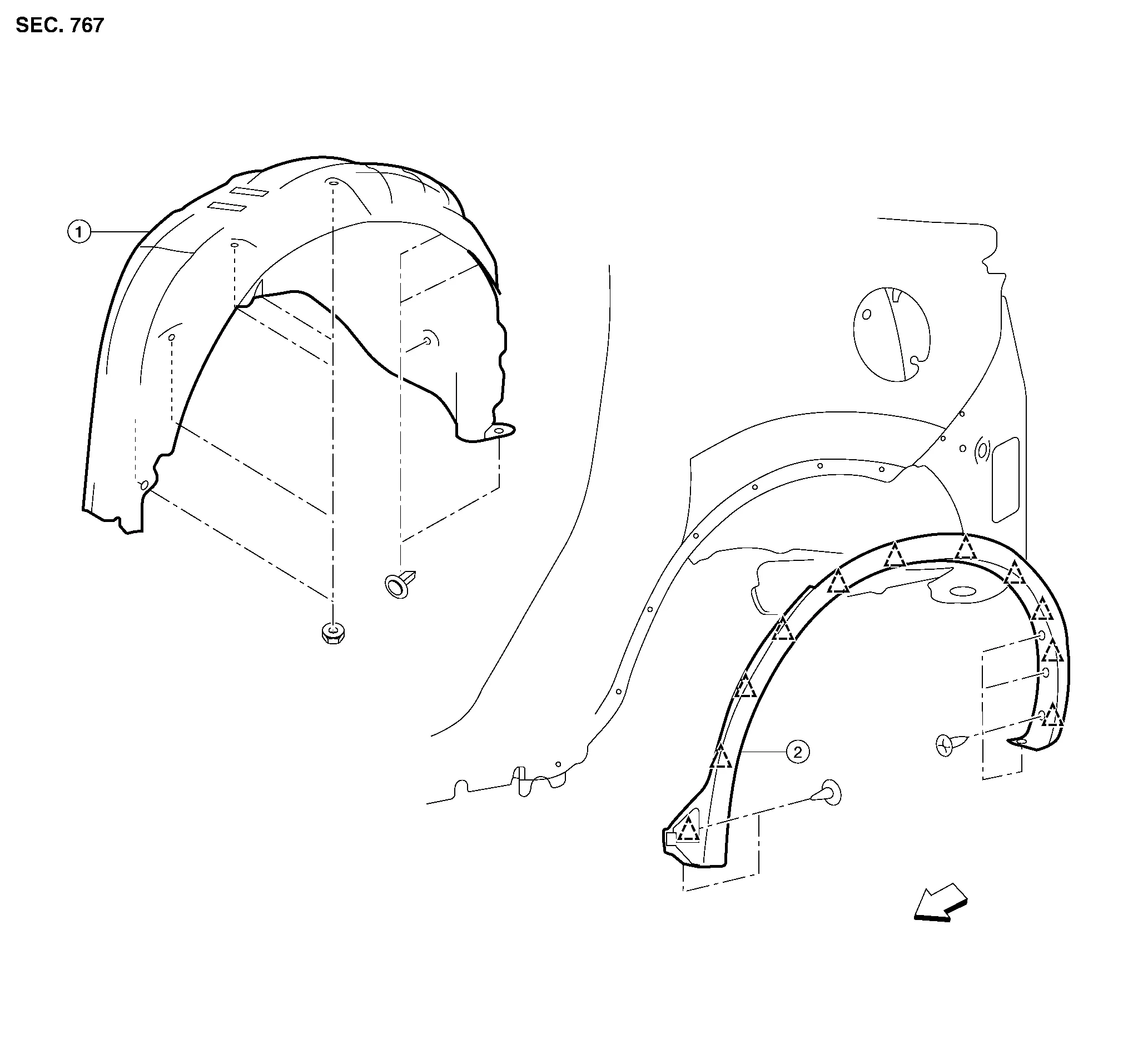
| 1. | Rear wheel house protector | 2. | Rear over fender |  |
Clip |
 |
Front |
REMOVAL
Remove rear over fender screws.
Release clips using suitable tool and remove.
INSTALLATION
Installation is in the reverse order of removal.
CAUTION:
-
Visually check the clips for deformation and damage during installation. Replace with new ones if necessary.
-
When installing over fender, check that clips are securely placed in body panel holes.
 Front Over Fender
Exploded View
1.
Front fender protector
2.
Engine side cover
3.
Front over fender
Clip
Front
Removal and Installation
REMOVALRemove front and rear screws...
 Under Cover
E..
Other information:
Nissan Murano (Z52) 2015-2024 Owners Manual: Turning the AEB system on/off
Perform the following steps to turn the AEB system on or off. Press the button until “Settings” displays in the vehicle information display and then press the OK button. Use the button to select “Driver Assistance.” Then press the OK button...
Nissan Murano (Z52) 2015-2024 Service Manual: All Wheel Drive
Removal and Installation - AWD RemovalWARNING: Do not remove the radiator cap when the engine is hot. Serious burns could occur from high pressure engine coolant escaping from the radiator. Wrap a thick cloth around the cap. Slowly turn it a quarter turn to allow built-up pressure to escape...
Categories
- Manuals Home
- Nissan Murano Owners Manual
- Nissan Murano Service Manual
- Tire rotation
- Power Steering Fluid (PSF)
- System malfunction
- New on site
- Most important about car
Unfastening the seat belts. Checking seat belt operation
Unfastening the seat belts

To unfasten the seat belt, press the button
on the buckle  . The seat belt
automatically
retracts.
. The seat belt
automatically
retracts.

Copyright © 2026 www.nimurano.com