
Nissan Murano: Power Outlet :: Removal and Installation / Power Socket
FRONT CONSOLE POWER SOCKET or REAR CARGO POWER SOCKET
 NOTE:
NOTE:
If unable to use the Tool because of power socket location or access to the harness connector, then further removal of interior components may be required. Refer to Exploded View (Front Console Power Socket) or Removal and Installation (Rear Cargo Power Socket).
Removal
Remove the fuse for the power socket.
Insert one side of the Tool (A) into one of the square holes inside the power socket.
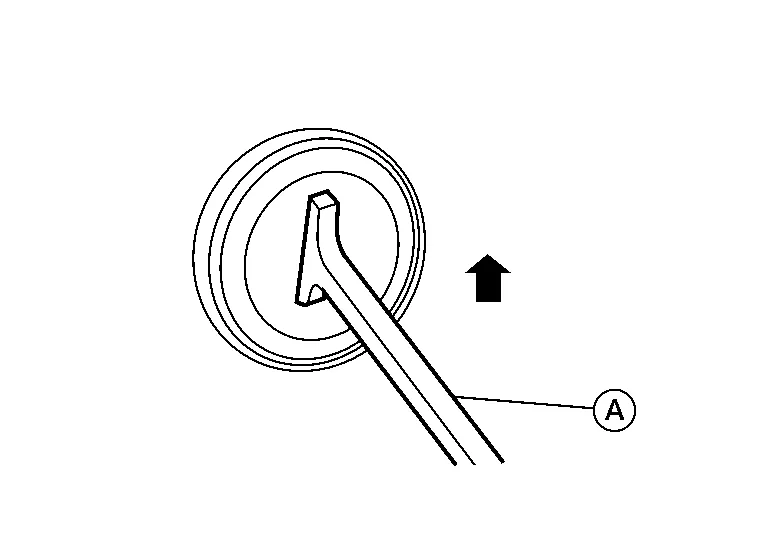
| Tool number | : — (J-42059) |
Lift up the handle of the Tool until the other side snaps into the other square hole in the power socket.
Pull the power socket straight out with the Tool.
Disconnect the harness connector from the power socket.

Remove the ring from the power socket finisher while pressing the pawls.
Installation
Installation is in the reverse order of removal.
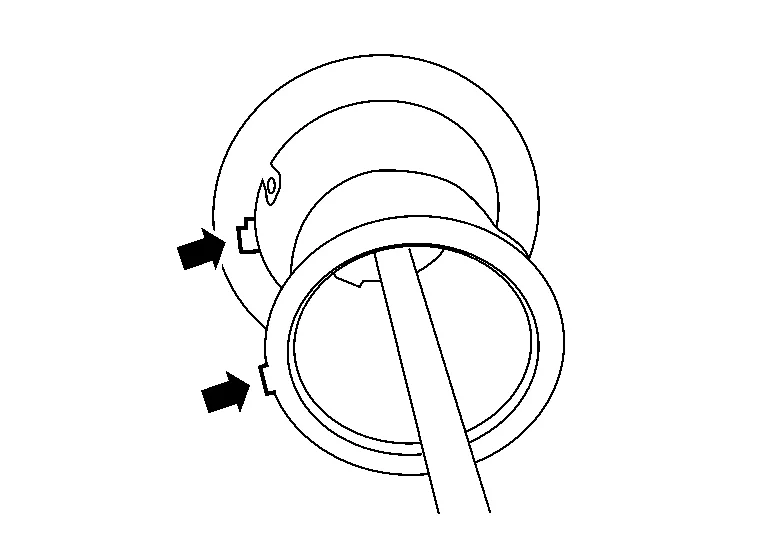
NOTE:
Make sure to align the tab with the square notched area during installation.

 Rear Usb Charge Port
Removal and Installation
REMOVALRemove center console rear finisher. Refer to Exploded View.
Using a suitable tool, release pawls and remove rear USB charge port (1) from center console rear finisher (2)...
Other information:
Nissan Murano (Z52) 2015-2024 Service Manual: Brake Pedal
Adjustment BRAKE PEDAL HEIGHTRemove instrument lower panel LH. Refer to Removal and Installation. Disconnect the harness connectors from the stop lamp switch and brake pedal position switch. Turn the stop lamp switch and brake pedal position switch 45° counterclockwise...
Nissan Murano (Z52) 2015-2024 Service Manual: Diagnosis System (av Control Unit)
Description The AV control unit on board diagnosis performs the following functions listed in the table below: Mode Description Self Diagnosis Multi AV system diagnosis. Diagnoses the connections across system components. Confirmation/Adjustment Display Diagnosis The following check functions are available: Color Spectrum Bar Gradation Bar Touch Panel White Display Screenshot to USB y-curve Nissan Murano Vehicle Signals Diagnosis of signals can be performed for Vehicle Speed, Ignition, Illumination Control, MR out, Illumination Switch, Reverse, Parking Brake and ACC...
Categories
- Manuals Home
- Nissan Murano Owners Manual
- Nissan Murano Service Manual
- System malfunction
- High Beam Assist (if so equipped)
- Shift lock release
- New on site
- Most important about car
Unfastening the seat belts. Checking seat belt operation
Unfastening the seat belts

To unfasten the seat belt, press the button
on the buckle  . The seat belt
automatically
retracts.
. The seat belt
automatically
retracts.
