
Nissan Murano: System Description / Operation. Intelligent Cruise Control
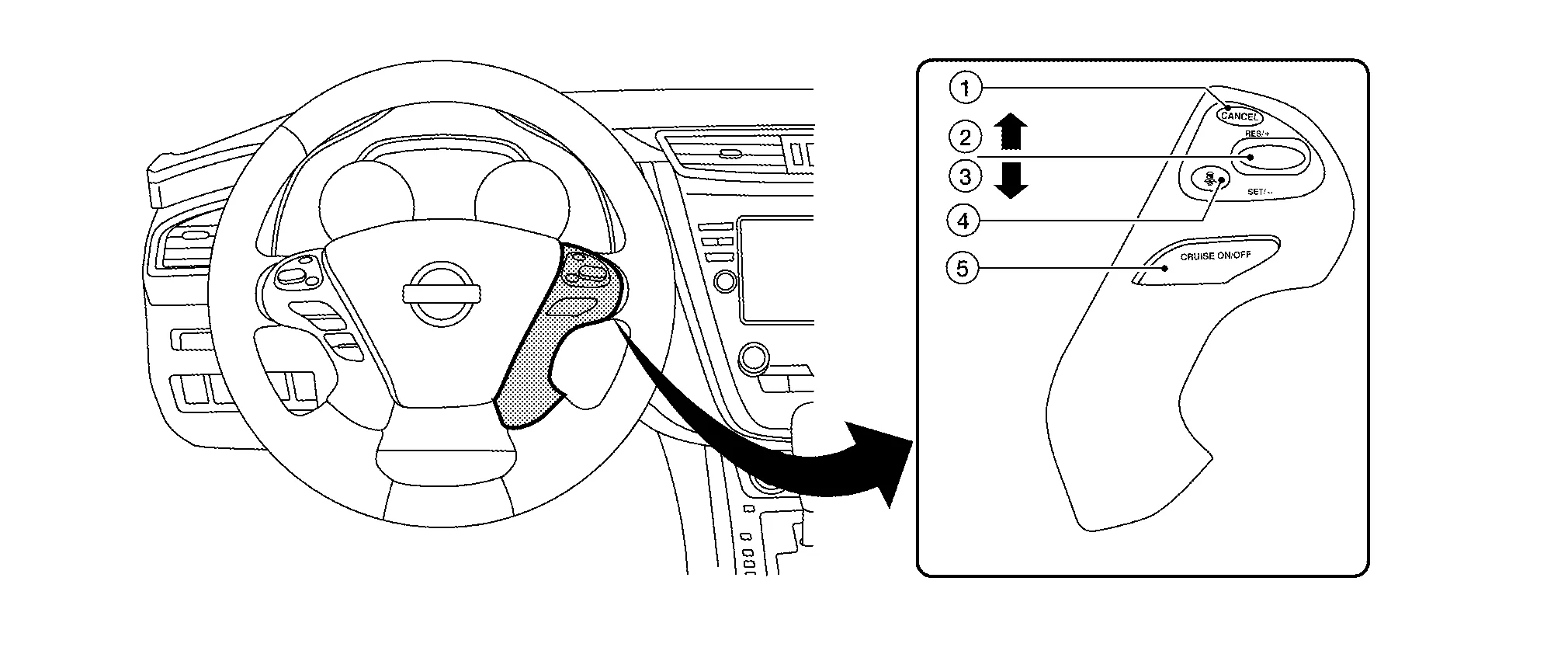
| No. | Switch name | Description |
|---|---|---|
| 1. | CANCEL switch | Deactivates the system without erasing the set speed |
| 2. | RES/+ switch |
Resumes set speed or increases speed incrementally
|
| 3. | SET/- switch |
Sets desired cruise speed or reduces speed incrementally
The minimum set speed is 32 km/h (20 MPH). |
| 4. | DISTANCE switch | Changes the following distance from: Long, Middle, Short |
| 5. | MAIN switch | Master switch to activate the system (Press for less than 1.5 seconds). |
ICC SYSTEM DISPLAY (ON THE INFORMATION DISPLAY)
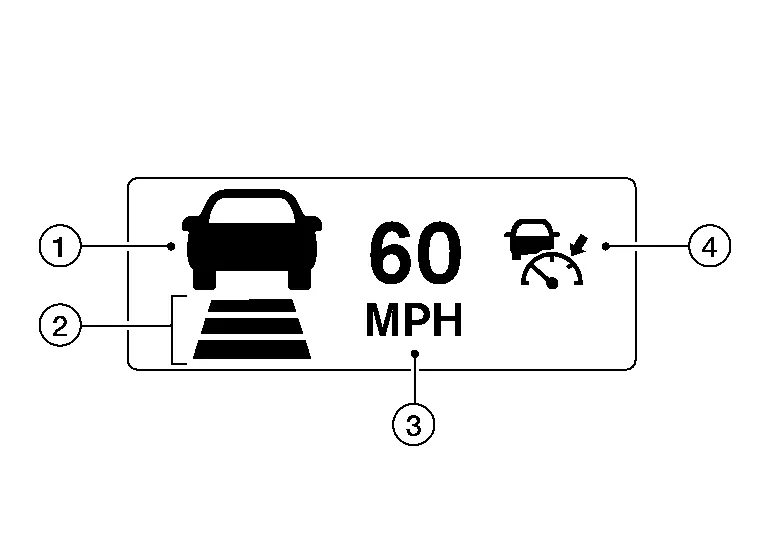
| No. | Display item | Description |
|---|---|---|
| 1. | Nissan Murano Vehicle ahead detection indicator | Indicates whether it detects a vehicle ahead |
| 2. | Set distance indicator | Indicates the selected distance between Nissan Murano vehicles set with the DISTANCE switch |
| 3. | Set Nissan Murano vehicle speed indicator |
|
| 4. | Main switch indicator (white) | White: Indicates the main switch is ON (ICC system ON) |
| Main switch indicator (green) | Green: Indicates the cruising speed is set | |
| ICC system warning lamp (orange) | Orange: Indicates that a malfunction occurred in the ICC system |
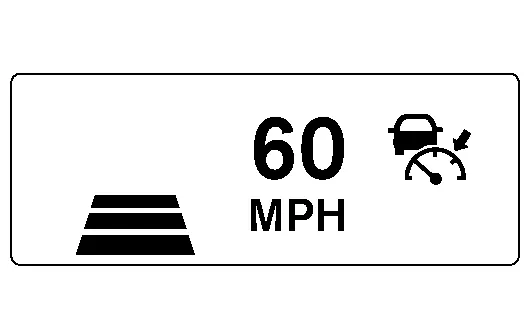
SYSTEM CONTROL CONDITION DISPLAY
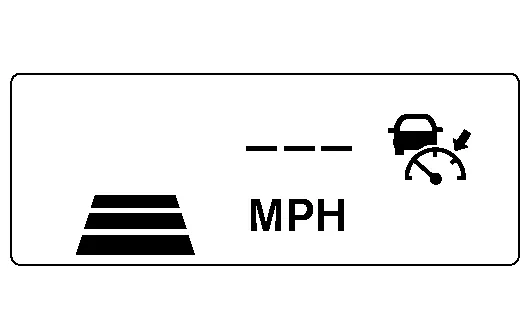
Push and hold the ICC MAIN switch for longer than approximately 1.5 seconds. This mode will be in a standby state for setting.
| Condition | Display on ICC system display | ||
|---|---|---|---|
| Standby mode |
|
||
| Control mode | Without a Nissan Murano vehicle ahead | Set vehicle distance (Long) |
|
| Set Nissan Murano vehicle distance (Middle) |
|
||
| Set Nissan Murano vehicle distance (Short) |
|
||
| When the Nissan Murano vehicle speed exceeds the set speed |
|
||
| Control mode | With a Nissan Murano vehicle ahead | Set vehicle distance (Long) |
|
| Set Nissan Murano vehicle distance (Middle) |
|
||
| Set Nissan Murano vehicle distance (Short) |
|
||
| When the Nissan Murano vehicle speed exceeds the set speed |
|
||
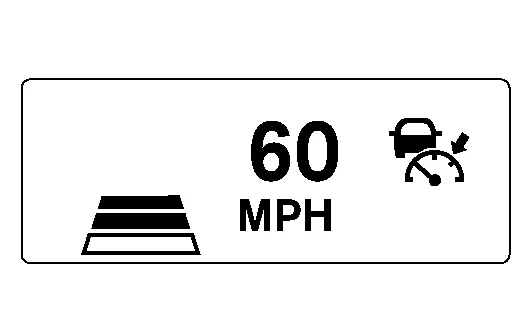
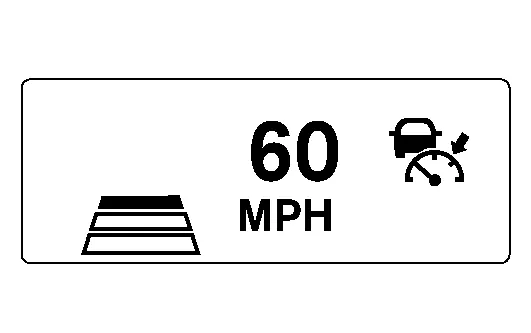
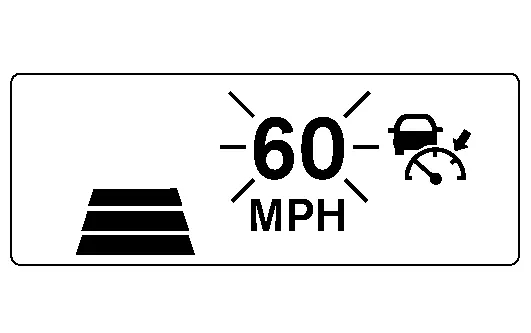
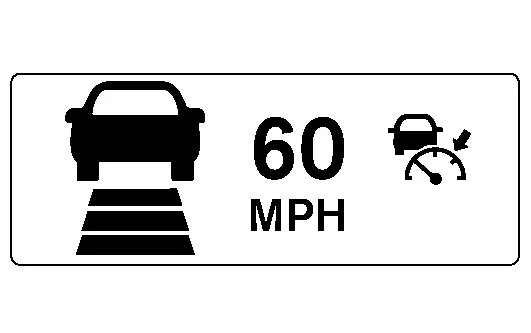
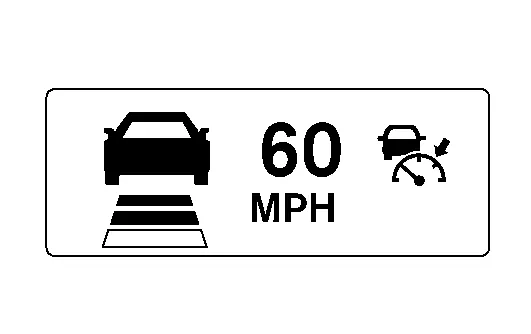
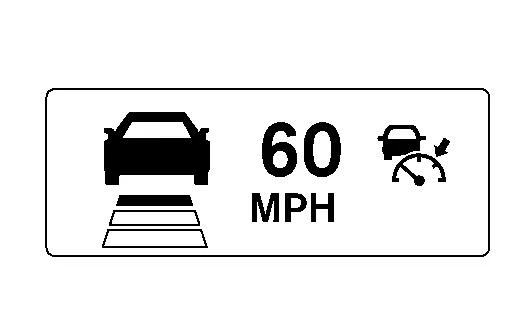
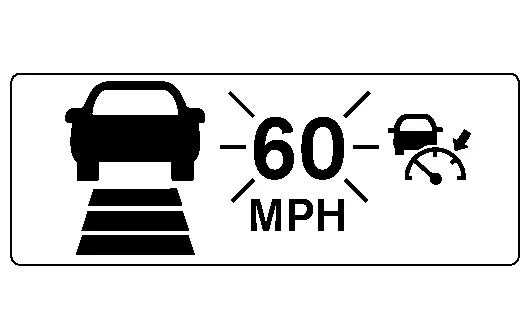
APPROACH WARNING DISPLAY
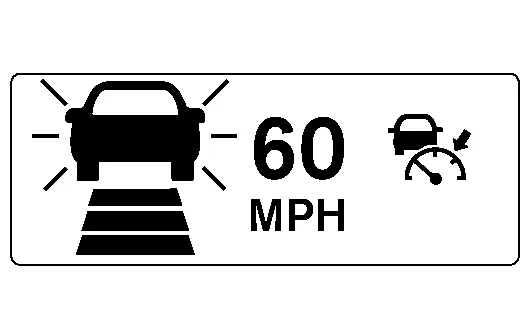
If own vehicle comes closer to a vehicle ahead due to rapid deceleration of that vehicle or if another Nissan Murano vehicle cuts in, the system warns the driver with the chime and ICC system display. Decelerate by depressing the brake pedal to maintain a safe Nissan Murano vehicle distance if:
-
The chime sounds.
-
The vehicle ahead detection indicator blinks in orange.
The warning chime may not sound in some cases when there is a short distance between vehicles. Some examples are:
-
When the vehicles are traveling at the same speed and the distance between vehicles is not changing.
-
When the Nissan Murano vehicle ahead is traveling faster and the distance between vehicles is increasing.
-
When a Nissan Murano vehicle cuts in near own vehicle.
The warning chime will not sound when own vehicle approaches vehicles that are parked or moving slowly.
The warning chime will not sound when the accelerator pedal is depressed, overriding the system.
The approach warning chime may sound and the system display may blink when the distance sensor (ICC sensor) detects some reflectors which are fitted on Nissan Murano vehicles in other lanes or on the side of the road.
This may cause the ICC system to decelerate or accelerate the vehicle.
The distance sensor (ICC sensor) may detect these objects when the vehicle is driven on winding roads, hilly roads or when entering or exiting a curve.
The distance sensor (ICC sensor) may also detect reflectors on narrow roads or in road construction zones.
In these cases, driver will have to manually control the proper distance ahead of own vehicle.
Also, the sensor sensitivity can be affected by vehicle operation (steering maneuver or driving position in the lane) or traffic or Nissan Murano vehicle condition (for example, if a vehicle is being driven with some damage).
| Condition | Display on ICC system display |
|---|---|
| When own Nissan Murano vehicle comes closer to the vehicle ahead and it is judged that the distance between the vehicles is not sufficient |
|
WARNING LAMP AND AUTOMATIC CANCELLATION DISPLAY
| Condition | Description | Display on ICC system display | |
|---|---|---|---|
| Automatic cancellation display |
|
A chime sounds and the control is automatically canceled.
|
|
|
Warning display |
|
A chime sounds and the control is automatically canceled.
When the conditions listed are no longer present, turn the system OFF using the MAIN switch. Turn the ICC system back on to use the system. |
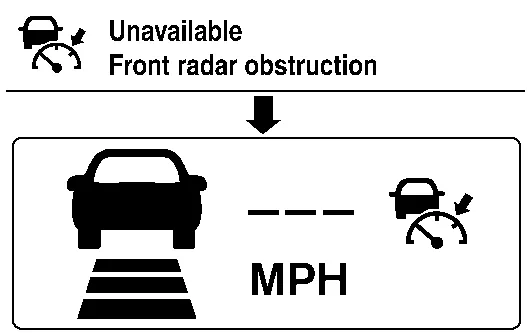
Example: When the front bumper near the distance sensor (ICC sensor) is blocked or dirty, making it impossible to detect a Nissan Murano vehicle ahead.
|
| When the front bumper near the distance sensor (ICC sensor) is blocked or dirty, making it impossible to detect a Nissan Murano vehicle ahead |
A chime sounds and the control is automatically canceled.
Park the Nissan Murano vehicle in a safe place turn the engine OFF. Clean the front bumper near the distance sensor (ICC sensor) and then perform the settings again. |
||
| When the ICC system is malfunctioning |
A chime sounds and the control is automatically canceled.
Turn the engine OFF and restart engine. If there is no malfunction, it is possible to set the system. |
|
|
 NOTE:
NOTE:
When the ICC system is automatically canceled, the cancellation condition can be displayed on “Work support” of CONSULT (ICC/ADAS).
 System
System Description
SYSTEM DIAGRAMDISTANCE SENSOR (ICC SENSOR) INPUT/OUTPUT SIGNAL ITEMInput Signal Item Transmit unit Signal name Description
ADAS control unit
ITS communication
ADAS sensor signal
State of ADAS
Output Signal Item Reception unit Signal name Description
ADAS control unit
ITS communication
Distance sensor (ICC sensor) signal
Transmits information for ICC
ADAS CONTROL UNIT INPUT/OUTPUT SIGNAL ITEMInput Signal Reception unit Signal name Description
ECM
CAN communication
Engine speed signal
Receives engine speed
Accelerator pedal position signal
Receives accelerator pedal position (angle)
Closed throttle position signal
Receives idle position state (ON/OFF)
ICC prohibition signal
Receives operable/inoperable state of the ICC system
ICC steering switch signal
Main switch signal
Receives the operational state of the ICC steering switch
SET/COAST switch signal
CANCEL switch signal
RESUME/ACCELERATE switch signal
DISTANCE switch signal
Stop lamp switch signal
Receives an operational state of the brake pedal
Brake pedal position switch signal
Receives an operational state of the brake pedal
TCM
CAN communication
Input speed signal
Receives the number of revolutions of input shaft
Output shaft revolution signal
Receives the number of revolutions of output shaft
Current gear position signal
Receives a current gear position
Shift position signal
Receives a selector lever position
ABS actuator and electric unit (control unit)
CAN communication
ABS malfunction signal
Receives a malfunction state of ABS
ABS operation signal
Receives an operational state of ABS
ABS warning lamp signal
Receives an ON/OFF state of ABS warning lamp
TCS malfunction signal
Receives a malfunction state of TCS
TCS operation signal
Receives an operational state of TCS
VDC OFF switch signal
Receives an ON/OFF state of VDC
VDC malfunction signal
Receives an malfunction state of VDC
VDC operation signal
Receives an operational state of VDC
Nissan Murano Vehicle speed signal (ABS)
Receives wheel speeds of four wheels
Stop lamp switch signal
Receives an operational state of the brake pedal
Yaw rate signal
Receives yaw rate acting on Nissan Murano vehicle
Combination meter
CAN communication
Parking brake switch signal
Receives an operational state of the parking brake
System selection signal
Receives a selection state of AEB system
Steering angle sensor
CAN communication
Steering angle sensor malfunction signal
Receives a malfunction state of steering angle sensor
Steering angle sensor signal
Receives the number of revolutions and turning direction of the steering wheel
Steering angle speed signal
Receives the turning angle speed of the steering wheel
Distance sensor (ICC sensor)
ITS communication
Distance sensor (ICC sensor) signal
Receives detection information, such as the presence or absence of a leading Nissan Murano vehicle, and distance from the vehicle...
 Handling Precaution
Precautions for Intelligent Cruise Control
ICC system is only an aid to assist the driver and is not a collision warning or avoidance system. It is the driver's responsibility to stay alert, drive safely and be in control of the Nissan Murano vehicle at all times...
Other information:
Nissan Murano (Z52) 2015-2024 Service Manual: Paintless Dent Repair
Paintless Dent Repair Paintless dent repair is one type of panel repair technique. This technique is used to repair irregularities on painted outer panels without damaging the painted surface. Confirmation of The Panel It is not possible to correct all convex/concave portions in paintless dent repair...
Nissan Murano (Z52) 2015-2024 Service Manual: C1143 St Ang Sen Circuit
DTC Description DTC DETECTION LOGIC DTC No. CONSULT screen terms (Trouble diagnosis content) DTC detection condition C1143 ST ANG SEN CIRCUIT (Steering angle sensor circuit) Diagnosis condition When ignition switch ON. Signal (terminal) Steering angle sensor signal Threshold Steering angle sensor signal failure Diagnosis delay time 2 seconds or more POSSIBLE CAUSE Harness or connectors Steering angle sensor Power steering control module FAIL-SAFECertain steering assist force DTC Confirmation Procedure PRECONDITIONING If “DTC CONFIRMATION PROCEDURE” has been previously conducted, always place the ignition switch in the OFF position and wait at least 10 seconds before conducting the next test...
Categories
- Manuals Home
- Nissan Murano Owners Manual
- Nissan Murano Service Manual
- Shift lock release
- Turning the AEB system on/off
- High Beam Assist (if so equipped)
- New on site
- Most important about car
Autolight system

The autolight system allows the headlights to turn on and off automatically. The autolight system can:
Turn on the headlights, front parking, tail, license plate and instrument panel lights automatically when it is dark. Turn off all the lights (except daylight running lights) when it is light. Keep all the lights on for a period of time after you place the ignition switch in the OFF position and all doors are closed.