
Nissan Murano: Engine Maintenance (vq35de) / Oil Filter
REMOVAL
Drain engine oil. Refer to Changing Engine Oil.
Remove front fender protector side cover RH. Refer to Exploded View.
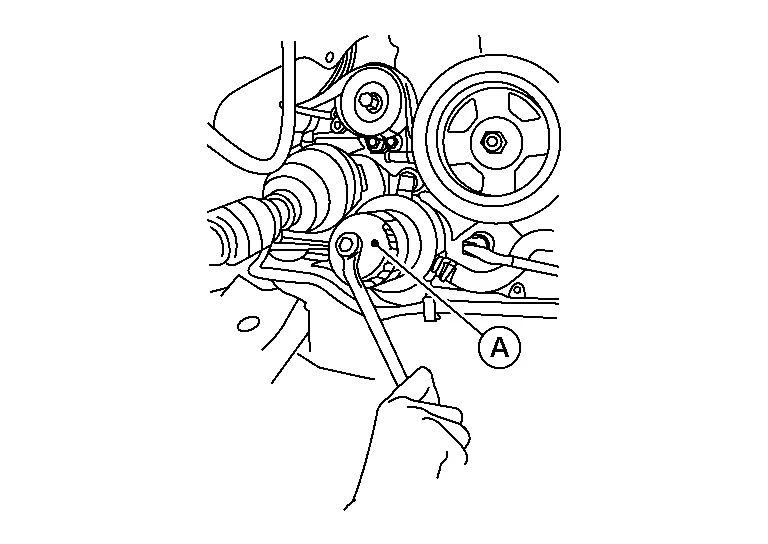
Remove the oil filter using suitable tool (A) as shown.
WARNING:
Be careful not to burn yourself, as the engine oil may be hot.
CAUTION:
-
When removing, prepare a shop cloth to absorb any engine oil leaks or spills.
-
Do not allow engine oil to adhere to the drive belts.
-
Completely wipe off any engine oil that adheres to the engine and the Nissan Murano vehicle.
 NOTE:
NOTE:
It is recommended to use a Genuine NISSAN oil filter or equivalent. The use of parts that do not meet or exceed NISSAN specifications may cause damage to the Nissan Murano vehicle, and have an effect on warranty coverage. Always check with the Parts Department for the latest information.
INSTALLATION
Remove foreign materials adhering to the oil filter installation surface.
Apply clean engine oil to the oil seal contact surface of the new oil filter.
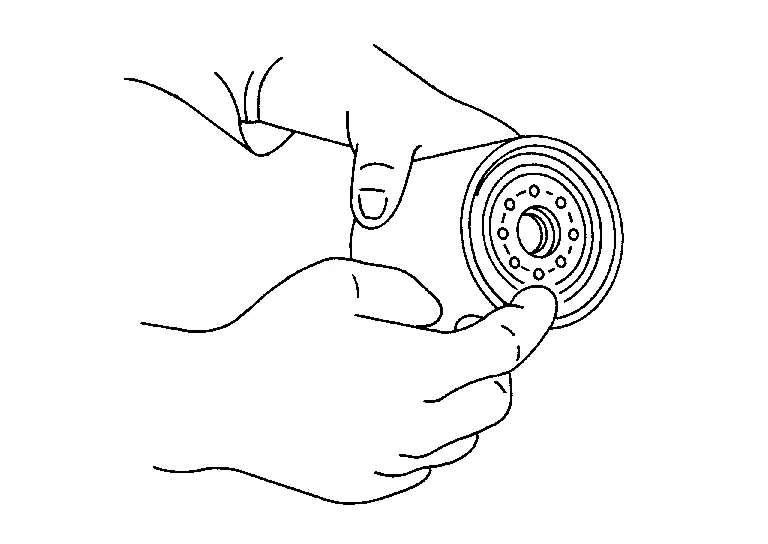
Screw the oil filter manually until it touches the installation surface, then tighten it by turning another 2/3 turn.
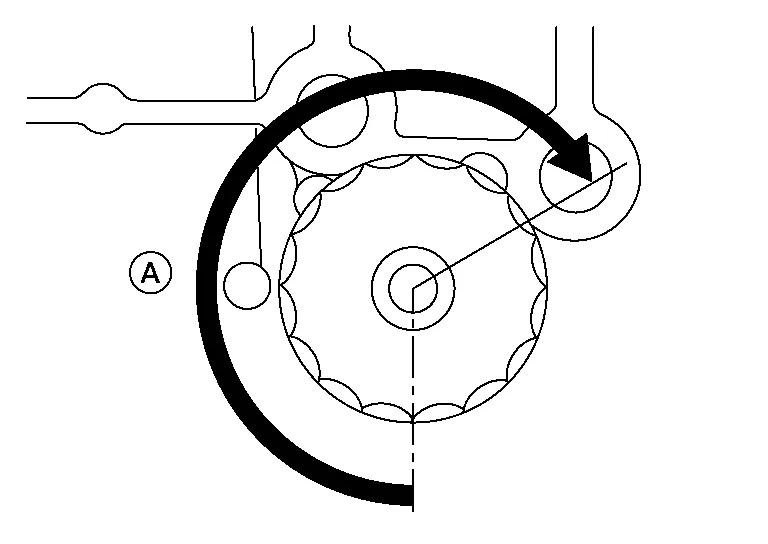
| Oil filter | : 17.7 N·m (1.8 kg-m, 13 ft-lb) |
Refill the engine with new engine oil. Refer to Changing Engine Oil.
Check the engine oil level and add engine oil as necessary. Refer to Inspection.
After warming up the engine, check for engine oil leaks.
Install front fender protector side cover RH. Refer to Exploded View.
 Engine Oil
Inspection
ENGINE OIL LEVELNOTE:
Before starting the engine, check the engine oil level. If the engine is already started, stop it and allow 10 minutes before checking...
 Evap Vapor Lines
Work Procedure
CAUTION:
Never use compressed air or a high pressure pump.
Never exceed 4.12 kPa (0.042 kg/cm2, 0.6 psi) of pressure in EVAP system...
Other information:
Nissan Murano (Z52) 2015-2024 Owners Manual: Precautions on SRS
This SRS section contains important information concerning the following systems: Driver and front passenger supplemental front-impact air bag (NISSAN Advanced Air Bag System) Front seat-mounted side-impact supplemental air bag Rear outboard seat-mounted sideimpact supplemental air bag Roof-mounted curtain side-impact and rollover supplemental air bag Driver and passenger supplemental knee air bag Seat belt with pretensioner(s) (front and rear outboard seats) Supplemental front-impact air bag system The NISSAN Advanced Air Bag System can help cushion the impact force to the head and chest of the driver and front passenger in certain frontal collisions...
Nissan Murano (Z52) 2015-2024 Service Manual: Air Cleaner Filter
Exploded View 1. Air duct hose and resonator assembly 2. Front air duct 3. Grommet 4. Air cleaner case (lower) 5. Grommets 6. Air cleaner case mounting bracket 7. Bracket 8. Air cleaner filter 9. Air cleaner case (upper) 10...
Categories
- Manuals Home
- Nissan Murano Owners Manual
- Nissan Murano Service Manual
- High Beam Assist (if so equipped)
- Settings
- Passenger compartment
- New on site
- Most important about car
Vehicle security system

Your vehicle has two types of security systems:
Vehicle security system NISSAN Vehicle Immobilizer SystemThe vehicle security system provides visual and audible alarm signals if someone opens the doors, liftgate or the hood when the system is armed. It is not, however, a motion detection type system that activates when a vehicle is moved or when a vibration occurs.
