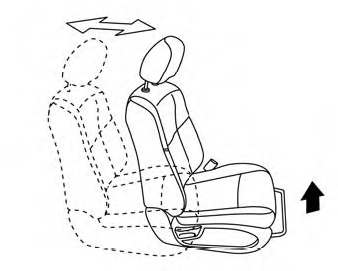
Nissan Murano: Instruments and controls / Heated rear seat switches (if so equipped)
WARNING
Do not use or allow occupants to use
the seat heater if you or the occupants
cannot monitor elevated seat temperatures
or have an inability to feel pain in
body parts that contact the seat. Use of
the seat heater by such people could
result in serious injury.
CAUTION
- The battery could run down if the seat
heater is operated while the engine is
not running.
- Do not use the seat heater for extended
periods or when no one is using
the seat.
- Do not put anything on the seat which
insulates heat, such as a blanket,
cushion, seat cover, etc. Otherwise,
the seat may become overheated.
- Do not place anything hard or heavy
on the seat or pierce it with a pin or
similar object. Thismayresult in damage
to the heater.
- Any liquid spilled on the heated seat
should be removed immediately with
a dry cloth.
- When cleaning the seat, never use
gasoline, benzine, thinner, or any
similar materials.
- If any malfunctions are found or the
heated seat does not operate, turn
the switch off and have the system
checked. It is recommended that you
visit a NISSAN dealer for this service.
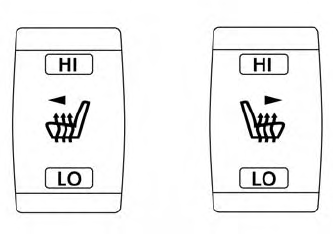
The rear seats arewarmed by built-in heaters.
The switches are located on the rear of
the front center console and can be operated
independently of each other.
- Place the ignition switch in the ON position.
- Push the LOor HI position of the switch,
as desired. The indicator light in the
switch will illuminate.
The heater is controlled by a thermostat,
automatically turning the heater
on and off. The indicator light will remain
on as long as the switch is on.
- When the seat is warmed or before you
leave the vehicle, be sure to turn the
switch off.
WARNING
Do not use or allow occupants to use
the seat heater if you or the occupants
cannot monitor elevated seat temperatures
or have an inability to feel pain in
those body parts in contact with the
seat...
The heated steering wheel system is designed
to operate only when the surface
temperature of the steering wheel is below
68°F (20°C).
Push the heated steering wheel switch to
warm the steering wheel after the ignition
switch is placed in the ON position...
Other information:
System Description
SYSTEM DIAGRAMADAS CONTROL UNIT INPUT/OUTPUT SIGNAL ITEMInput Signal Item Transmit unit Signal name Description
ECM
CAN communication
Brake pedal position switch signal
Receives Brake pedal position switch state
Accelerator pedal position signal
Receives accelerator pedal position (angle)
Stop lamp switch signal
Receives stop lamp switch state
Engine speed signal
Receives engine speed
TCM
CAN communication
Input speed signal
Receives the number of revolutions of input shaft
Current gear position signal
Receives a current gear position
Shift position signal
Receives a selector lever position
Output shaft revolution signal
Receives the number of revolutions of output shaft
ABS actuator and electric unit (control unit)
CAN communication
ABS malfunction signal
Receives a malfunction state of ABS
ABS operation signal
Receives an operational state of ABS
TCS malfunction signal
Receives a malfunction state of TCS
TCS operation signal
Receives an operational state of TCS
VDC OFF switch signal
Receives an ON/OFF state of VDC
VDC malfunction signal
Receives a malfunction state of VDC
VDC operation signal
Receives an operational state of VDC
Nissan Murano Vehicle speed signal (ABS)
Receives wheel speeds of four wheels
Yaw rate signal
Receives yaw rate acting on the Nissan Murano vehicle
Side G sensor signal
Receives lateral G acting on the Nissan Murano vehicle
Combination meter
CAN communication
Parking brake switch signal
Receives an operational state of the parking brake
System selection signal
Receives a selection state of each item in "Driver Assistance"
BCM
CAN communication
Turn indicator signal
Receives an operational state of the turn signal lamp and the hazard lamp
Steering angle sensor
CAN communication
Steering angle sensor malfunction signal
Receives a malfunction state of steering angle sensor
Steering angle sensor signal
Receives the number of revolutions, turning direction of the steering wheel
Steering angle speed signal
Receives the turning angle speed of the steering wheel
Lane intervention switch
Lane intervention switch signal
Receives an ON/OFF state of the lane intervention switch
Lane camera unit
ITS communication
Detected lane condition signal
Receives detection results of lane marker
Output Signal Item Reception unit Signal name Description
ABS actuator and electric unit (control unit)
CAN communication
Target yaw moment signal
Transmits a target yaw moment signal to generate yaw moment to the Nissan Murano vehicle
Combination meter
CAN communication
Intelligent Lane Intervention ON indicator lamp signal
Transmits an Intelligent Lane Intervention ON indicator lamp signal to turn ON the Intelligent Lane Intervention ON indicator lamp
Lane departure warning lamp signal
Transmits an lane departure warning lamp signal to turn ON the lane departure warning lamp
Lane camera unit
ITS communication
Nissan Murano Vehicle speed signal
Transmits a vehicle speed calculated by the ADAS control unit
Turn indicator signal
Transmits a turn indicator signal received from BCM
Steering assist system ON indicator
Steering assist system ON indicator signal
Turns ON the steering assist system ON indicator
Intelligent Lane Intervention system ON indicator
Intelligent Lane Intervention system ON indicator signal
Turns ON the Intelligent Lane Intervention system ON indicator
Warning system buzzer
Warning buzzer signal
Activates warning system buzzer...
DTC Description
DTC DETECTION LOGICWhen the ignition switch is ON, TCM is unable to receive the CAN communications signal from AWD control unit continuously for 2 seconds or more. DTC
CONSULT screen terms
(Trouble diagnosis content)
DTC detection condition
U0102
LOST COMM (TRANSFER)
(Lost Communication With Transfer Case Control Module)
Diagnosis condition
When the ignition switch is ON
Signal
CAN communication signal
Threshold
TCM is unable to receive the CAN communications signal from AWD control unit
Diagnosis delay time
Continuously for 2 seconds or more
POSSIBLE CAUSE
AWD control unit
Harness or connector (CAN communication line is open or shorted)
FAIL-SAFENot changed from normal driving
DTC Confirmation Procedure
PREPARATION BEFORE WORK
If another “DTC CONFIRMATION PROCEDURE” occurs just before, turn ignition switch OFF and wait for at least 10 seconds, then perform the next test...