
Nissan Murano: Front Door / Door Striker
REMOVAL
Remove bolts and front door striker.
INSTALLATION
Installation is in the reverse order of removal.
CAUTION:
-
Do not reuse front door striker bolts.
-
After installation, check front door open/close operation. If necessary, adjust front door striker. Refer to Adjustment.
-
Tighten bolts to specified torque. Refer to Exploded View.
DOOR STRIKER ADJUSTMENT
Loosen door striker bolts.
Adjust door striker so that it becomes parallel with front door lock insertion direction.
CAUTION:
Tighten bolts to specified torque. Refer to Exploded View.

 Door Assembly
Exploded View
1.
Front door sash rear tape
2.
Front door sash
3.
Vapor barrier
4.
Front door weather strip
5.
Front door seal
6.
Front door striker
7...
 Door Hinge
Removal and Installation
REMOVALRemove front door assembly. Refer to Removal and Installation.
Remove front door hinge bolts (body side) and front door hinge...
Other information:
Nissan Murano (Z52) 2015-2024 Service Manual: Component Parts. Engine Control System
Component Parts Location ENGINE ROOM No. Component Function IPDM E/R IPDM E/R activates the internal control circuit to perform the relay ON-OFF control according to the input signals from various sensors and the request signals received from control units via CAN communication...
Nissan Murano (Z52) 2015-2024 Service Manual: Front Suspension :: Service Data and Specifications (sds). Service Data and Specifications (sds)
Wheel Alignment (Unladen) Measurement wheel (LH) side (RH) side Camber Degree minute (Decimal degree) Minimum –1° 04′ 30″ (–1.075°) Nominal –0° 15′ 00″ (–0.25°) Maximum 0° 34′ 30″ (0.575°) Difference (LH-RH) 0° 0′±0° 33′ (0°±0...
Categories
- Manuals Home
- Nissan Murano Owners Manual
- Nissan Murano Service Manual
- Jacking up vehicle and removing the damaged tire
- System malfunction
- Warning lights
- New on site
- Most important about car
Fuel gauge
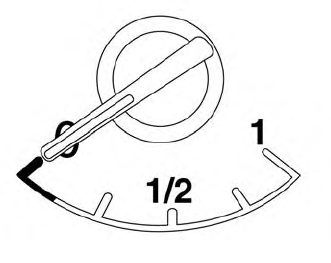
The gauge indicates the approximate fuel level in the tank.
The gauge may move slightly during braking, turning, acceleration, or going up or down hills.
The gauge needle returns to 0 (Empty) after the ignition switch is placed in the OFF position.
