
Nissan Murano: Exterior :: Removal and Installation / Door Outside Molding
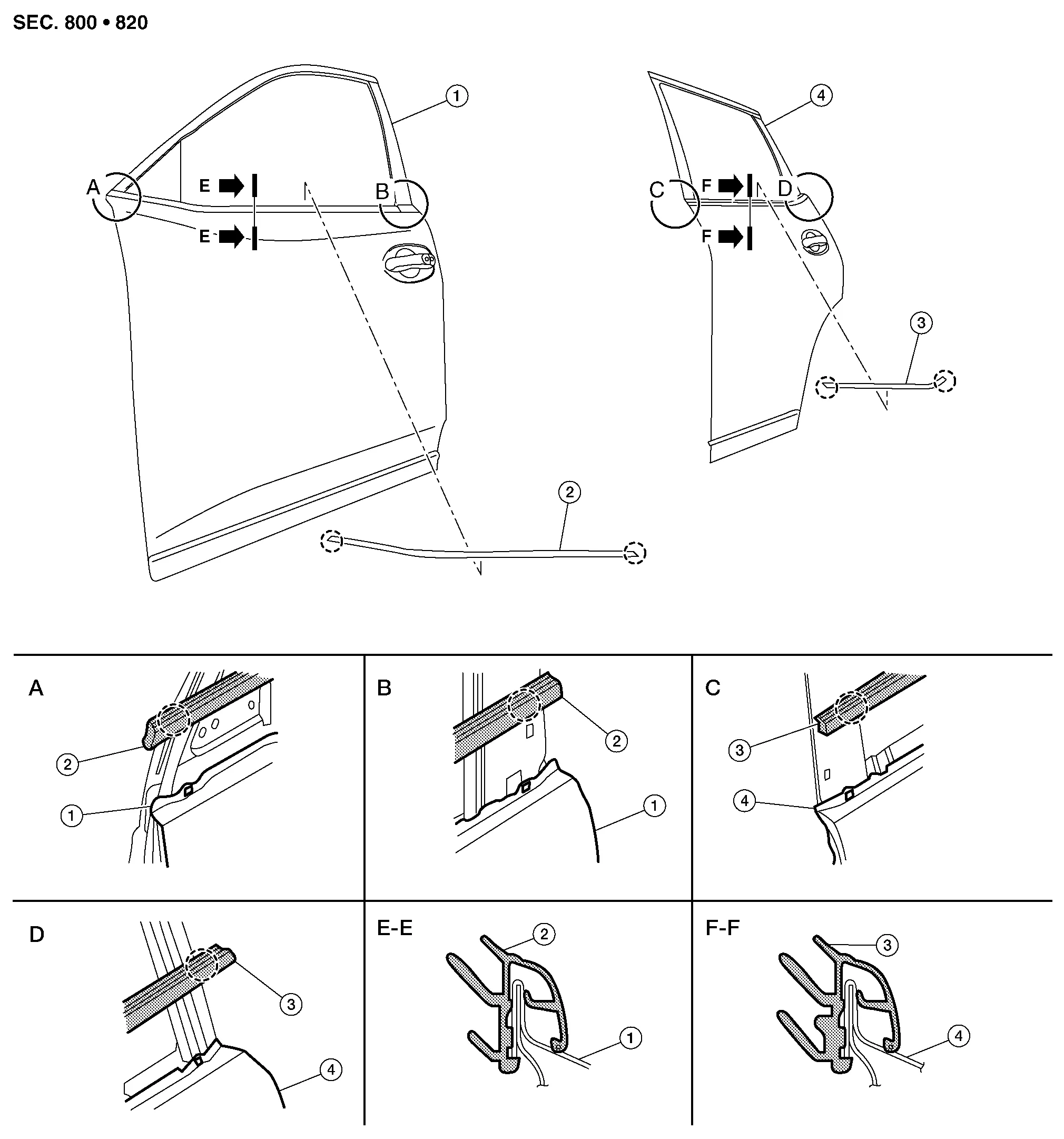
| 1. | Front door panel | 2. | Front door outside molding | 3. | Rear door panel |
| 4. | Rear door outside molding |  |
Pawl |
FRONT DOOR OUTSIDE MOLDING
Removal
Lower front door glass.
Remove door mirror. Refer to Removal and Installation.
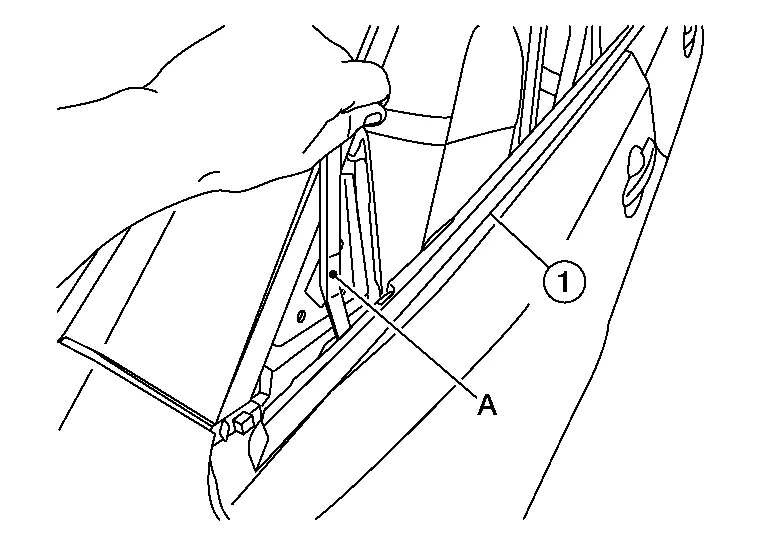
Release front pawl then rear pawl using a suitable tool (A) and remove front door outside molding (1).
Installation
Installation is in the reverse order of removal.
REAR DOOR OUTSIDE MOLDING
Removal
Lower rear door glass.
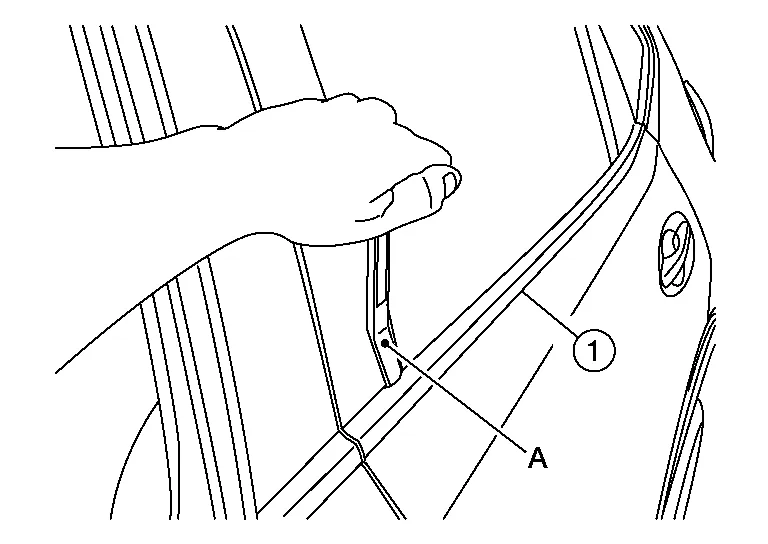
Release front pawl then rear pawl using a suitable tool (A) and remove rear door outside molding (1).
Installation
Installation is in the reverse order of removal.
 Door Sash Molding
Exploded View
1.
Front door sash molding
2.
Rear door rear sash molding
3.
Front door panel
4.
Rear door panel
Removal and Installation
FRONT DOORRemovalRemove door mirror...
 Door Outside Lower Molding
Exploded View
1.
Front door outside lower molding
2.
Rear door outside lower molding
Clip
Removal and Installation
FRONT DOOR OUTSIDE LOWER MOLDINGRemovalUsing a suitable tool (A), release clips from front door outside lower molding (1) starting at the rear and working forward...
Other information:
Nissan Murano (Z52) 2015-2024 Service Manual: Front Suspension :: Service Data and Specifications (sds). Service Data and Specifications (sds)
Wheel Alignment (Unladen) Measurement wheel (LH) side (RH) side Camber Degree minute (Decimal degree) Minimum –1° 04′ 30″ (–1.075°) Nominal –0° 15′ 00″ (–0.25°) Maximum 0° 34′ 30″ (0.575°) Difference (LH-RH) 0° 0′±0° 33′ (0°±0...
Nissan Murano (Z52) 2015-2024 Service Manual: Side Ventilator Grille
Removal and Installation REMOVALSide ventilator grille (LH)Release the pawls using a suitable tool and remove side ventilator grille (LH) (1). : PawlSide ventilator grille (RH)Release the pawls using a suitable tool and remove side ventilator grille (RH) (1)...
Categories
- Manuals Home
- Nissan Murano Owners Manual
- Nissan Murano Service Manual
- Vehicle Dynamic Control (VDC) OFF switch
- Power Steering Fluid (PSF)
- Jacking up vehicle and removing the damaged tire
- New on site
- Most important about car
Autolight system

The autolight system allows the headlights to turn on and off automatically. The autolight system can:
Turn on the headlights, front parking, tail, license plate and instrument panel lights automatically when it is dark. Turn off all the lights (except daylight running lights) when it is light. Keep all the lights on for a period of time after you place the ignition switch in the OFF position and all doors are closed.
Copyright © 2026 www.nimurano.com