
Nissan Murano: Dtc/circuit Diagnosis / B2e33 Ecall Button
DTC DETECTION LOGIC
| DTC No. |
CONSULT screen terms (Trouble diagnosis content) | DTC detection condition | |
|---|---|---|---|
| B2E33 |
ECALL BUTTON (Ecall button) |
Diagnosis condition | When ignition switch is ON. |
| Signal (terminal) | SOS switch LED signal (terminal 5) | ||
| Threshold | — | ||
| Diagnosis delay time | 1 second or more | ||
POSSIBLE CAUSE
-
SOS switch LED signal circuit
-
SOS switch
-
TCU
FAIL-SAFE
-
Telematics system does not function (Only SOS call does not operate)
-
SOS switch LED indicator is turned OFF
PERFORM DTC CONFIRMATION PROCEDURE
 CONSULT
-
Ignition switch ON.
-
Erase DTC.
-
Select “Self Diagnostic Result” mode of “TELEMATICS”.
-
Check DTC.
Is DTC B2E33 detected?
YES>>Proceed to DTC Diagnosis Procedure.
NO>>To check malfunction symptom before repair: Refer to Intermittent Incident.
NO>>Confirmation after repair: Inspection End.
CHECK SOS SWITCH LED SIGNAL
-
Ignition switch ON.
-
Check the voltage between TCU connector and ground.
TCU Ground Voltage
(Approx.)Connector Terminal M126 5 –— 3.5 V
Is the inspection result normal?
YES>>GO TO 2.
NO>>Replace TCU. Refer to Removal and Installation.
CHECK SOS SWITCH LED SIGNAL CIRCUIT FOR OPEN
-
Ignition switch OFF.
-
Disconnect TCU connector and telematics switch connector.
-
Check the continuity between TCU connector and telematics switch connector.
TCU Telematics switch Continuity Connector Terminal Connector Terminal M126 5 R21 2 Yes
Is the inspection result normal?
YES>>GO TO 3.
NO>>Repair or replace harness or connectors.
CHECK SOS SWITCH LED SIGNAL CIRCUIT FOR SHORT
Check the continuity between TCU connector and ground.
| TCU | Ground | Continuity | |
| Connector | Terminal | ||
| M126 | 5 | Yes | |
Is the inspection result normal?
YES>>Replace telematics switch. Refer to Removal and Installation.
NO>>Repair or replace harness or connectors.
 B13d9 Usb Connection
DTC Description
DTC DETECTION LOGIC DTC No.
CONSULT screen terms
(Trouble diagnosis content) DTC detection condition
B13D9
USB CONNECTION
(USB connection)
Diagnosis condition
When ignition switch is ON...
 B2ef0 Internal Battery
DTC Description
DTC DETECTION LOGIC DTC No.
CONSULT screen terms
(Trouble diagnosis content) DTC detection condition
B2EF0
INTERNAL BATTERY
(Internal battery)
CIRC VOLT BELOW THRESHOLD
Diagnosis condition
When ignition switch is ON...
Other information:
Nissan Murano (Z52) 2015-2024 Service Manual: Precaution. Precautions
Precautions for Trouble Diagnosis CAUTION: Follow the instructions listed below. Failure to do this may cause damage to parts: Never apply 7.0 V or more to the measurement terminal. Use a tester with open terminal voltage of 7.0 V or less. Turn the ignition switch OFF and disconnect the battery cable from the negative terminal when checking the harness...
Nissan Murano (Z52) 2015-2024 Service Manual: Power Consumption Control System
Component Parts Location No. Component Function 1. Combination meter Refer to Combination Meter for detailed component location. 2. IPDM E/R (Intelligent Power Distribution Module Engine Room) Refer to System Description. 3. 3CH CAN gateway Refer to Component Parts Location for detailed component location...
Categories
- Manuals Home
- Nissan Murano Owners Manual
- Nissan Murano Service Manual
- All-Wheel Drive (AWD) (if so equipped)
- Intelligent Forward Collision Warning (I-FCW)
- GAS STATION INFORMATION
- New on site
- Most important about car
Fuel gauge
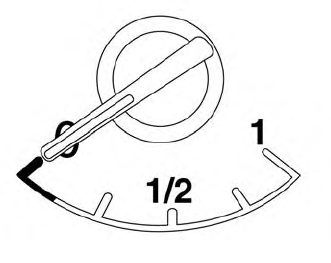
The gauge indicates the approximate fuel level in the tank.
The gauge may move slightly during braking, turning, acceleration, or going up or down hills.
The gauge needle returns to 0 (Empty) after the ignition switch is placed in the OFF position.
