Nissan Murano: Door & Lock :: Dtc/circuit Diagnosis / B2416 Touch Sen R Open
DTC DETECTION LOGIC
| DTC No. |
CONSULT screen items (Trouble diagnosis content) | DTC detecting condition | |
|---|---|---|---|
| B2416–1B |
TOUCH SEN R OPEN (Touch sensor right open) |
Diagnosis condition | All times |
| Signal (terminal) | Touch sensor RH signal (automatic back door control module connector terminal: 4) | ||
| Threshold |
When one of the following conditions is satisfied
|
||
| Diagnosis delay time | – | ||
| B2416–1E |
TOUCH SEN R OPEN (Touch sensor right open) |
Diagnosis condition | All times |
| Signal (terminal) | Touch sensor RH signal (automatic back door control module connector terminal: 4) | ||
| Threshold |
When one of the following conditions is satisfied
|
||
| Diagnosis delay time | – | ||
POSSIBLE CAUSE
-
Improper installation of touch sensor
-
Touch sensor RH
-
Harness or connectors (touch sensor circuit is open)
-
Automatic back door control module
FAIL-SAFE
Inhibit automatic back door system auto open/close function
PERFORM DTC CONFIRMATION PROCEDURE
 CONSULT
-
Ignition switch ON.
-
Select “Self Diagnostic Result” mode of “AUTO BACK DOOR”.
Is DTC detected?
YES>>Refer to DTC Diagnosis Procedure.
NO>>To check malfunction symptom before repair: Refer to Intermittent Incident.
NO>>Confirmation after repair: Inspection End.
CHECK INSTALLATION OF TOUCH SENSOR RH CONNECTOR
Check that touch sensor RH connector is installed normally.
Is the inspection result normal?
YES>>GO TO 3.
NO>>GO TO 2.
ADJUST OF TOUCH SENSOR RH CONNECTOR INSTALLATION AND ERASE DTC
CONSULT
-
Ignition switch OFF.
-
Adjust of touch sensor RH connector installation.
-
Ignition switch ON.
-
Select “Self Diagnostic Result” mode of “AUTO BACK DOOR”.
-
Erase DTC, and then repeat “DTC CONFIRMATION PROCEDURE”. Refer to DTC Confirmation Procedure.
Is DTC “B2416-1B” or "B2416-1E" detected?
YES>>GO TO 3.
NO>>Inspection End.
CHECK TOUCH SENSOR RH
Refer to Component Inspection
Is the inspection result normal?
YES>>GO TO 4.
NO>>GO TO 6.
CHECK TOUCH SENSOR RH MONITOR ITEM
CONSULT
-
Ignition switch ON.
-
Select “TOUCH SEN RH” in “Data Monitor” mode of “AUTO BACK DOOR”.
-
Check that the function operates normally according to the following conditions.
| Monitor item | Condition | Status | |
|---|---|---|---|
| TOUCH SEN RH | Touch sensor RH | Other than below | OFF |
| Detect obstruction | ON | ||
Is the inspection result normal?
YES>>GO TO 10.
NO>>Status “ON/OFF” can not changed: GO TO 5.
NO>>Status “OPEN” is displayed: GO TO 6.
CHECK TOUCH SENSOR RH INPUT SIGNAL
-
Ignition switch OFF.
-
Check voltage between touch sensor RH harness connector and ground.
(+) (–) Voltage
(Approx.)Touch sensor RH Connector Terminal D555 1 Ground 2.72– 7.27 V
Is the inspection result normal?
YES>>GO TO 8.
NO>>GO TO 7.
CHECK TOUCH SENSOR RH CIRCUIT
-
Ignition switch OFF.
-
Disconnect automatic back door control module and touch sensor RH connector.
-
Check continuity between automatic back door control module harness connector and touch sensor RH harness connector.
Automatic back door control module Touch sensor RH Continuity Connector Terminal Connector Terminal B55 1 D555 1 Yes -
Check continuity between automatic back door control module harness connector and ground.
Automatic back door control module Ground Continuity Connector Terminal B55 1 No
Is the inspection result normal?
YES>>GO TO 8.
NO>>Repair or replace harness.
CHECK TOUCH SENSOR RH CIRCUIT
-
Disconnect automatic back door control module and touch sensor RH connector.
-
Check continuity between automatic back door control module harness connector and touch sensor RH harness connector.
Automatic back door control module Touch sensor RH Continuity Connector Terminal Connector Terminal B55 1 D555 1 Yes -
Check continuity between automatic back door control module harness connector and ground.
Automatic back door control module Ground Continuity Connector Terminal B55 1 No
Is the inspection result normal?
YES>>GO TO 8.
NO>>Repair or replace harness.
CHECK TOUCH SENSOR RH GROUND CIRCUIT
-
Disconnect automatic back door control module, touch sensor LH and RH connector.
-
Check continuity between automatic back door control module harness connector and touch sensor RH harness connector.
Automatic back door control module Touch sensor RH Continuity Connector Terminal Connector Terminal B55 13 D555 2 Yes -
Check continuity between automatic back door control module harness connector and ground.
Automatic back door control module Ground Continuity Connector Terminal B55 13 No
Is the inspection result normal?
YES>>GO TO 9.
NO>>Repair or replace harness.
REPLACE TOUCH SENSOR RH AND ERASE DTC
CONSULT
-
Replace touch sensor RH. Refer to Removal and Installation.
-
Ignition switch ON.
-
Select “Self Diagnostic Result” mode of “AUTO BACK DOOR”.
-
Erase DTC, and then repeat “DTC CONFIRMATION PROCEDURE”. Refer to DTC Confirmation Procedure.
Is DTC “B2416-1B” or "B2416-1E" detected?
YES>>Replace automatic back door control module. Refer to Removal and Installation.
NO>>Inspection End.
ERASE DTC
CONSULT
-
Select “Self Diagnostic Result” mode of “AUTO BACK DOOR”.
-
Erase DTC, and then repeat “DTC CONFIRMATION PROCEDURE”. Refer to DTC Confirmation Procedure.
Is DTC “B2416-1B” or "B2416-1E" detected?
YES>>GO TO 11.
NO>>Check intermittent incident. Refer to Intermittent Incident.
REPLACE TOUCH SENSOR RH AND ERASE DTC
CONSULT
-
Ignition switch OFF.
-
Replace touch sensor RH. Refer to Removal and Installation.
-
Ignition switch ON.
-
Select “Self Diagnostic Result” mode of “AUTO BACK DOOR”.
-
Erase DTC, and then repeat “DTC CONFIRMATION PROCEDURE”. Refer to DTC Confirmation Procedure.
Is DTC “B2416-1B” or "B2416-1E" detected?
YES>>Replace automatic back door control module. Refer to Removal and Installation.
NO>>Inspection End.
CHECK TOUCH SENSOR RH
-
Ignition switch OFF.
-
Disconnect touch sensor RH connector.
-
Check resistance between touch sensor RH terminals.
| Touch sensor RH | Condition |
Resistance (Approx.) | ||
|---|---|---|---|---|
| Terminal | ||||
| 1 | 2 | Touch sensor RH | Detect obstruction | 380 – 420 kΩ |
| Other than above | 0.95 – 1.05 kΩ | |||
Is the inspection result normal?
YES>>Inspection End.
NO>>Replace touch sensor RH. Refer to Removal and Installation.
 B2409 Half Latch Sw
DTC Description
DTC DETECTION LOGIC DTC No.
CONSULT screen items
(Trouble diagnosis content) DTC detecting condition
B2409–71
HALF LATCH SW
(Half latch switch)
Diagnosis condition
All times
Signal (terminal)
Half latch switch signal (automatic back door control module connector terminal: 7)
Threshold
When all of the following conditions are satisfied
Back door: half latch or open
Half latch switch: ON → OFF
Diagnosis delay time
–
POSSIBLE CAUSE
Entry of foreign materials to back door lock assembly
Back door mechanism
Half latch switch
Harness or connectors (half latch switch circuit is open or shorted)
Automatic back door control module
FAIL-SAFEInhibit automatic back door system auto open/close function
DTC Confirmation Procedure
PERFORM DTC CONFIRMATION PROCEDURE
CONSULT
Ignition switch ON...
 B2422 Back Door State
DTC Description
DTC DETECTION LOGIC DTC No.
CONSULT screen items
(Trouble diagnosis content) DTC detecting condition
B2422–78
BACK DOOR STATE
(Back door state)
Diagnosis condition
All times
Signal (terminal)
Encoder LH A signal, encoder LH B signal, encoder RH A signal, encoder RH B signal (automatic back door control module connector terminal: 19, 20, 21)
Threshold
When the automatic back door control module detect the encoder pulse signal LH does not according with the encoder pulse signal RH
Diagnosis delay time
–
B2422–79
BACK DOOR STATE
(Back door state)
Diagnosis condition
All times
Signal (terminal)
–
Threshold
When automatic back door position information is deleted from automatic back door control module memory
Diagnosis delay time
–
POSSIBLE CAUSE
Improper installation of back door assembly
Calibration of automatic back door position information
Back door mechanism
Encoder
Harness or connectors (encoder circuit is open or shorted)
Automatic back door control module
Battery terminal is disconnected and reconnected
FAIL-SAFEInhibit automatic back door system auto open/close function
DTC Confirmation Procedure
PERFORM DTC CONFIRMATION PROCEDURE
CONSULT
Ignition switch ON...
Other information:
Nissan Murano (Z52) 2015-2024 Service Manual: Headlamp (hi) Circuit
Component Function Check CHECK HEADLAMP (HI) OPERATION CONSULT Select “EXTERNAL LAMPS” in “Active Test” mode of “IPDM E/R”. While operating the test items, check that the headlamp (HI) blinks. Hi : Headlamp (HI) blinks (ON/OFF is repeated 1 second each)...
Nissan Murano (Z52) 2015-2024 Service Manual: B1321 Front Right Tweeter
DTC Description DTC DETECTION LOGIC DTC No. CONSULT screen terms (Trouble diagnosis content) DTC detection condition B1321–13 Front right tweeter (Instrument panel tweeter RH) [OPEN] Diagnosis condition When ignition switch is ON. Signal (terminal) FR SP RH+ (terminal 11) FR SP RH− (terminal 12) Threshold – Diagnosis delay time 30 seconds or more POSSIBLE CAUSE FR SP RH+ open FR SP RH− open Instrument panel tweeter RH AV control unit FAIL-SAFEInstrument panel tweeter RH inoperative Confirmation Procedure PERFORM DTC CONFIRMATION PROCEDURE CONSULT Ignition switch ON...
Categories
- Manuals Home
- Nissan Murano Owners Manual
- Nissan Murano Service Manual
- All-Wheel Drive (AWD) (if so equipped)
- Turning the AEB system on/off
- How to enable/disable the LDW system
- New on site
- Most important about car
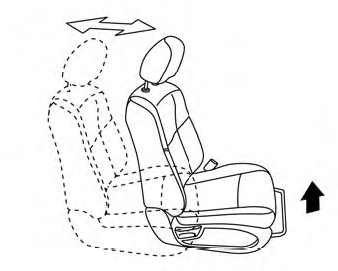
Front manual seat adjustment (if so equipped)
Your vehicle seats can be adjusted manually. For additional information about adjusting the seats, refer to the steps outlined in this section.
Forward and backward