Nissan Murano: Dtc/circuit Diagnosis / B13cf Buttons
DTC DETECTION LOGIC
| DTC No. |
CONSULT screen terms (Trouble diagnosis content) | DTC detection condition | |
|---|---|---|---|
| B13CF-73 |
Buttons (AV control unit) |
Diagnosis condition | When ignition switch is ON. |
| Signal (terminal) | — | ||
| Threshold | — | ||
| Diagnosis delay time | — | ||
POSSIBLE CAUSE
AV control unit
FAIL-SAFE
AV control unit buttons error
PERFORM DTC CONFIRMATION PROCEDURE
 CONSULT
-
Ignition switch ON.
-
Ignition switch OFF and wait at least 30 seconds.
-
Ignition switch ON and wait at least 30 seconds or more.
-
Select “Self Diagnostic Result” mode of “MULTI AV”.
-
Check DTC.
Is DTC B13CF detected?
YES>>Proceed to DTC Diagnosis Procedure.
NO>>To check malfunction symptom before repair: Refer to Intermittent Incident.
NO>>Confirmation after repair: Inspection End.
PERFORM DTC CONFIRMATION PROCEDURE AGAIN
CONSULT
-
Ignition switch ON.
-
Erase DTC.
-
Perform DTC confirmation procedure again. Refer to DTC Confirmation Procedure.
Is DTC B13CF detected again?
YES>>Replace AV control unit. Refer to Removal and Installation.
NO>>Inspection End.
 B1383 Incomp Steering Angle Sensor Adjust
DTC Description
DTC DETECTION LOGIC DTC No.
CONSULT screen terms
(Trouble diagnosis content) DTC detection condition
B1383–01
Incomp steering angle senor adjust
(Steering angle sensor calibration)
Diagnosis condition
When ignition switch is ON...
 B13ec Factory Mode
DTC Description
DTC DETECTION LOGIC DTC No.
CONSULT screen terms
(Trouble diagnosis content) DTC detection condition
B13EC–52
Factory mode
(AV control unit)
[—]
Diagnosis condition
When ignition switch is ON...
Other information:
Nissan Murano (Z52) 2015-2024 Service Manual: Sunshade
Diagnosis Procedure PERFORM INITIALIZATION PROCEDURE Refer to Special Repair Requirement. Is the inspection result normal? YES>> Sunshade system is normal. NO>> GO TO 2. CHECK SUNSHADE SWITCH Check sunshade switch. Refer to Diagnosis Procedure...
Nissan Murano (Z52) 2015-2024 Service Manual: Front Axle :: Symptom Diagnosis. Noise, Vibration and Harshness (nvh) Troubleshooting
NVH Troubleshooting Chart Use chart below to find the cause of the symptom. If necessary, repair or replace these parts. Reference — Inspection — Exploded View — Inspection NVH Troubleshooting Chart Inspection NVH Troubleshooting Chart NVH Troubleshooting Chart Inspection NVH Troubleshooting Chart NVH Troubleshooting Chart Possible cause and SUSPECTED PARTS Excessive joint angle Joint sliding resistance Imbalance Improper installation, looseness Parts interference Wheel bearing damage FRONT SUSPENSION FRONT AXLE TIRE WHEEL DRIVE SHAFT BRAKE STEERING Symptom DRIVE SHAFT Noise × × - - - × × × × × - × × Shake × - × - - × × × × × - × × FRONT AXLE Noise - - - × × × × × × × × × Shake - - - × × × × × × × × × Vibration - - - × × × × - × - × - × Shimmy - - - × × - × - × × - × × Shudder - - - × - × - × × - × × Poor quality ride or handling - - - × × - × - × × - - - Inspect Front Axle for cracks or damage...
Categories
- Manuals Home
- Nissan Murano Owners Manual
- Nissan Murano Service Manual
- System malfunction
- How to enable/disable the LDW system
- Warning lights
- New on site
- Most important about car
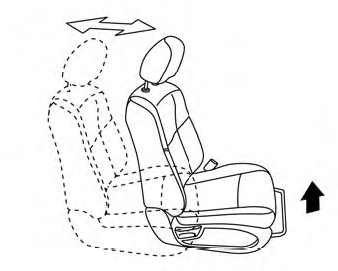
Front manual seat adjustment (if so equipped)
Your vehicle seats can be adjusted manually. For additional information about adjusting the seats, refer to the steps outlined in this section.
Forward and backward