
Nissan Murano: Steering wheel / Automatic operation (if so equipped)
Nissan Murano (Z52) 2015-2024 Owners Manual / Pre-driving checks and adjustments / Steering wheel / Automatic operation (if so equipped)
 Manual operation (if so equipped)
Tilt and telescopic operation
Pull the lock lever down:
Adjust the steering wheel up or down in
direction to the desired
position.
Adjust the steering wheel forward or
backward in direction to the
desired
position...
 Tilt and telescopic operation
To adjust the steering wheel move the
switch in the following directions:
Adjust the steering wheel up or down in
direction to the desired tilt
position...
Other information:
Nissan Murano (Z52) 2015-2024 Service Manual: Warning System Buzzer
Component Function Check CHECK SYSTEM WARNING BUZZER CONSULT Turn the ignition switch ON. Select the active test item “ICC BUZZER” of “ICC/ADAS”. With operating the test item, check the operation. On : Warning buzzer is activated. Off : Warning buzzer is not activated...
Nissan Murano (Z52) 2015-2024 Service Manual: Cvt Shift Selector
Exploded View 1. Shift selector handle 2. Shift selector handle clip 3. Control cable 4 Shift selector assembly 5. Shift selector handle cover Removal and Installation REMOVALApply the parking brake. CAUTION: Make sure the vehicle cannot move with the parking brake applied...
Categories
- Manuals Home
- Nissan Murano Owners Manual
- Nissan Murano Service Manual
- Shift lock release
- High Beam Assist (if so equipped)
- Turning the AEB system on/off
- New on site
- Most important about car
Fuel gauge
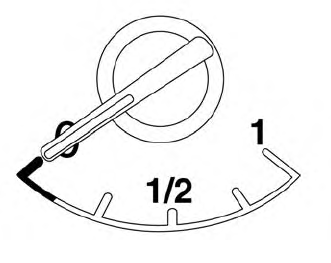
The gauge indicates the approximate fuel level in the tank.
The gauge may move slightly during braking, turning, acceleration, or going up or down hills.
The gauge needle returns to 0 (Empty) after the ignition switch is placed in the OFF position.

Copyright © 2026 www.nimurano.com