
Nissan Murano: Removal and Installation / Transfer Cover Oil Seal
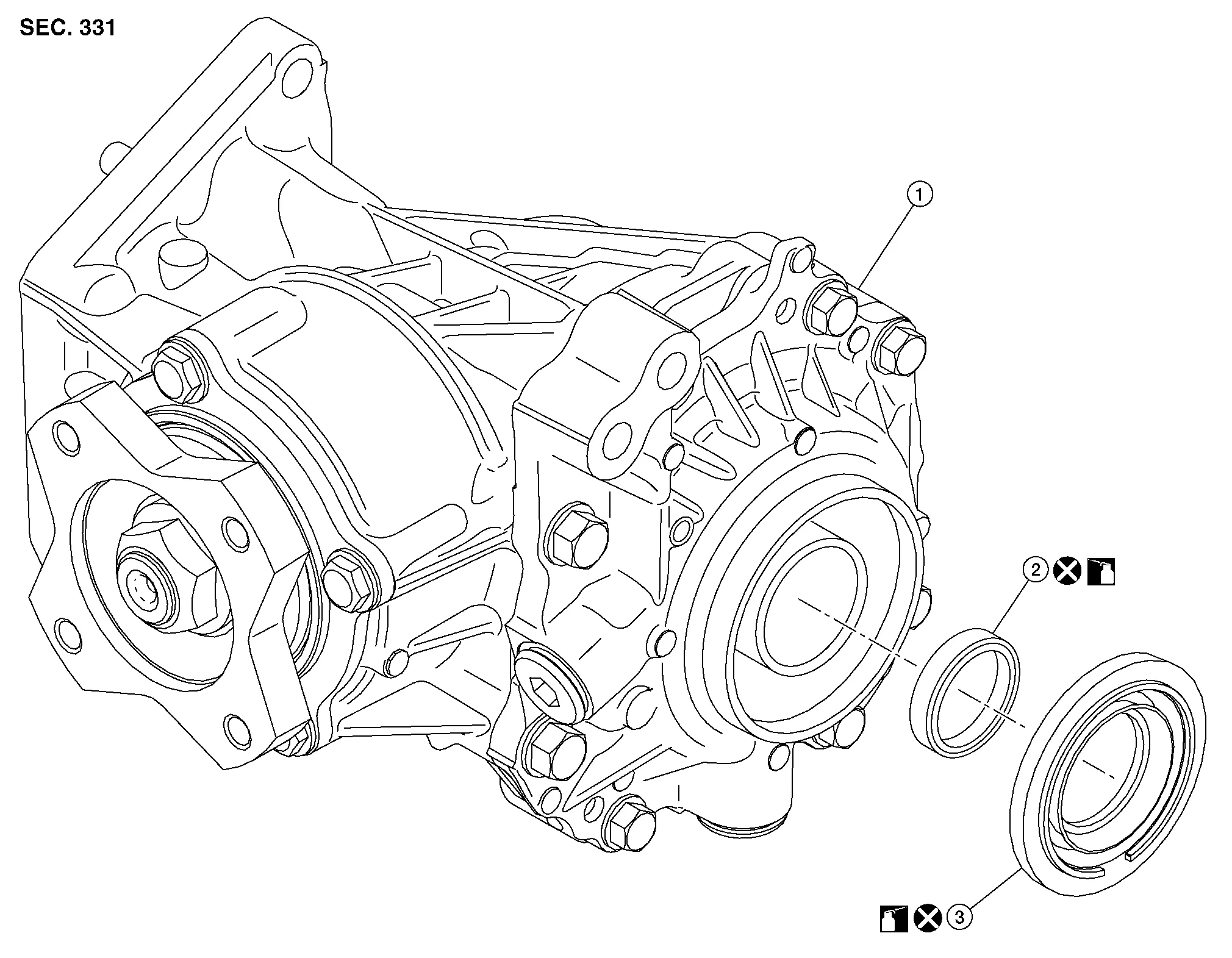
| 1. | Transfer case assembly | 2. | Drive shaft oil seal | 3. | Transfer cover oil seal |
REMOVAL
Remove the front drive shaft (RH). Refer to Removal & Installation.
Remove bolts and remove front drive shaft support bracket (RH). Refer to Exploded View.
Using a suitable tool, remove the transfer cover oil seal.
CAUTION:
-
When removing transfer cover oil seal with suitable tool, do not damage the transfer cover.
-
Do not reuse transfer cover oil seal.
INSTALLATION
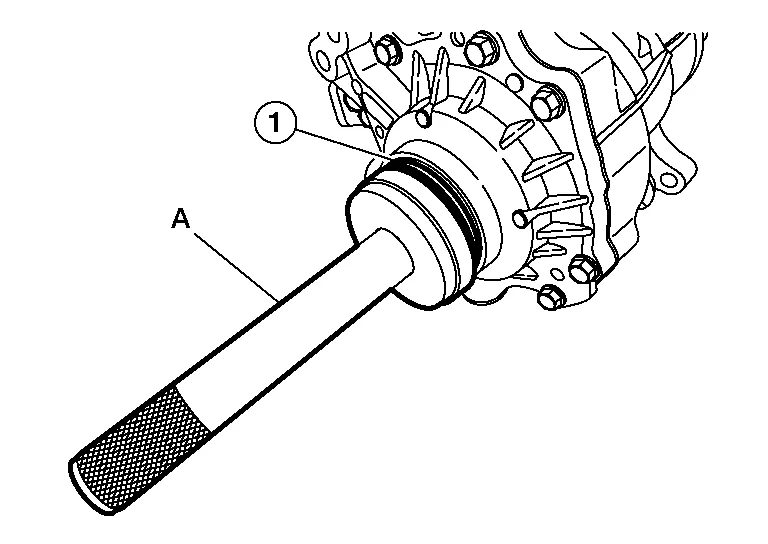
Using two people, install the transfer cover oil seal (1) using suitable tool (A).
CAUTION:
Do not reuse transfer cover oil seal.
Verify the transfer cover oil seal (2) is installed to the correct depth (A).
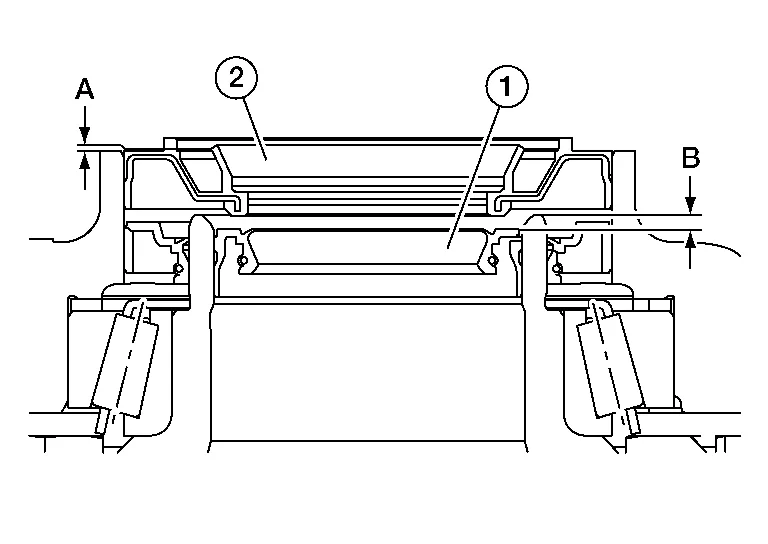
| Dimension (A) | : 0.0 - 0.6 mm (0.000 - 0.024 in) |
| (1) | : Drive shaft oil seal |
| (B) | : Drive shaft oil seal installation depth |
Installation of the remaining components is in the reverse order of removal.
 NOTE:
NOTE:
Lubricate the transfer cover oil seal and drive shaft oil seal lips before installing front drive shaft (RH).
 Awd Control Unit
Exploded View
1.
AWD control unit
Front
Removal and Installation
REMOVALRemove back door kicking plate. Refer to Removal and Installation - Rear Kicking Plate...
 Drive Shaft Oil Seal
Exploded View
1.
Transfer case assembly
2.
Drive shaft oil seal
3.
Transfer cover oil seal
Removal and Installation
REMOVALRemove the front drive shaft (RH)...
Other information:
Nissan Murano (Z52) 2015-2024 Service Manual: U0104-82 Adas Can 1
DTC Description DTC DETECTION LOGIC DTC No. CONSULT screen terms (Trouble diagnosis content) DTC detection condition U0104-82 ADAS CAN CIR1 (ADAS control unit CAN circuit 1) Diagnosis condition When ignition switch is ON. Signal (terminal) – Threshold Side radar detected an error of ITS communication signal that was received from ADAS control unit Diagnosis delay time – POSSIBLE CAUSE ADAS control unit Side radar RH FAIL-SAFEThe following systems are canceled: Blind Spot Warning (BSW) Rear Cross Traffic Alert (RCTA) DTC Confirmation Procedure CHECK DTC PRIORITY If DTC “U0104-82” is displayed with DTC “U1000-01”, first diagnose the DTC “U1000-01”...
Nissan Murano (Z52) 2015-2024 Service Manual: Abs Function
System Description SYSTEM DIAGRAM By preventing wheel lock through brake force (brake fluid pressure) control that is electronically controlled by detecting wheel speed during braking, stability during emergency braking is improved so that obstacles can be easily bypassed by steering operation...
Categories
- Manuals Home
- Nissan Murano Owners Manual
- Nissan Murano Service Manual
- Memory storage function (key-link)
- System malfunction
- Shift lock release
- New on site
- Most important about car
