
Nissan Murano: Traffic Sign Recognition (TSR) (if so equipped) / System temporarily unavailable
Nissan Murano (Z52) 2015-2024 Owners Manual / Starting and driving / Traffic Sign Recognition (TSR) (if so equipped) / System temporarily unavailable
If the vehicle is parked in direct sunlight under high temperature conditions (over approximately 104°F [40°C]) and then started, the TSR system may be deactivated automatically. The “Unavailable: High Cabin Temperature” warning message will appear in the vehicle information display.
Action to take:
When the interior temperature is reduced, the TSR system will resume operating automatically.
 Turning the Traffic Sign Recognition (TSR) system on and off
Perform the following steps to enable or
disable the TSR system.
Press the button until
“Settings”
displays in the vehicle information display
and then press the OK button...
 System malfunction
If the TSR system malfunctions, it will be
turned off automatically and the LDW indicator
(orange) will illuminate in the vehicle
information display...
Other information:
Nissan Murano (Z52) 2015-2024 Service Manual: I-Da
S..
Nissan Murano (Z52) 2015-2024 Service Manual: Bsw
System Description SYSTEM DIAGRAMADAS CONTROL UNIT INPUT/OUTPUT SIGNAL ITEMADAS control unit receives signals via CAN communication. It also detects vehicle conditions that are necessary for Blind Spot Warning control.Input Signal Item Transmit unit Signal name Description TCM CAN communication Shift position signal Receives a selector lever position...
Categories
- Manuals Home
- Nissan Murano Owners Manual
- Nissan Murano Service Manual
- Settings
- Shift lock release
- GAS STATION INFORMATION
- New on site
- Most important about car
Fuel gauge
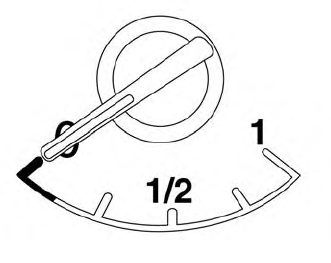
The gauge indicates the approximate fuel level in the tank.
The gauge may move slightly during braking, turning, acceleration, or going up or down hills.
The gauge needle returns to 0 (Empty) after the ignition switch is placed in the OFF position.

Copyright © 2026 www.nimurano.com