
Nissan Murano: Automatic Drive Positioner :: Removal and Installation / Seat Memory Switch
REMOVAL
Remove front door finisher (LH). Refer to Removal and Installation.
Release the pawls using a suitable tool (A) and remove seat memory switch (2) from switch finisher (1).
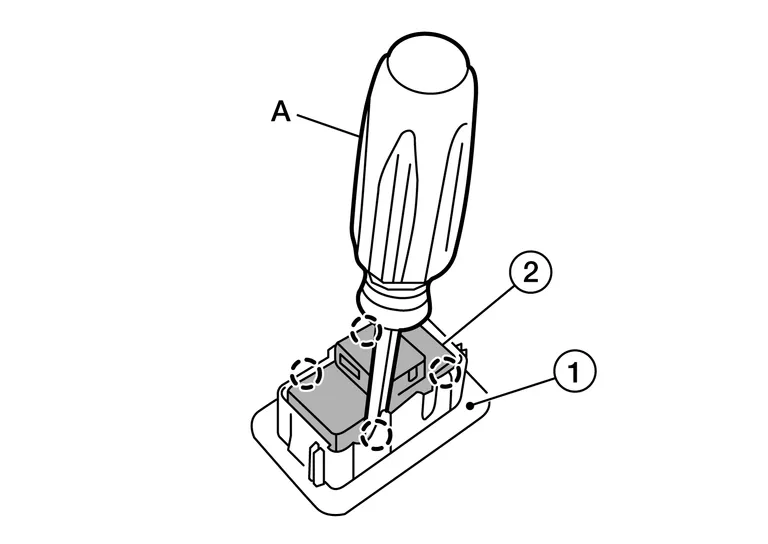
 : Pawl
INSTALLATION
Installation is in the reverse order of removal.
 Automatic Drive Positioner Control Unit
Removal and Installation
REMOVALRemove the instrument lower panel LH. Refer to Removal and Installation.
Disconnect the two harness connectors from the automatic drive positioner control unit (1) and remove...
 Power Seat Switch
Removal and Installation
REMOVALRemove seat cushion outer finisher (LH) (2). Refer to Seat Cushion.
Remove the power seat switch screws (A).
: Front
Remove power seat switch (1) from seat cushion outer finisher (LH) (2)...
Other information:
Nissan Murano (Z52) 2015-2024 Service Manual: Memory Function
System Description SYSTEM DIAGRAMSIGNAL TRANSMISSION FUNCTION LISTSeveral types of signals are transmitted from the following units to the driver seat control unit via CAN communication. Component Signal ABS actuator and electric unit (control unit) Nissan Murano Vehicle speed signal Combination meter Vehicle speed signal IPDM E/R Detention switch signal BCM Ignition switch signal TCM Shift position signal DESCRIPTIONThe driver seat control unit can store the optimum driving positions (seat, steering column and door mirror position) for 2 people...
Nissan Murano (Z52) 2015-2024 Service Manual: How to Erase Permanent Dtc
Description OUTLINEPermanent DTC is erased with MIL shutoff if the same malfunction is not detected after performing the driving pattern for MIL shutoff three times.PERMANENT DTC ITEMFor permanent DTC items, MIL turns ON. Refer to DTC Index.HOW TO ERASE PERMANENT DTCNOTE: For permanent DTC group, refer to DTC Index...
Categories
- Manuals Home
- Nissan Murano Owners Manual
- Nissan Murano Service Manual
- Warning lights
- Checking engine oil level
- Indicator lights
- New on site
- Most important about car
Fuel gauge
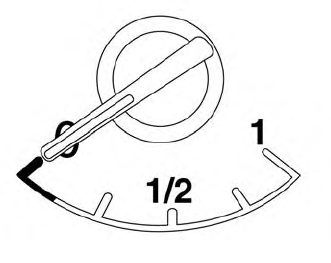
The gauge indicates the approximate fuel level in the tank.
The gauge may move slightly during braking, turning, acceleration, or going up or down hills.
The gauge needle returns to 0 (Empty) after the ignition switch is placed in the OFF position.

Copyright © 2026 www.nimurano.com