
Nissan Murano: System Description / Operation
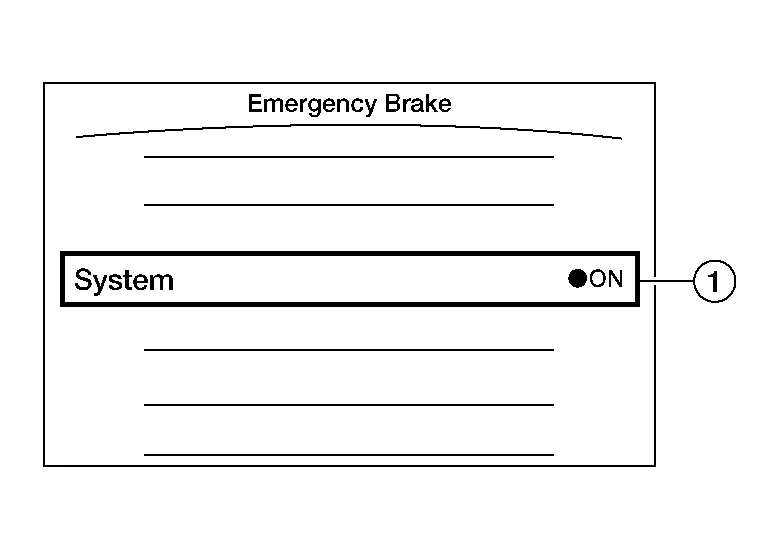
| No. | Switch name | Description |
|---|---|---|
 |
AEB system setting screen (Integral switch settings screen) |
The setting of AEB/I-FCW system can be switched between ON and OFF |
SYSTEM DISPLAY
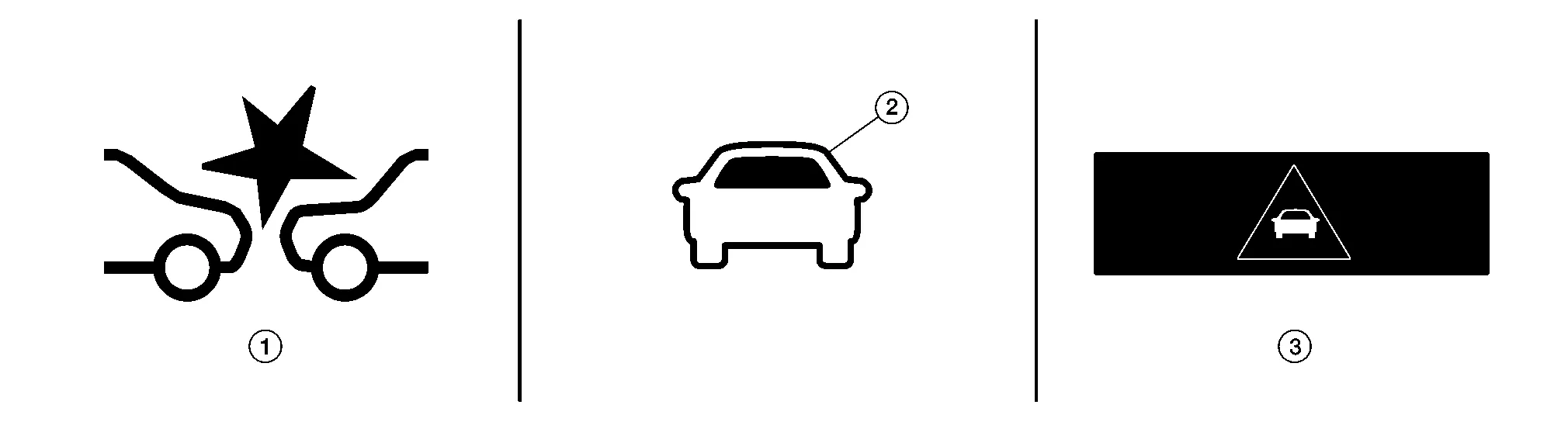
| No. | Switch name | Description |
|---|---|---|
|
AEB warning lamp |
|
 |
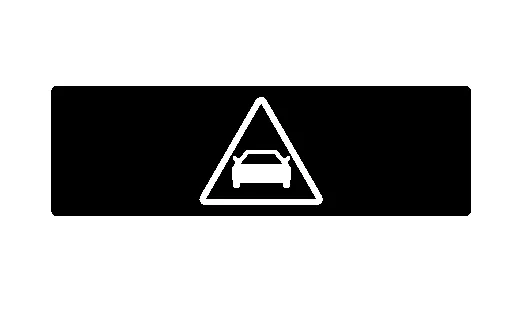
Nissan Murano Vehicle ahead indicator |
|
 |
AEB warning | Displays immediately before the harder brake operates |
DISPLAY AND WARNING
Warning Display
| System status | Condition | Display on combination meter | AEB warning lamp | Buzzer |
|---|---|---|---|---|
| AEB/I-FCW OFF | — | — | OFF | — |
| AEB/I-FCW ON | System ON |
|
ON | — |
|
AEB/I-FCW system malfunction |
The AEB/I-FCW system is automatically canceled.
The system operates if the ignition switch is turned OFF⇒ON after the condition improves |
Malfunction See Owner's Manual | ON | Beep |
 NOTE:
NOTE:
Warning Operation
| Condition | Action | Display on combination meter | AEB warning lamp | Chime |
|---|---|---|---|---|
| There is a possibility of a collision with the Nissan Murano vehicle ahead. |
|
|
FLASHING | Beep |
| An obstacle ahead is avoided due to the system applying braking. | Operates brake (Emergency) |
|
ON | Continuous beeps |
| Dirt around the distance sensor |
The AEB system is automatically canceled.
The system operates if the ignition switch is turned OFF⇒ON after the condition improves. |
Forward Driving Aids Temporarily Disabled Front Sensor Blocked See Owner's Manual |
Blink | — |
|
Unavailable Front Radar Obstruction |
 System
System Description
SYSTEM DIAGRAMADAS CONTROL UNIT INPUT/OUTPUT SIGNAL ITEMInput Signal Item Transmit unit Signal name Description
ECM
CAN communication
Closed throttle position signal
Receives idle position state (ON/OFF)
Accelerator pedal position signal
Receives accelerator pedal position (angle)
Engine speed signal
Receives engine speed
Stop lamp switch signal
Receives an operational state of the brake pedal
Brake pedal position switch signal
Receives an operational state of the brake pedal
TCM
CAN communication
Input speed signal
Receives the number of revolutions of input shaft
Current gear position signal
Receives a current gear position
Shift position signal
Receives a selector lever position
Output shaft revolution signal
Receives the number of revolutions of output shaft
ABS actuator and electric unit (control unit)
CAN communication
ABS malfunction signal
Receives a malfunction state of ABS
ABS operation signal
Receives an operational state of ABS
ABS warning lamp signal
Receives an ON/OFF state of ABS warning lamp
TCS malfunction signal
Receives a malfunction state of TCS
TCS operation signal
Receives an operational state of TCS
VDC OFF switch signal
Receives an ON/OFF state of VDC
VDC malfunction signal
Receives a malfunction state of VDC
VDC operation signal
Receives an operational state of VDC
Nissan Murano Vehicle speed signal (ABS)
Receives wheel speeds of four wheels
Yaw rate signal
Receives yaw rate acting on the Nissan Murano vehicle
Stop lamp switch signal
Receives an operational state of the brake pedal
Steering angle sensor
CAN communication
Steering angle sensor malfunction signal
Receives a malfunction state of steering angle sensor
Steering angle sensor signal
Receives the number of revolutions, turning direction of the steering wheel
Steering angle speed signal
Receives the turning angle speed of the steering wheel
Distance sensor
ITS communication
Distance sensor signal
Receives detection results, such as the presence or absence of a leading Nissan Murano vehicle and distance from the vehicle
Lane camera unit
Chassis CAN communication
Pedestrian ahead signal
Receives detection results of pedestrian ahead of Nissan Murano vehicle
Vehicle ahead signal
Receives detection results of Nissan Murano vehicle ahead
Output Signal Item Reception unit Signal name Description
ABS actuator and electric unit (control unit)
CAN communication
Brake fluid pressure control signal
Transmits a brake fluid pressure control signal to activates the brake
Combination meter
CAN communication
Meter display signal
Nissan Murano Vehicle ahead detection indicator signal
Transmits a signal to display a state of the system on the information display
AEB/I-FCW system display signal
AEB warning signal
Distance sensor
ITS communication
Nissan Murano Vehicle speed signal
Transmits a vehicle speed calculated by the ADAS control unit
Steering angle sensor signal
Transmits a steering angle sensor signal received from the steering angle sensor
Warning buzzer
Warning buzzer signal
Activates the warning buzzer
ICC brake hold relay
ICC brake hold relay drive signal
Activates the brake hold relay and turns ON the stop lamp
DESCRIPTION
Automatic Emergency Braking (AEB) system can assist the driver when there is a forward collision with the Nissan Murano vehicle ahead in the traveling lane...
 Handling Precaution
Description
PRECAUTIONS FOR AUTOMATIC EMERGENCY BRAKING (AEB)
The automatic emergency braking (AEB) system is a supplemental aid to the driver. It is not a replacement for the driver′s attention to traffic conditions or responsibility to drive safely...
Other information:
Nissan Murano (Z52) 2015-2024 Service Manual: Wiper & Washer :: Ecu Diagnosis Information. Bcm, Ipdm E/r
..
Nissan Murano (Z52) 2015-2024 Service Manual: Vehicle Can Communication Circuit
Diagnosis Procedure CONNECTOR INSPECTION Turn the ignition switch OFF. Disconnect the battery cable from the negative terminal. Disconnect all the unit connectors on Nissan Murano vehicle CAN communication system. Check terminals and connectors for damage, bend and loose connection...
Categories
- Manuals Home
- Nissan Murano Owners Manual
- Nissan Murano Service Manual
- Fuel recommendation
- All-Wheel Drive (AWD) (if so equipped)
- Vehicle Dynamic Control (VDC) OFF switch
- New on site
- Most important about car
Luggage hooks

When securing items using luggage hooks located on the back of the seat or side finisher do not apply a load over more than 6.5 lbs. (29 N) to a single hook.
The luggage hooks that are located on the floor should have loads less than 110 lbs. (490 N) to a single hook.
