Nissan Murano: Wheel Sensor / Front Wheel Sensor
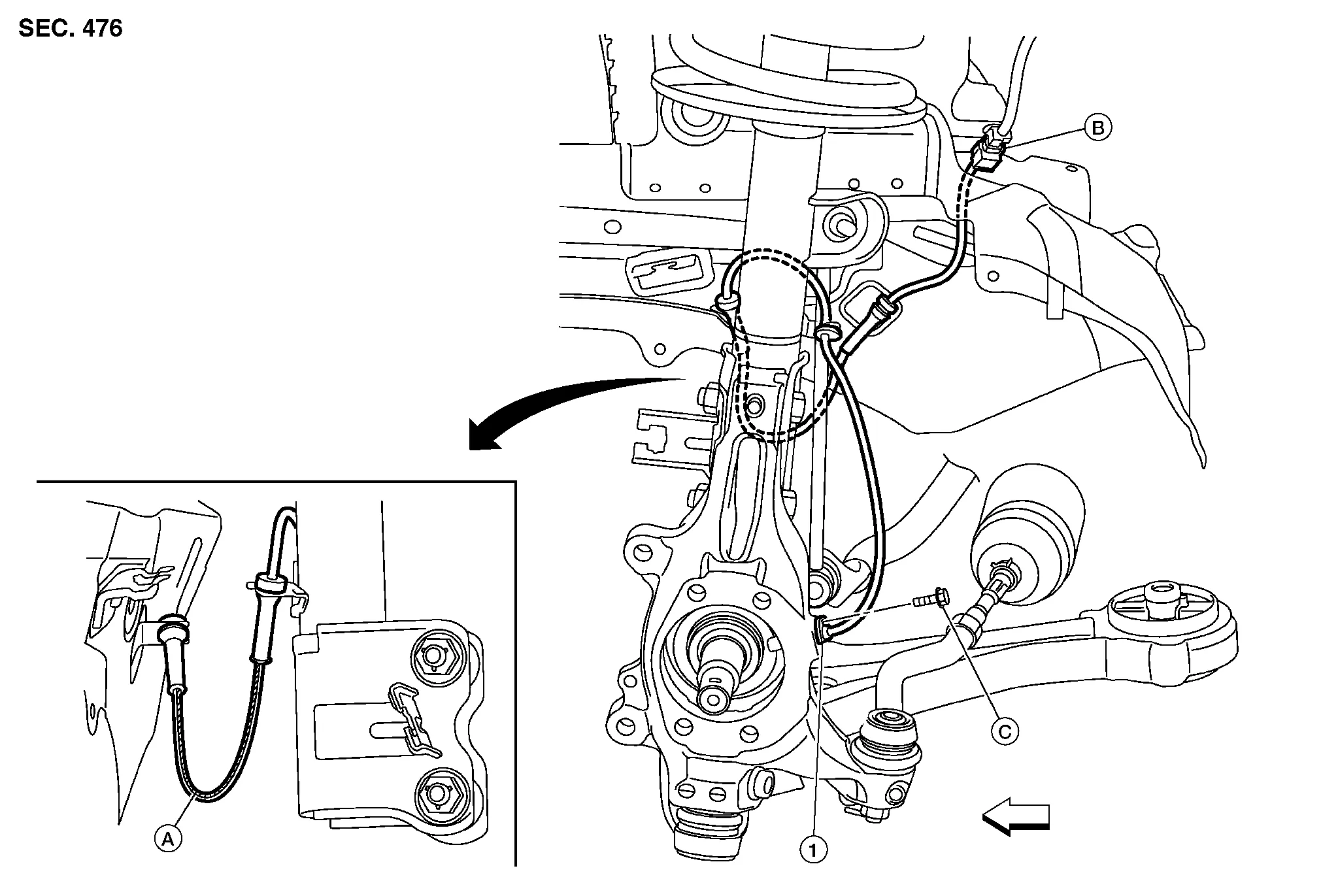
| 1. | Front wheel sensor | A. | Color line (slant line) | B. | Harness connector |
| C. | Refer to Removal and Installation. |  |
Front |
CAUTION:
Do not damage the front wheel sensor or sensor rotor.
REMOVAL
Remove front wheel and tire using power tool. Refer to Removal and Installation.
Remove fender protector retaining pin to gain access to wheel sensor harness connector.
Disconnect harness connector from front wheel sensor.
Remove front wheel sensor bolt (A) from steering knuckle.

Remove front wheel sensor from strut bracket.
Remove front wheel sensor from body bracket.
Remove front wheel sensor from steering knuckle.
CAUTION:
Pull out the front wheel sensor being careful to turn it as little as possible. Do not pull on the front wheel sensor harness.
INSTALLATION
Installation is in the reverse order of removal.
CAUTION:
-
Before installing, make sure there is no foreign material, such as iron fragments, adhered to the pick-up part of the front wheel sensor.
-
When installing, make sure there is no foreign material, such as iron fragments, on and in the hole in the steering knuckle for the front wheel sensor. Make sure no foreign material has been caught in the sensor rotor. Remove any foreign material and clean the mount.
-
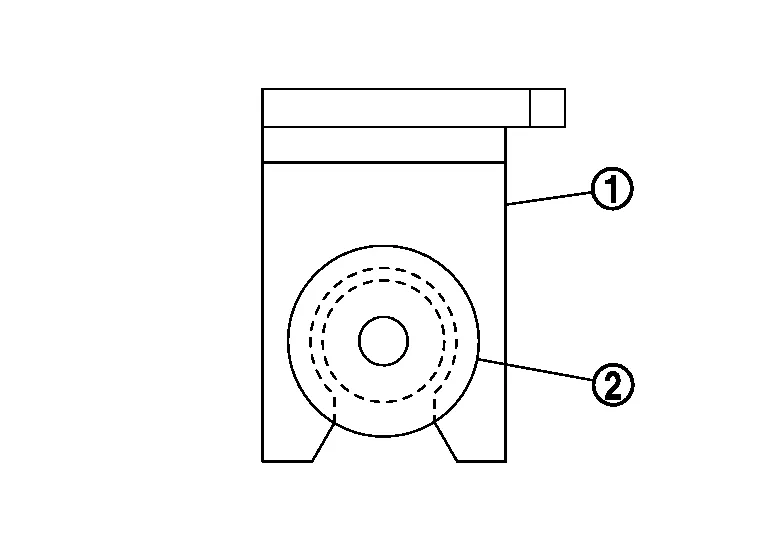
Do not twist front wheel sensor harness when installing front wheel sensor. Check that grommet (2) is fully inserted to bracket (1). Check that front wheel sensor harness is not twisted after installation.
-
For tapered bolt (A), tighten bolt to specification.
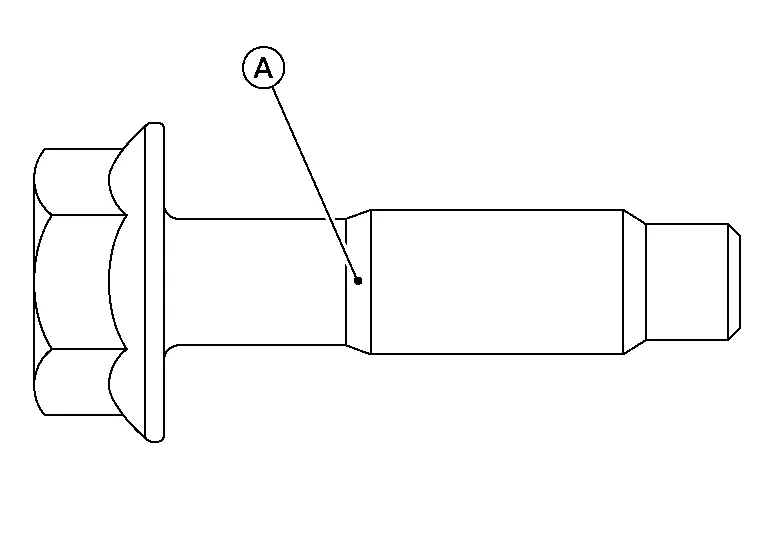
Tightening torque : 8.0 N·m (0.82 kg-m, 71 in-lb) -
Except for tapered bolt (A), tighten bolt to specification.
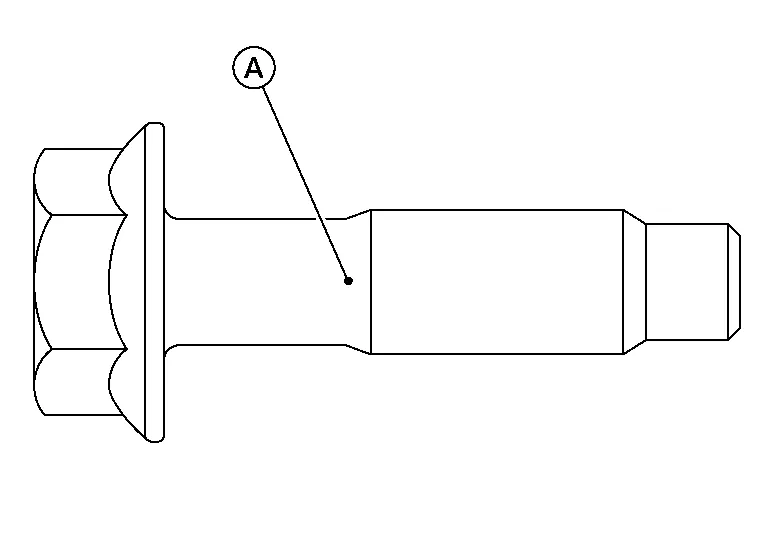
Tightening torque : 10.0 N·m (1.0 kg-m, 89 in-lb)
 Wheel Sensor
..
 Rear Wheel Sensor
Exploded View
RH Side 1.
Rear wheel sensor
A.
Rear wheel sensor bracket
B.
Clip
C.
Harness connector
D.
Refer to Removal and Installation...
Other information:
Nissan Murano (Z52) 2015-2024 Service Manual: Vehicle Can Communication Circuit
Diagnosis Procedure CONNECTOR INSPECTION Turn the ignition switch OFF. Disconnect the battery cable from the negative terminal. Disconnect all the unit connectors on Nissan Murano vehicle CAN communication system. Check terminals and connectors for damage, bend and loose connection...
Nissan Murano (Z52) 2015-2024 Service Manual: U1010-49 Control Unit (can)
DTC Description CAN controller controls the communication of CAN communication signal and the error detection.DTC DETECTION LOGIC DTC No. CONSULT screen items (Trouble diagnosis content) DTC detection condition U1010-49 CONTROL UNIT (CAN) [Control unit (CAN)] Diagnosis condition When engine is running When MAIN switch of ICC system is ON Signal (terminal) — Threshold If ADAS control unit detects malfunction by CAN controller initial diagnosis Diagnosis delay time 1 second or less POSSIBLE CAUSEADAS control unitFAIL-SAFEThe following systems are canceled: Automatic Emergency Braking (AEB) with pedestrian detection Automatic Emergency Braking (AEB) Intelligent Forward Collision Warning (I-FCW) Lane Departure Warning (LDW) Intelligent Lane Intervention (I-LI) Blind Spot Warning (BSW) Rear Cross Traffic Alert (RCTA) Rear Automatic Braking (RAB) Traffic Sign Recognition (TSR) Intelligent Drive Alertness (I-DA) Confirmation Procedure DTC CONFIRMATION PROCEDUREPERFORM DTC CONFIRMATION PROCEDURE CONSULT Start the engine...
Categories
- Manuals Home
- Nissan Murano Owners Manual
- Nissan Murano Service Manual
- Shift lock release
- Memory storage function (key-link)
- System malfunction
- New on site
- Most important about car
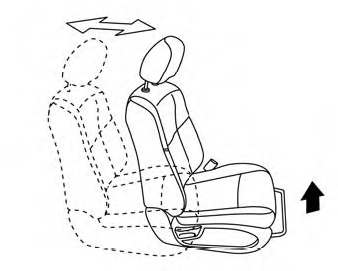
Front manual seat adjustment (if so equipped)
Your vehicle seats can be adjusted manually. For additional information about adjusting the seats, refer to the steps outlined in this section.
Forward and backward