
Nissan Murano: Front Axle :: Removal and Installation / Front Wheel Hub
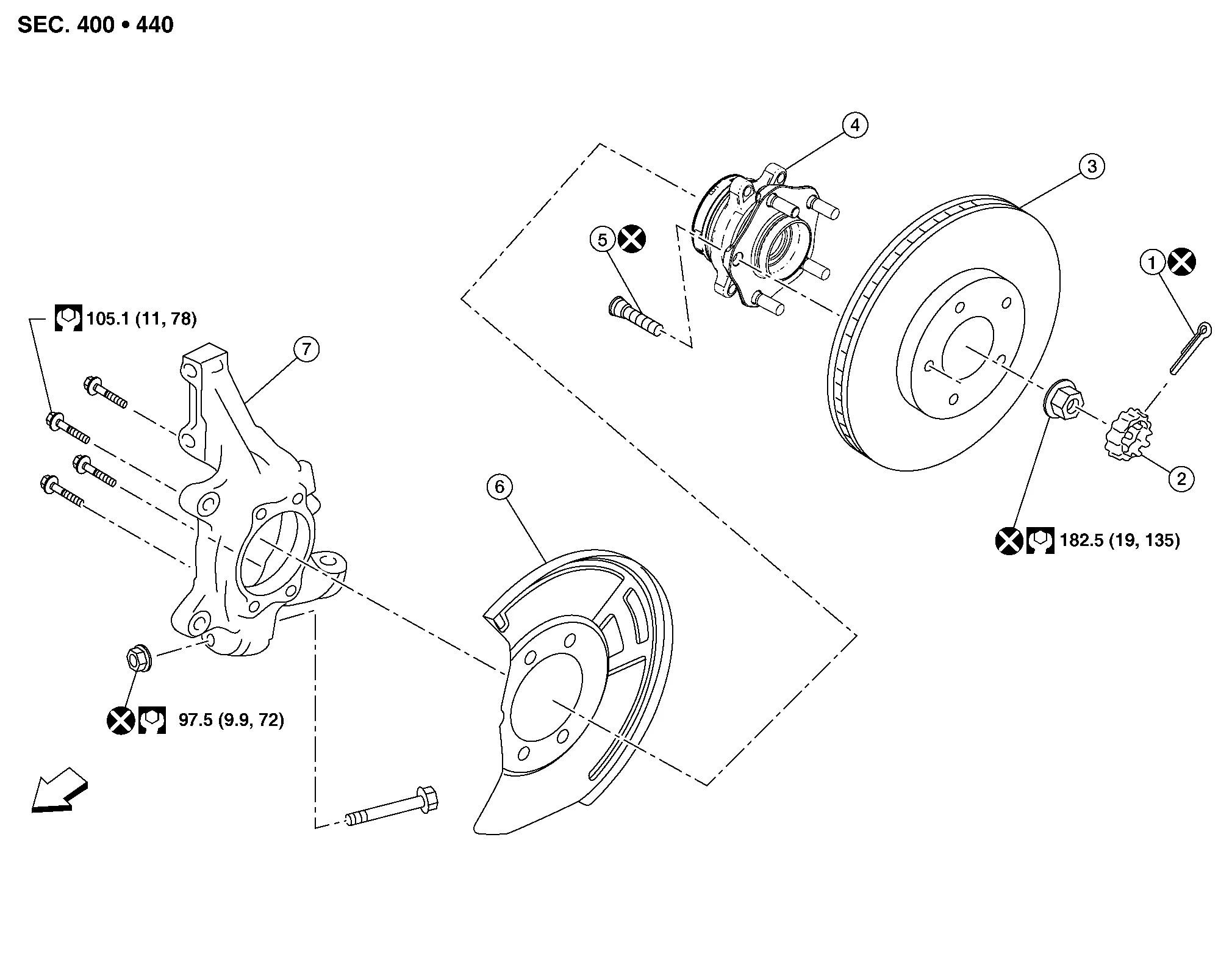
| 1. | Cotter pin | 2. | Nut retainer | 3. | Disc brake rotor |
| 4. | Wheel hub and bearing | 5. | Wheel stud | 6. | Splash guard |
| 7. | Steering knuckle |  |
Front |
REMOVAL
Remove disc brake rotor. Refer to Removal and Installation.
Remove wheel sensor bolt (A) and position wheel sensor aside. Refer to Exploded View.

CAUTION:
-
Failure to separate front wheel sensor from steering knuckle may result in damage to front wheel sensor.
-
Pull out front wheel sensor being careful to turn it as little as possible. Do not pull on wheel sensor harness.
Remove cotter pin.
Remove nut retainer.
Loosen wheel hub lock nut from drive shaft using power tool.
Using a piece of wood and a suitable tool, tap on wheel hub lock nut to disengage drive shaft from wheel hub and bearing.

CAUTION:
-
Do not place drive shaft joint at an extreme angle. Be careful not to over-extend slide joint.
-
Do not allow drive shaft to hang without support.
 NOTE:
NOTE:
Use suitable puller if drive shaft cannot be separated from wheel hub and bearing.
Remove wheel hub lock nut.
Remove wheel hub and bearing bolts using power tool.
Remove splash guard and wheel hub and bearing from steering knuckle.
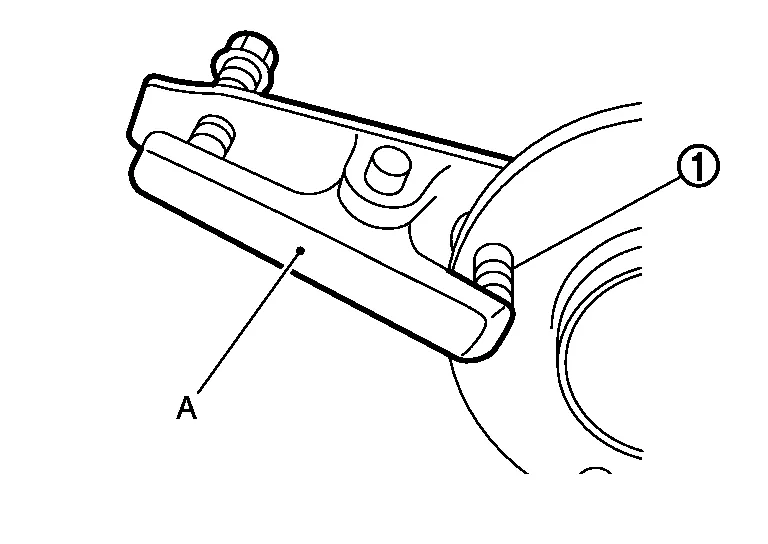
If necessary, remove wheel studs (1) using a suitable tool (A).
INSPECTION AFTER REMOVAL
Check components for deformation, cracks, and other damage. Replace if necessary.
INSTALLATION
Installation is in reverse order of the removal.
-
Place a washer (A) as shown to install wheel studs (1) by using tightening force of nut (B).

CAUTION:
-
Check that there is no clearance between wheel stud and wheel hub and bearing.
-
Do not reuse wheel studs.
-
-
Clean mating surfaces of wheel hub lock nut and wheel hub and bearing.
CAUTION:
Do not apply lubricating oil to these mating surfaces.
-
Hold wheel hub and bearing using a suitable tool. Tighten wheel hub lock nut.
CAUTION:
-
Since drive shaft is assembled by press-fitting, use a torque wrench to tighten wheel hub lock nut. Do not use a power tool.
-
Too much torque causes axle noise. Too little torque causes wheel bearing looseness. Tighten wheel hub lock nut to specification.
-
Do not reuse wheel hub lock nut.
-
-
When installing cotter pin (1) and nut retainer (2), securely bend cotter pin to prevent rattles.

CAUTION:
Do not reuse cotter pin.

 Front Drive Shaft Boot
Exploded View
LH 1.
Shaft with damper
2.
Circular clip
3.
Dust shield
4.
Housing
5.
Snap ring
6.
Spider assembly
7.
Stopper ring
8...
Other information:
Nissan Murano (Z52) 2015-2024 Owners Manual: Overhead sunglasses storage
To open the sunglasses holder, push and release. Only store one pair of sunglasses in the holder. WARNING Keep the sunglasses holder closed while driving to avoid obstructing the driver’s view and to help prevent an accident. CAUTION Do not use for anything other than sunglasses...
Nissan Murano (Z52) 2015-2024 Service Manual: B1305 Control Unit Internal Fault
DTC Description DTC DETECTION LOGIC DTC No. CONSULT screen terms (Trouble diagnosis content) DTC detection condition B1305–04 Control unit internal error (AV control unit internal fault) [—] Diagnosis condition When ignition switch is ON...
Categories
- Manuals Home
- Nissan Murano Owners Manual
- Nissan Murano Service Manual
- How to enable/disable the LDW system
- High Beam Assist (if so equipped)
- Indicator lights
- New on site
- Most important about car
