
Nissan Murano: Under Cover / Front Under Cover
REMOVAL
Remove front under cover clips.
Remove front under cover.
INSTALLATION
Installation is in the reverse order of removal.
 Under Cover
E..
 Floor Under Cover
Removal and Installation
REMOVALRemove the floor under cover bolts.
Remove the floor under cover.INSTALLATIONInstallation is in the reverse order of removal...
Other information:
Nissan Murano (Z52) 2015-2024 Service Manual: Aeb Warning Lamp Is Blinking
Symptom Description The AEB warning lamp is blinking. Refer to Diagnosis Procedure.NOTE: When any of the following conditions, the AEB warning lamp blinks: The distance sensor area of the front of the Nissan Murano vehicle is covered with dirt or is obstructed The interior temperature of the vehicle is extremely high The windshield is dirty, frosted, fogged up, or damaged in front of the lane camera unit The lane camera unit or the lane camera unit bracket is not mounted properly Diagnosis Procedure CHECK THE WINDSHIELD Check if the windshield is dirty, frosted, fogged up, or damaged in front of the lane camera unit...
Nissan Murano (Z52) 2015-2024 Service Manual: Air Conditioner
CONSULT Function (BCM - AIR CONDITIONER) ECU IDENTIFICATIONThe BCM part number is displayed.SELF DIAGNOSTIC RESULTRefer to DTC Index.DATA MONITOR Monitor Item [Unit] Description FAN ON SIG [On/Off] Indicates condition of fan switch. AIR COND SW [On/Off] Indicates condition of A/C switch...
Categories
- Manuals Home
- Nissan Murano Owners Manual
- Nissan Murano Service Manual
- Shift lock release
- Intelligent Forward Collision Warning (I-FCW)
- Warning lights
- New on site
- Most important about car
Fuel gauge
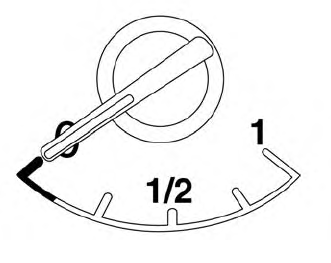
The gauge indicates the approximate fuel level in the tank.
The gauge may move slightly during braking, turning, acceleration, or going up or down hills.
The gauge needle returns to 0 (Empty) after the ignition switch is placed in the OFF position.

Copyright © 2026 www.nimurano.com