
Nissan Murano: System Description / Cooling System
Nissan Murano (Z52) 2015-2024 Service Manual / Engine / Engine Cooling System :: Vq35de / System Description / Cooling System
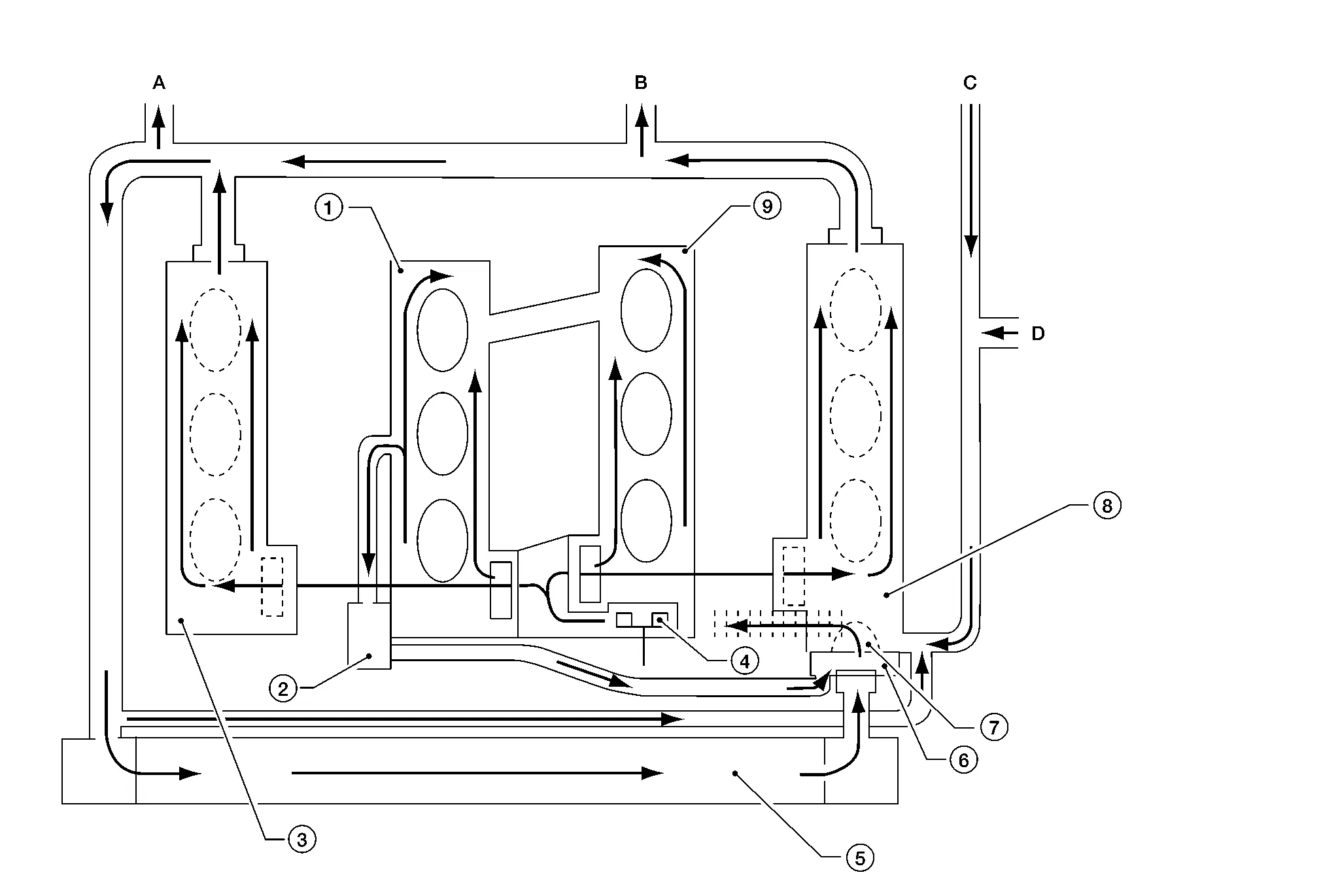
| 1. | Cylinder block (bank 1) | 2. | Oil cooler | 3. | Cylinder head (bank 1) |
| 4. | Water pump | 5. | Radiator | 6. | Water outlet |
| 7. | Thermostat | 8. | Cylinder head (bank 2) | 9. | Cylinder block (bank 2) |
| A. | To heater. Refer to Exploded View. | B. | To electric throttle control. Refer to Exploded View. | C. | From heater. Refer to Exploded View. |
| D. | From electric throttle control. Refer to Exploded View. |
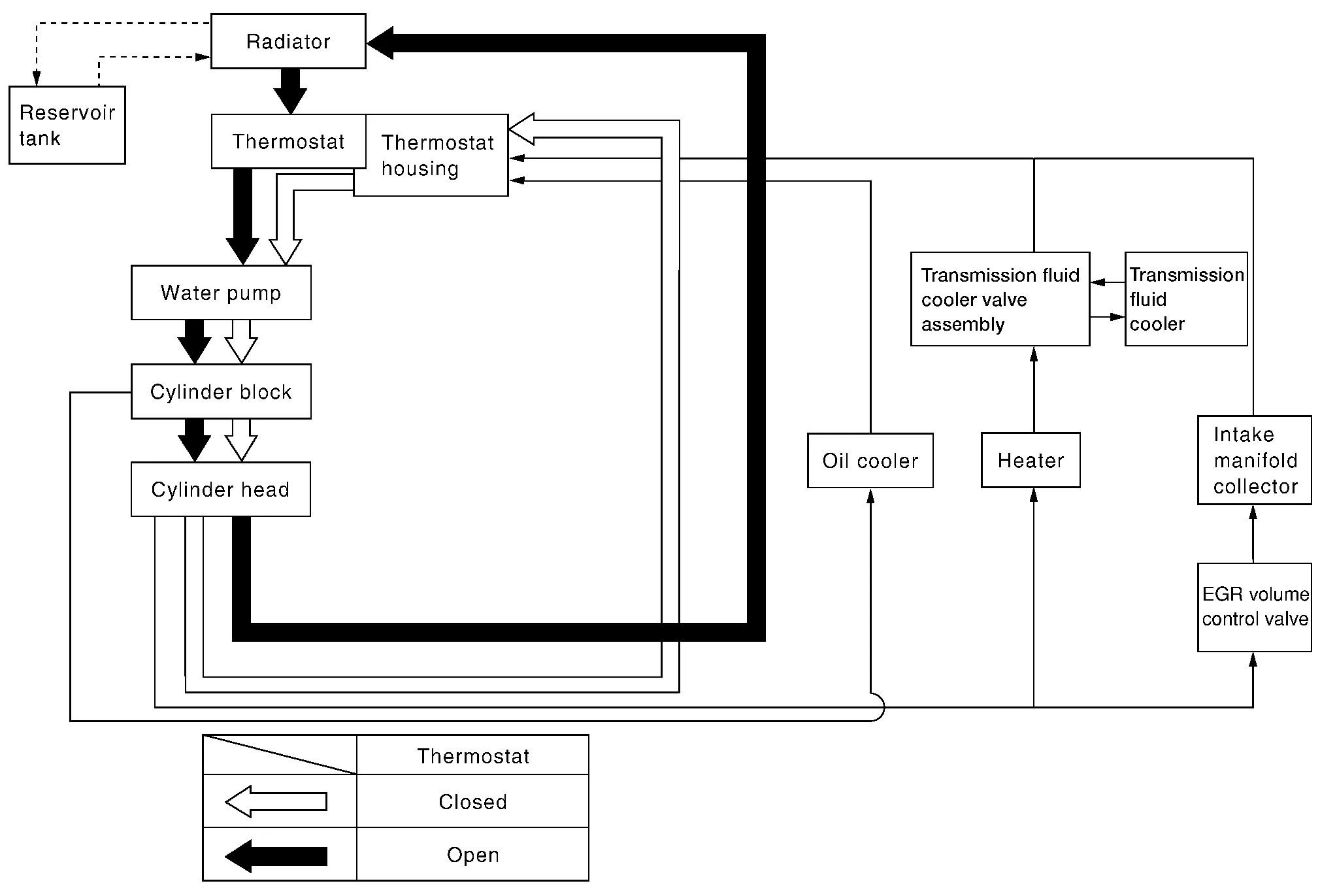
 Overheating Cause Analysis
Troubleshooting Chart
Symptom Check items
Cooling system parts malfunction
Poor heat transfer
Water pump malfunction
Worn or loose drive belt
Engine coolant circulation
Thermostat stuck closed
Thermostat
Damaged radiator fins
Dust contamination or paper clogging
—
Physical damage
Clogged radiator cooling tube
Excess foreign material (rust, dirt, sand, etc...
 Periodic Maintenance. Engine Coolant
System Inspection
WARNING:
Do not remove the radiator cap or reservoir tank cap when the engine is hot. Serious burns could occur from high-pressure engine coolant escaping from the cooling system...
Other information:
Nissan Murano (Z52) 2015-2024 Service Manual: P1610 Lock Mode
DTC Description DTC DETECTION LOGICNOTE: If DTC P1610 is displayed with DTC U1000, first perform the trouble diagnosis for DTC U1000. Refer to DTC Description. If DTC P1610 is displayed with DTC U1010, first perform the trouble diagnosis for DTC U1010...
Nissan Murano (Z52) 2015-2024 Owners Manual: Installing child restraint LATCH lower anchor attachments
LATCH webbing-mounted attachment LATCH compatible child restraints include two rigid or webbing-mounted attachments that can be connected to two anchors located at certain seating positions in your vehicle. With this system, you do not have to use a vehicle seat belt to secure the child restraint...
Categories
- Manuals Home
- Nissan Murano Owners Manual
- Nissan Murano Service Manual
- All-Wheel Drive (AWD) (if so equipped)
- Turning the AEB system on/off
- Power Steering Fluid (PSF)
- New on site
- Most important about car
Seatback pockets
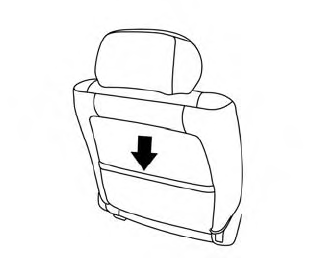
Theremaybe one or two seatback pockets located on the back of the driver and passenger seats. The pockets can be used to store maps.
WARNING

Copyright © 2026 www.nimurano.com