Nissan Murano: Front Camera Unit / Configuration (lane Camera Unit)
Description
-
Since vehicle specifications are not included in the lane camera unit after replacement, it is required to write Nissan Murano vehicle specifications with CONSULT.
-
Configuration has three functions as follows.
Function Description Read/Write Configuration Before Replace ECU Allows the reading of Nissan Murano vehicle specification written in lane camera unit to store the specification in CONSULT. After Replace ECU Allows the writing of the Nissan Murano vehicle information stored in CONSULT into the lane camera unit. Manual Configuration Allows the writing of the Nissan Murano vehicle specification into the lane camera unit by hand.
SAVING VEHICLE SPECIFICATION
 CONSULT
Perform “READ CONFIGURATION” to save or print current Nissan Murano vehicle specification.
Is vehicle specification saved normally?
YES>>GO TO 2.
NO>>GO TO 4.
REPLACE LANE CAMERA UNIT
Replace lane camera unit. Refer to Removal and Installation.
>>
GO TO 3.
WRITING Nissan Murano Vehicle SPECIFICATION
CONSULT
Perform “WRITE CONFIGURATION - Config file” to write Nissan Murano vehicle specification.
>>
GO TO 6.
REPLACE LANE CAMERA UNIT
Replace lane camera unit. Refer to Removal and Installation.
>>
GO TO 5.
WRITING Nissan Murano Vehicle SPECIFICATION
CONSULT
-
Select “WRITE CONFIGURATION - Manual selection”
-
Touch “Next”.
-
Touch “OK”.
-
Check that the configuration has been successfully written and touch “End”.
>>
GO TO 6.
OPERATION CHECK
Confirm that LDW/I-LI systems operate normally.
-
Perform the LDW/I-LI system action test. Refer to Work Procedure for LANE DEPARTURE WARNING.
-
Check that the LDW and I-LI systems operate normally.
>>
Work End.
 Camera Aiming Adjustment
Work Procedure
DescriptionAlways adjust the camera aiming after removing and installing or replacing the lane camera unit.CAUTION:
Place the vehicle on level ground when the camera aiming adjustment is operated...
 Action Test
..
Other information:
Nissan Murano (Z52) 2015-2024 Owners Manual: Settings
The settingmodeallows you to change the information displayed in the vehicle information display: Driver Assistance Customize Display Vehicle Settings Maintenance Clock TPMS Settings Unit / Language Key-Linked Settings Factory Reset Driver Assistance The driver assistancemenuallows the user to change the various driving aids...
Nissan Murano (Z52) 2015-2024 Service Manual: Oil Pump
Removal and Installation REMOVALRemove the engine from the vehicle. Refer to Removal and Installation (FWD) or Removal and Installation (AWD). Remove the upper oil pan. Refer to Removal and Installation (Upper Oil Pan). Remove the timing chain. Refer to Removal and Installation...
Categories
- Manuals Home
- Nissan Murano Owners Manual
- Nissan Murano Service Manual
- Fuel recommendation
- Shift lock release
- Jacking up vehicle and removing the damaged tire
- New on site
- Most important about car
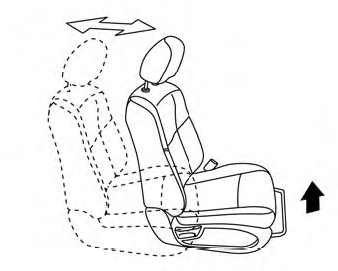
Front manual seat adjustment (if so equipped)
Your vehicle seats can be adjusted manually. For additional information about adjusting the seats, refer to the steps outlined in this section.
Forward and backward