
Nissan Murano: Removal and Installation / Combination Switch
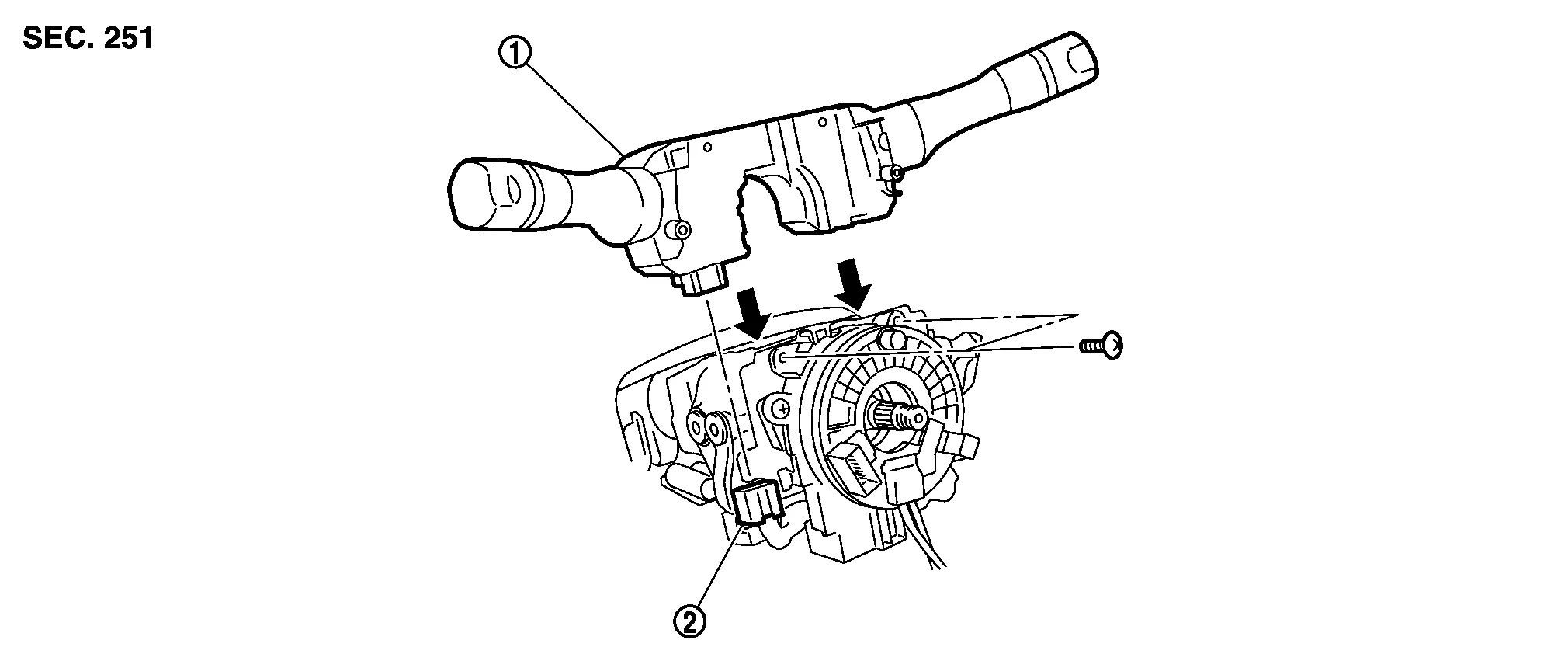
| 1. | Combination switch | 2. | Combination switch harness connector |
REMOVAL
Disconnect both the negative and positive battery terminals, then wait at least three minutes. Refer to Exploded View.
Remove the steering column covers. Refer to Removal and Installation.
Remove the combination switch screws.
Disconnect the harness connector from the combination switch and remove.
INSTALLATION
Installation is in the reverse order of removal.
CAUTION:
-
After the work is completed, make sure no system malfunction is detected by air bag warning lamp.
-
In case a malfunction is detected by the air bag warning lamp, reset with the self-diagnosis function and delete the memory with CONSULT.
-
If a malfunction is still detected after the above operation, perform self-diagnosis to repair malfunctions. Refer to SRS Final Check.
 Bcm
Removal and Installation
CAUTION:
Before replacing the BCM, perform “READ CONFIGURATION” to save or print current Nissan Murano vehicle specification...

Other information:
Nissan Murano (Z52) 2015-2024 Service Manual: Wheel Hub
On-vehicle Service Check axle and suspension parts for excessive play, wear or damage. Move the wheel as shown to check for excessive play. Inspection Check wheel hub bearing axial end play. Axial end play : Refer to Wheel Bearing. Check that wheel hub bearings operate smoothly...
Nissan Murano (Z52) 2015-2024 Service Manual: System
System Description SYSTEM DIAGRAMTCU Input Signal (CAN Communication)Transmit unitSignal name Air bag diagnosis sensor unit Air bag crash order signal ABS actuator and electrical unit (Control unit) ABS malfunction signal BCM Door switches state signal Combination meter Nissan Murano Vehicle speed signal Hand brake switch signal ECM Engine RPM signal MIL lamp signal IPDM E/R Anti-theft horn status signal TCM Transmission range indication signal DESCRIPTION The Telematics system is a system for providing information by connecting the vehicle and the user to the NissanConnect center...
Categories
- Manuals Home
- Nissan Murano Owners Manual
- Nissan Murano Service Manual
- How to enable/disable the LDW system
- Warning lights
- Fuel recommendation
- New on site
- Most important about car
Unfastening the seat belts. Checking seat belt operation
Unfastening the seat belts
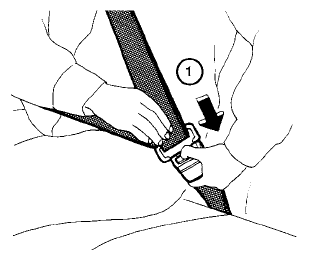
To unfasten the seat belt, press the button
on the buckle  . The seat belt
automatically
retracts.
