
Nissan Murano: Lan System :: Can Fundamental / Basic Inspection. Diagnosis and Repair Workflow
DESCRIPTION
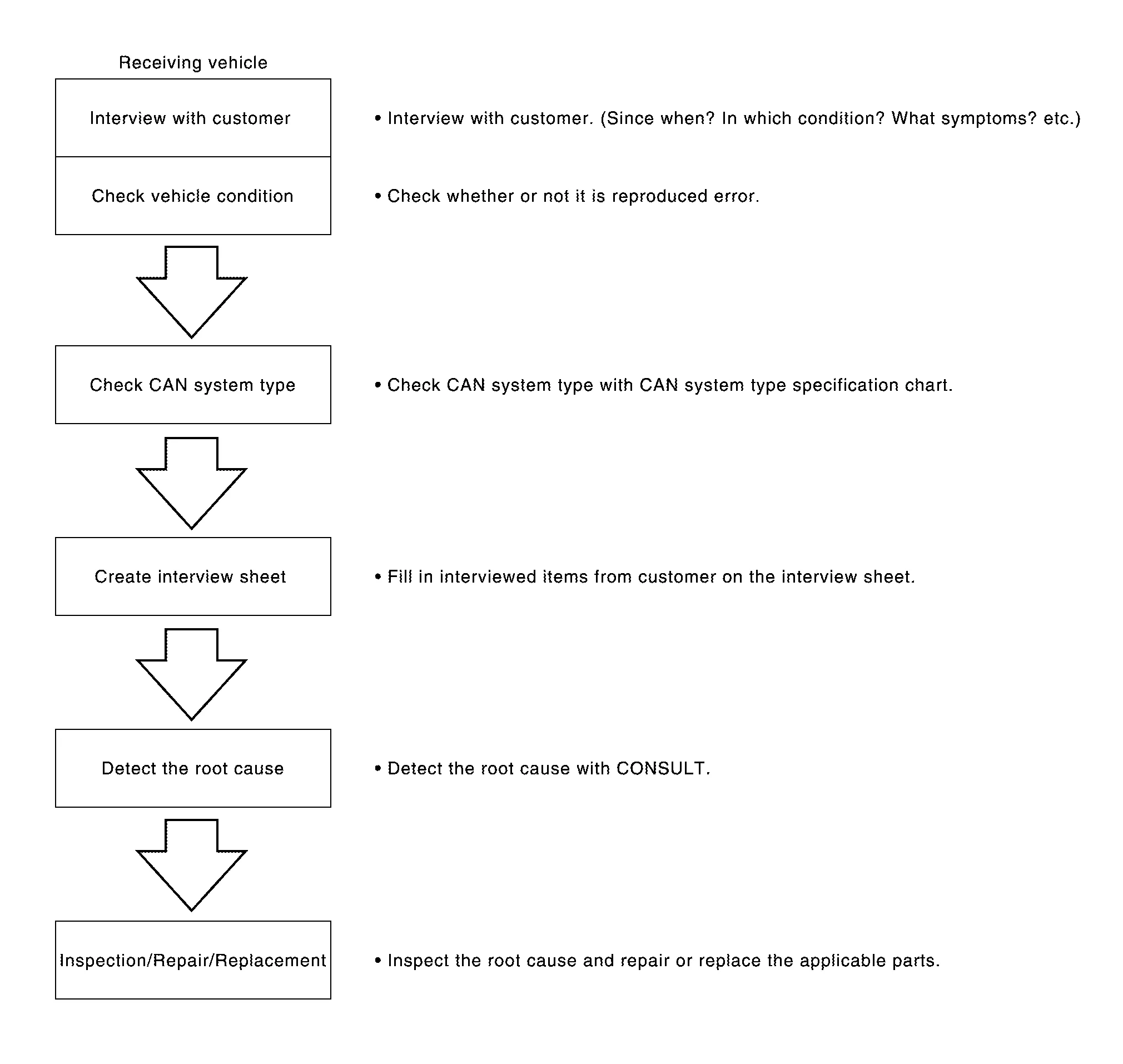
DETAIL OF TROUBLE DIAGNOSIS FLOW CHART
INTERVIEW WITH CUSTOMER
Interview with the customer is important to detect the root cause of CAN communication system errors and to understand Nissan Murano vehicle condition and symptoms for proper trouble diagnosis.
Points in interview
-
What: Parts name, system name
-
When: Date, Frequency
-
Where: Road condition, Place
-
In what condition: Driving condition/environment
-
Result: Symptom
Notes for checking error symptoms:
-
Check normal units as well as error symptoms.
-
Example: Circuit between ECM and the combination meter is judged normal if the customer indicates tachometer functions normally.
-
-
When a CAN communication system error is present, multiple control units may malfunction or go into fail-safe mode.
-
Indication of the combination meter is important to detect the root cause because it is the most obvious to the customer, and it performs CAN communication with many units.

>>
GO TO 2.
INSPECTION OF Nissan Murano Vehicle CONDITION
Check whether the symptom is reproduced or not.
 NOTE:
NOTE:
Do not turn the ignition switch OFF or disconnect the 12V battery cable while reproducing the error. The error may temporarily correct itself, making it difficult to determine the root cause.
>>
GO TO 3.
CHECK OF CAN SYSTEM TYPE (HOW TO USE CAN SYSTEM TYPE SPECIFICATION CHART)
Determine CAN system type based on Nissan Murano vehicle equipment.
NOTE:
-
This chart is used if CONSULT does not automatically recognize CAN system type.
-
There are two styles for CAN system type specification charts. Depending on the number of available system types, either style A or style B may be used.
-
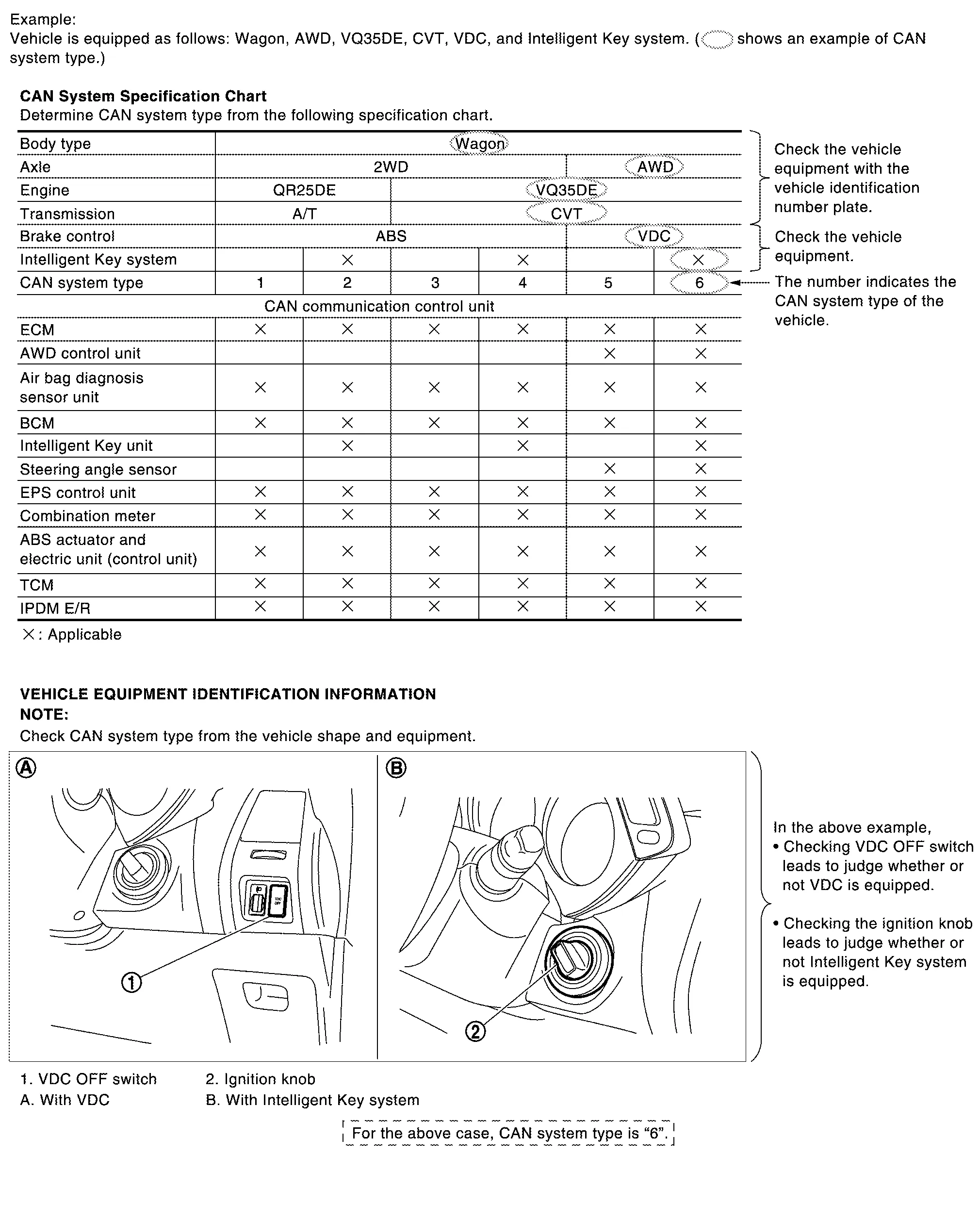
CAN System Type Specification Chart (Style A)
NOTE:
CAN system type is easily checked with the Nissan Murano vehicle equipment identification information shown in the chart.
-
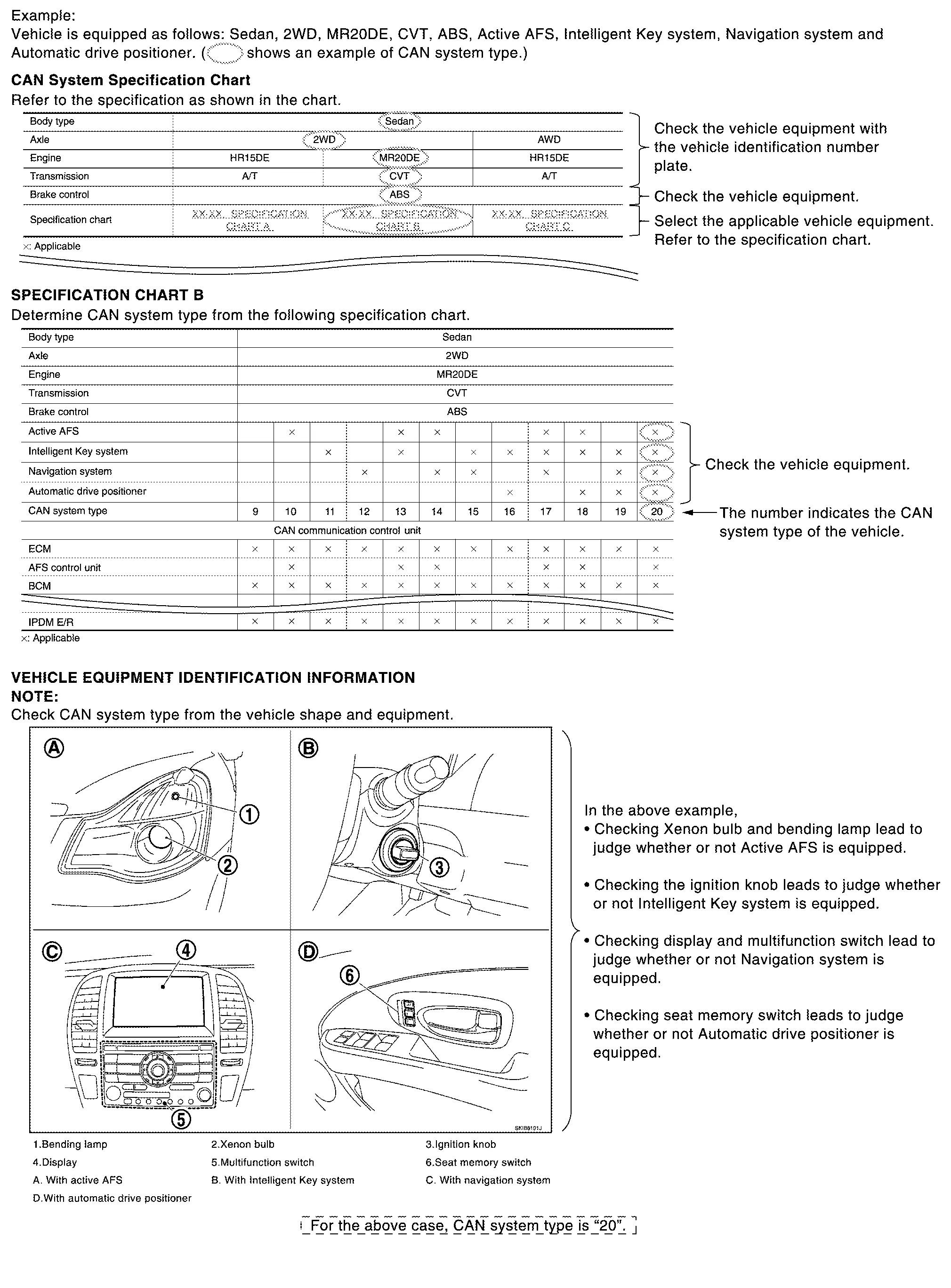
CAN System Type Specification Chart (Style B)
NOTE:
CAN system type is easily checked with the Nissan Murano vehicle equipment identification information shown in the chart.
>>
GO TO 4.
CREATE INTERVIEW SHEET
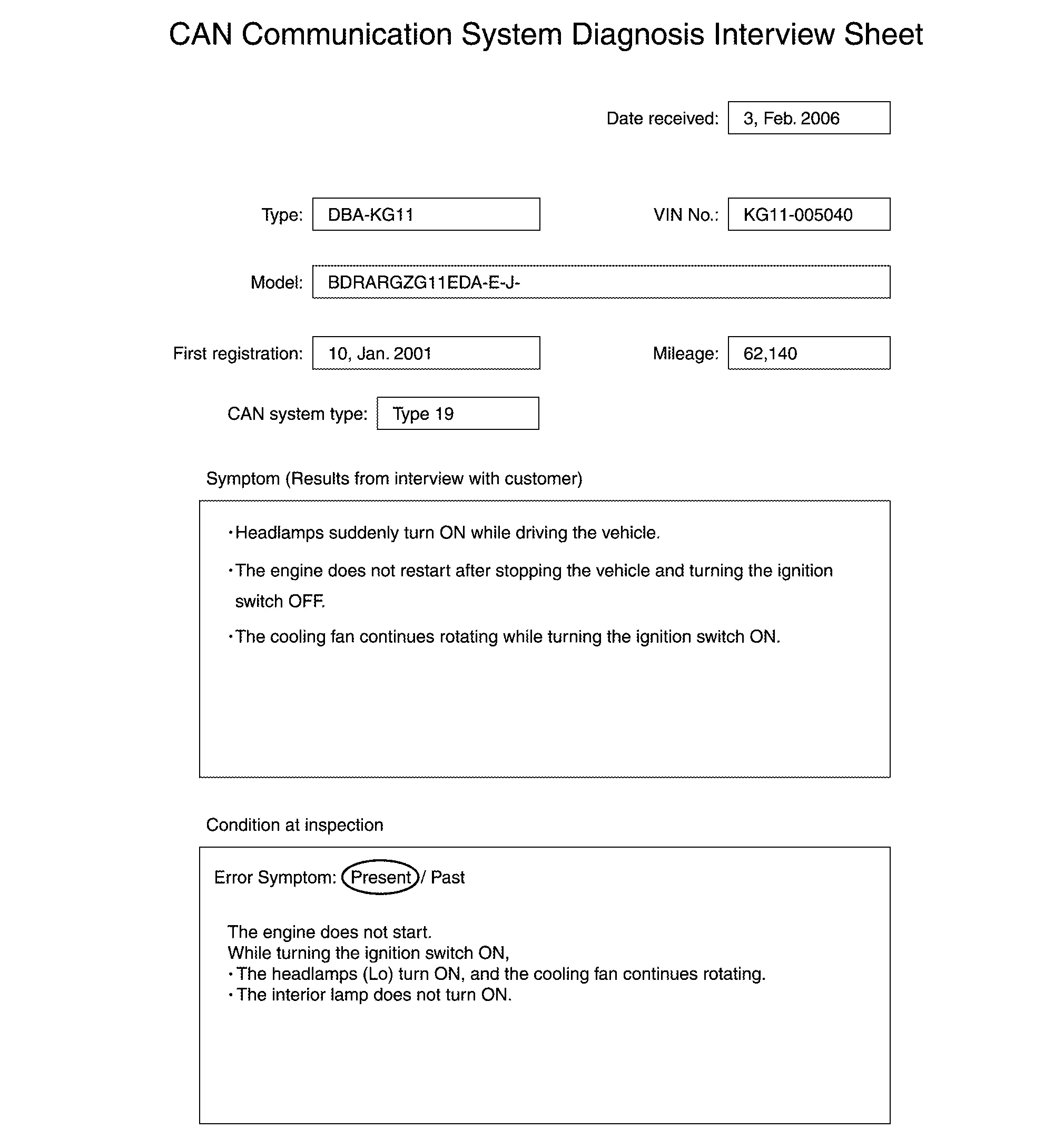
Fill out the symptom described by the customer, Nissan Murano vehicle condition, and CAN system type on the interview sheet.
NOTE:
Interview Sheet (Example)
>>
GO TO 5.
DETECT THE ROOT CAUSE
CAN diagnosis function of CONSULT detects a root cause.
>>
GO TO 6.
REPAIR OR REPLACE MALFUNCTIONING PART
Repair or replace malfunctioning parts identified by CAN diagnosis function of CONSULT.
Nissan Murano Vehicle CAN communication circuit>>
Refer to Vehicle CAN Communication Circuit.
ITS CAN communication circuit>>Refer to ITS CAN Communication Circuit.
Chassis CAN communication circuit>>Refer to Chassis CAN Communication Circuit.
IT CAN communication circuit>>Refer to IT CAN Communication Circuit.
Diagnostic CAN communication circuit>>Refer to Diagnostic CAN Communication Circuit.
 Trouble Diagnosis
Component Description
Component Description
Main line
CAN communication line between splices
Branch line
CAN communication line between splice and a control unit
Splice
A point connecting a branch line with a main line
Termination circuit
Circuit connected across the CAN communication system...

Other information:
Nissan Murano (Z52) 2015-2024 Service Manual: P0107 Barometric Pressure Sensor
DTC Description DTC DETECTION LOGIC DTC No. CONSULT screen terms (Trouble diagnosis content) DTC detecting condition Possible cause P0107 ABSL PRES SEN/CIRC (Manifold Absolute Pressure/Barometric Pressure Sensor Circuit Low) An excessively low voltage from the sensor is sent to ECM...
Nissan Murano (Z52) 2015-2024 Service Manual: Power Supply and Ground Circuit (side Radar Lh)
Work Procedure CHECK FUSES Check that the following fuse is not blown: Signal name Fuse No. Ignition power supply 29(10 A) Is the fuse blown? YES>> Replace the blown fuse after repairing the affected circuit. NO>> GO TO 2. CHECK POWER SUPPLY CIRCUIT Turn ignition switch OFF...
Categories
- Manuals Home
- Nissan Murano Owners Manual
- Nissan Murano Service Manual
- Indicator lights
- Shift lock release
- System malfunction
- New on site
- Most important about car
Luggage hooks

When securing items using luggage hooks located on the back of the seat or side finisher do not apply a load over more than 6.5 lbs. (29 N) to a single hook.
The luggage hooks that are located on the floor should have loads less than 110 lbs. (490 N) to a single hook.
