
Nissan Murano: Intelligent Cruise Control (ICC) (if so equipped) / System temporarily unavailable
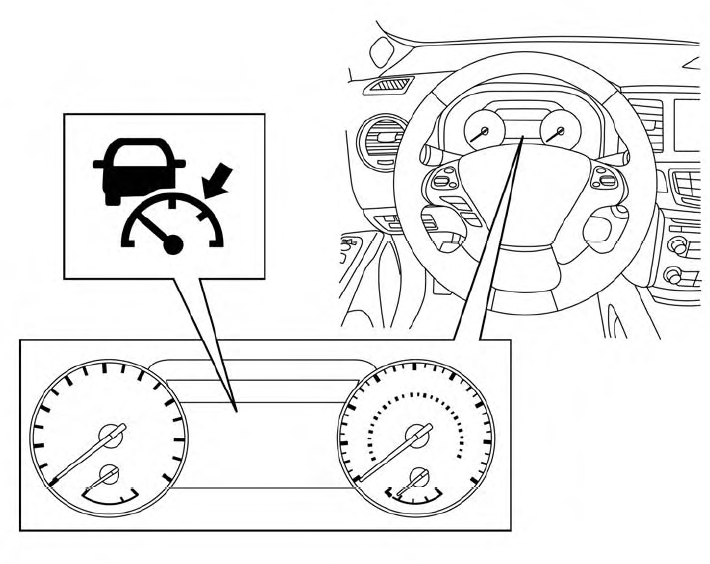
The following are conditions in which the ICC system may be temporarily unavailable. In these instances, the ICC system may not cancel and may not be able to maintain the selected following distance from the vehicle ahead.
Condition A
Under the following conditions, the ICC system is automatically canceled. A chime will sound and the system will not be able to be set:
- When the VDC system is turned off
- When the VDC operates
- When a vehicle ahead is not detected and your vehicle is traveling below the speed of 15 mph (24 km/h)
- When the system judges the vehicle is at a standstill
- Whenthe shift lever is not in theD(Drive) or Manual mode.
- When the parking brake is applied
- When a wheel slips
- When the radar signal is temporarily interrupted
Action to take
When the conditions listed above are no longer present, turn the system off using the ICCswitch.Turn the ICCsystem back on to use the system.
Condition B
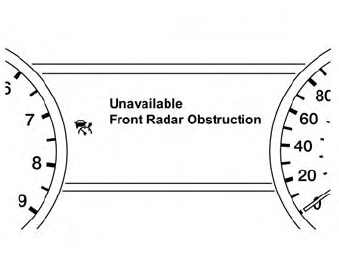
When the radar sensor area of the front bumper is covered with dirt or is obstructed, the ICC system will automatically be canceled.
The chime will sound and the “Unavailable: Front Radar Obstruction” warning message will appear in the vehicle information display.
Action to take
If the warning message appears, stop the vehicle in a safe place, place the shift lever in the P (Park) position, and turn the engine off. When the radar signal is temporarily interrupted, clean the sensor area of the front bumper and restart the engine. If the “Unavailable: Front Radar Obstruction” warning message continues to be displayed, have the system checked. It is recommended that you visit a NISSAN dealer for this service.
When driving on roads with limited road structures (for example, long bridges, deserts, snow fields, driving next to long walls), the system may illuminate the system warning light and display the “Unavailable: Front Radar Obstruction” message.
Action to take
When the above driving conditions no longer exist, turn the system back on.
Condition C
When the ICC system is not operating properly, a chime sounds and the ICC system warning light (orange) will come on.
Action to take
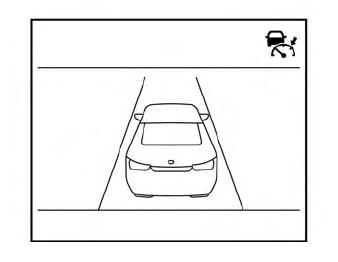
If the warning light comes on, park the vehicle in a safe place. Turn the engine off, restart the engine, resume driving and set the ICC system again.
If it is not possible to set the system or the indicator stays on, it may indicate that the system is malfunctioning. Although the vehicle is still drivable under normal conditions, have the vehicle checked. It is recommended that you visit a NISSAN dealer for this service.
 Vehicle-to-vehicle distance control mode limitations
WARNING
Listed below are the system limitations for the ICC system. Failure to
operate the vehicle in accordance with these system limitations could result in
serious injury or death...
 System maintenance
The sensor for the ICC system
is located
on the front of the vehicle.
To keep the ICC system operating properly,
be sure to observe the following:
Always keep the sensor area clean...
Other information:
Nissan Murano (Z52) 2015-2024 Service Manual: U1000 Can Comm Circuit
DTC Description DESCRIPTIONCAN (Controller Area Network) is a serial communication line for real-time application. It is an on-Nissan Murano vehicle multiplex communication line with high data communication speed and excellent error detection ability...
Nissan Murano (Z52) 2015-2024 Owners Manual: Locking with power door lock switch
To lock all the doors without a key, push the door lock switch (driver’s or front passenger’s side) to the lock position . When locking the door this way, be certain not to leave the key inside the vehicle. To unlock all the doors without a key, push the door lock switch (driver’s or front passenger’s side) to the unlock position ...
Categories
- Manuals Home
- Nissan Murano Owners Manual
- Nissan Murano Service Manual
- Intelligent Forward Collision Warning (I-FCW)
- Power Steering Fluid (PSF)
- Memory storage function (key-link)
- New on site
- Most important about car
LATCH (Lower Anchors and Tethers for CHildren) system

LATCH system lower anchor locations - bench seat
Your vehicle is equipped with special anchor points that are used with LATCH system compatible child restraints. This system may also be referred to as the ISOFIX or ISOFIX compatible system. With this system, you do not have to use a vehicle seat belt to secure the child restraint unless the combined weight of the child and child restraint exceeds 65 lbs. (29.5 kg). If the combined weight of the child and child restraint is greater than 65 lbs. (29.5 kg), use the vehicle’s seat belt (not the lower anchors) to install the child restraint. Be sure to follow the child restraint manufacturer’s instructions for installation.
