
Nissan Murano: System Description / System
SYSTEM DIAGRAM
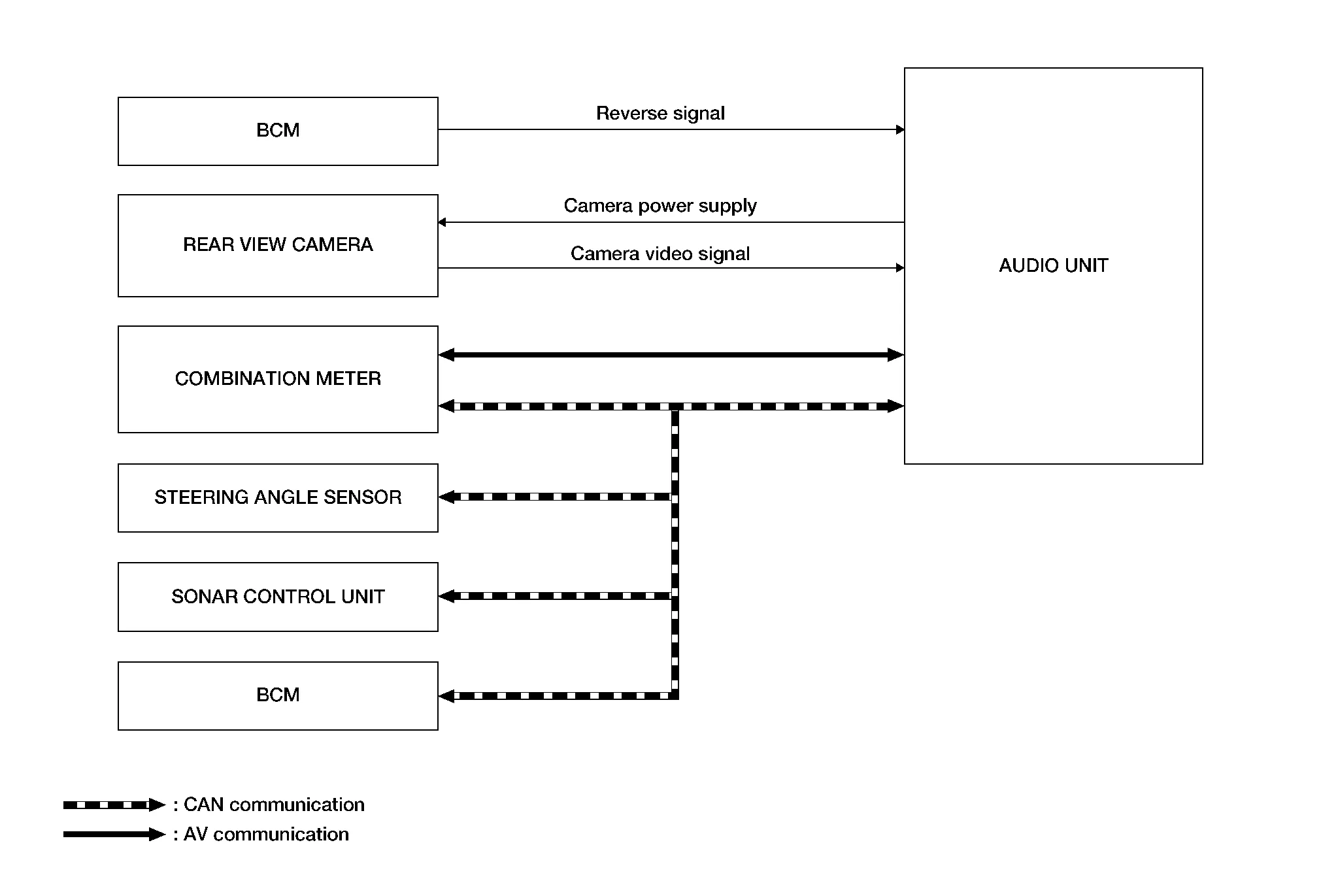
Audio Unit Input Signal (CAN Communication)
| Transmit unit | Signal name |
|---|---|
| BCM | Door switches state signal |
| Combination meter | Nissan Murano Vehicle speed signal |
| Steering angle sensor | Steering angle signal |
| Sonar control unit | Sonar detection display request signal |
DESCRIPTION
Operation Description
-
When the selector lever is shifted to the reverse position, the rear view monitor image is displayed.
-
When the selector lever is shifted to any position other than the reverse position, the original image (the image displayed before the rear view monitor image) is displayed.
Camera Image Operation Principle
-
The audio unit receives the reverse signal input and supplies power to the rear view camera.
-
The rear view camera supplies the image signal to the audio unit.
-
The audio unit displays the rear view camera image when the reverse signal is received.
-
The audio unit generates the warning message, Nissan Murano vehicle width guide lines and the predicted course lines on the image from the rear view camera.
Vehicle Width Guide Lines and Predicted Course Lines Display Function
-
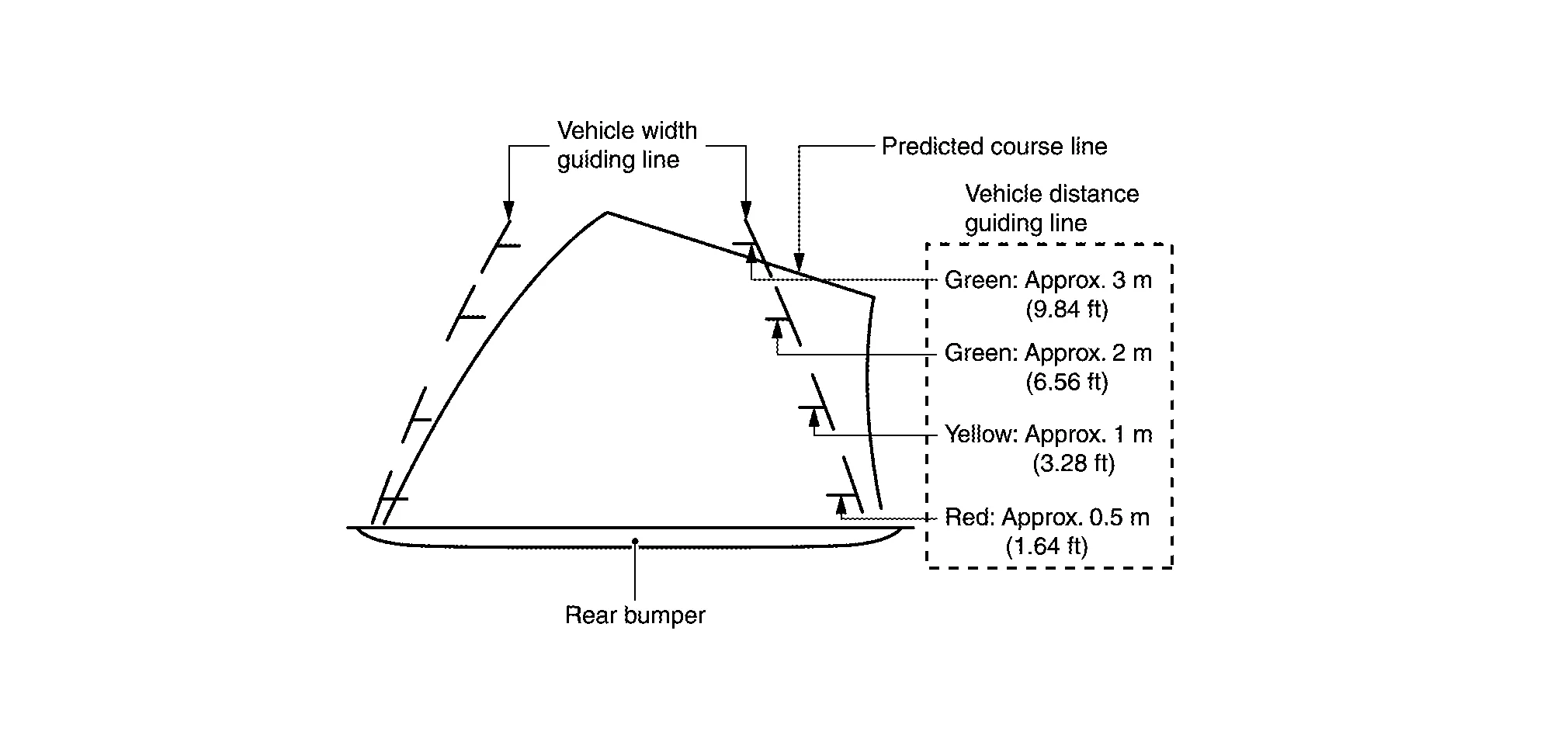
The vehicle width guide lines and the predicted course lines that indicate the vehicle route according to the steering angle are displayed to allow the driver to more easily judge distances between the Nissan Murano vehicle and objects and to help the driver back into a parking space.
-
The audio unit receives the steering signal from the steering angle sensor via CAN communication.
-
Nissan Murano Vehicle width guide lines are displayed translucently.
-
The predicted course lines are not displayed when the steering is in the neutral position.
Precautions for Vehicle Width Guide Lines and Predicted Course Lines
Vehicle width guide lines and predicted course lines displayed may be different from actual lines depending on Nissan Murano vehicle conditions and road conditions.
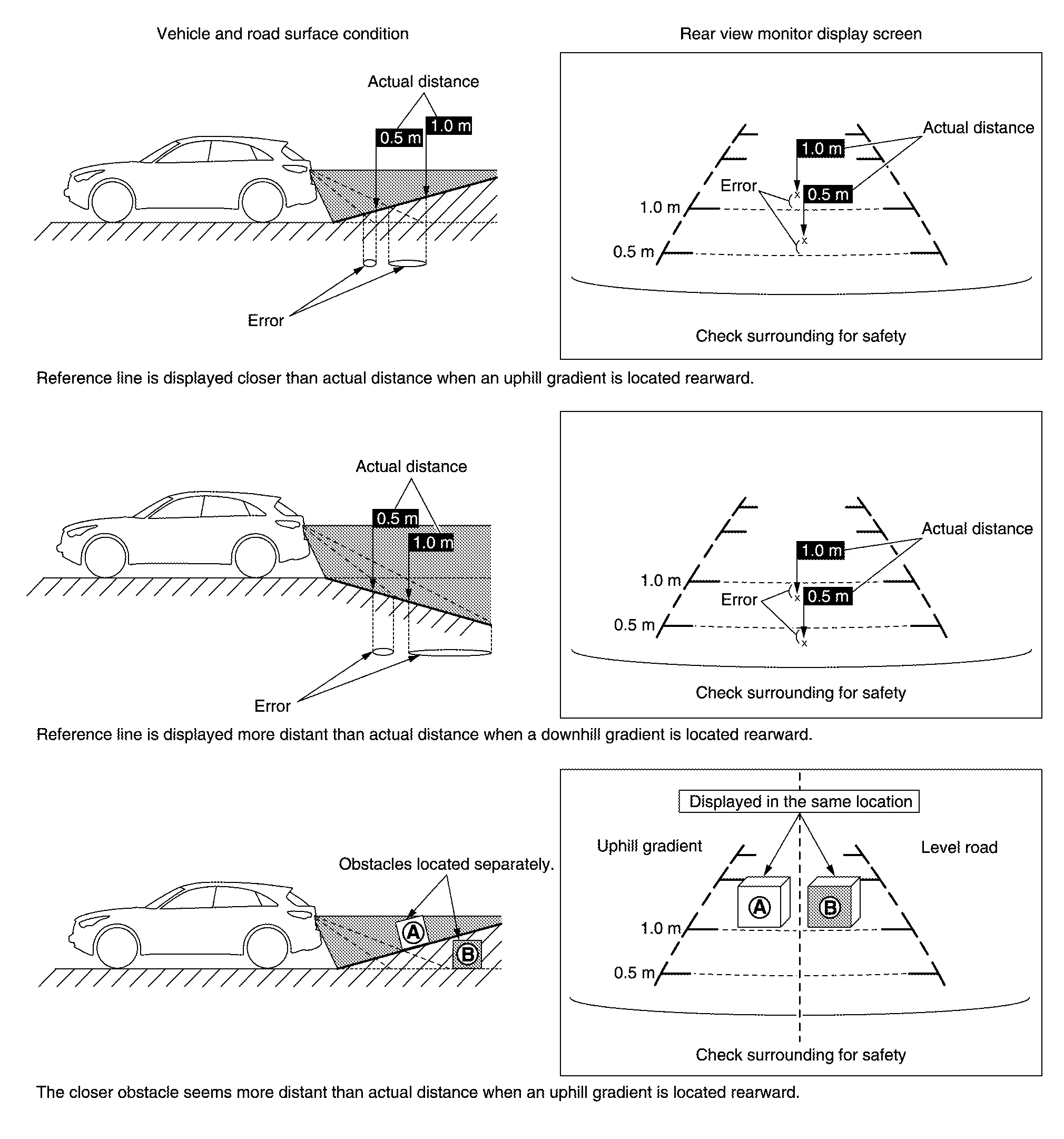
Precautions for road conditions
-
Since vehicle width guide lines and predicted course lines are drawn based on the road, a different distance may be displayed if uphill or downhill gradient is present nearby.
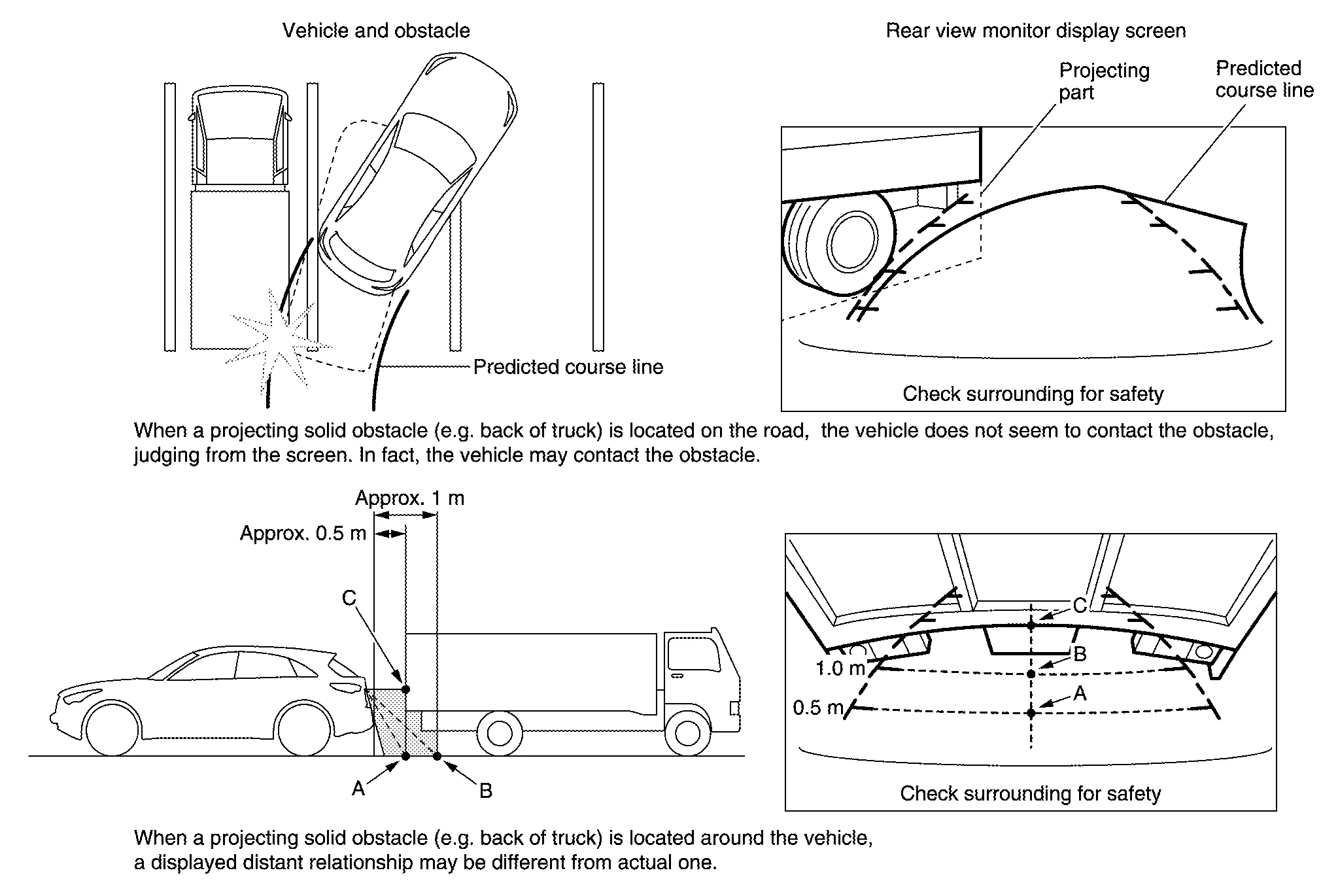
Precautions for block
-
Since vehicle width guide lines and predicted course lines are drawn based on the road, a different distance may be displayed if a projecting obstacle is present nearby.
 Component Parts. Rear View Monitor System
Component Parts Location
No. Component Function
1.
Rear view camera
Refer to Rear View Camera.
2.
Audio unit
Refer to Audio Unit.
3...

Other information:
Nissan Murano (Z52) 2015-2024 Owners Manual: Operating vehicle-to-vehicle distance control mode
To turn on the cruise control, quickly push and release the CRUISE ON/OFF switch . The ICC system ON indicator (gray), set distance indicator and set vehicle speed indicator come on in a standby state for setting. If the Cruise Control Alerts are enabled in the Driver Assistance menu, then the “Cruise ON: Press SET to engage speed and distance control” message will appear in the vehicle information display...
Nissan Murano (Z52) 2015-2024 Service Manual: Diagnosis System (around View Monitor Control Unit)
CONSULT Function CONSULT FUNCTIONSCONSULT performs the following functions via communication with the around view monitor control unit. Direct Diagnostic Mode Description ECU Identification The around view monitor control unit part number is displayed...
Categories
- Manuals Home
- Nissan Murano Owners Manual
- Nissan Murano Service Manual
- Settings
- Power Steering Fluid (PSF)
- All-Wheel Drive (AWD) (if so equipped)
- New on site
- Most important about car
Luggage hooks

When securing items using luggage hooks located on the back of the seat or side finisher do not apply a load over more than 6.5 lbs. (29 N) to a single hook.
The luggage hooks that are located on the floor should have loads less than 110 lbs. (490 N) to a single hook.
