
Nissan Murano: System / Seat Belt Warning Lamp System
Nissan Murano (Z52) 2015-2024 Service Manual / Restraints / Srs Air Bag Control System :: System Description / System / Seat Belt Warning Lamp System
SYSTEM DIAGRAM
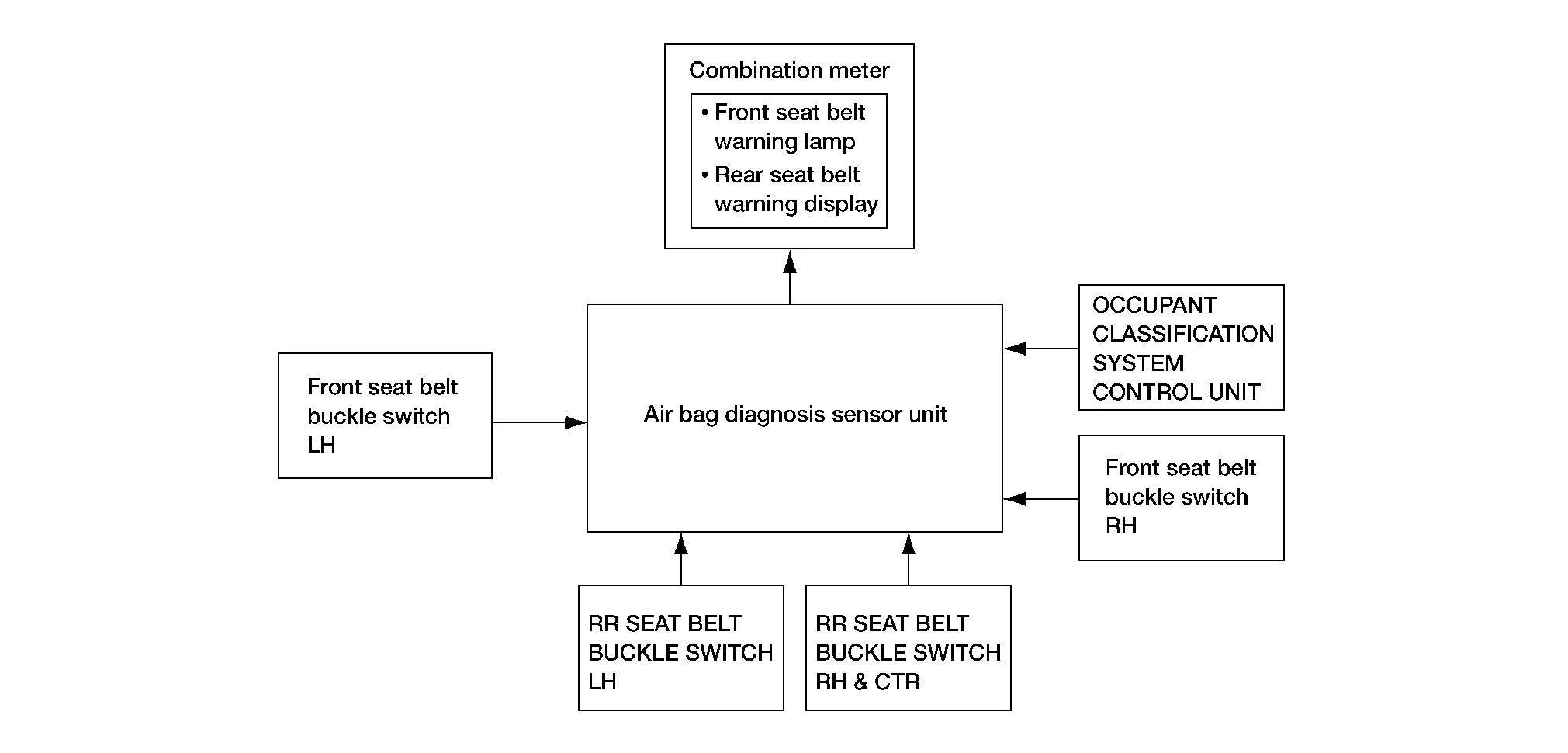
System Description
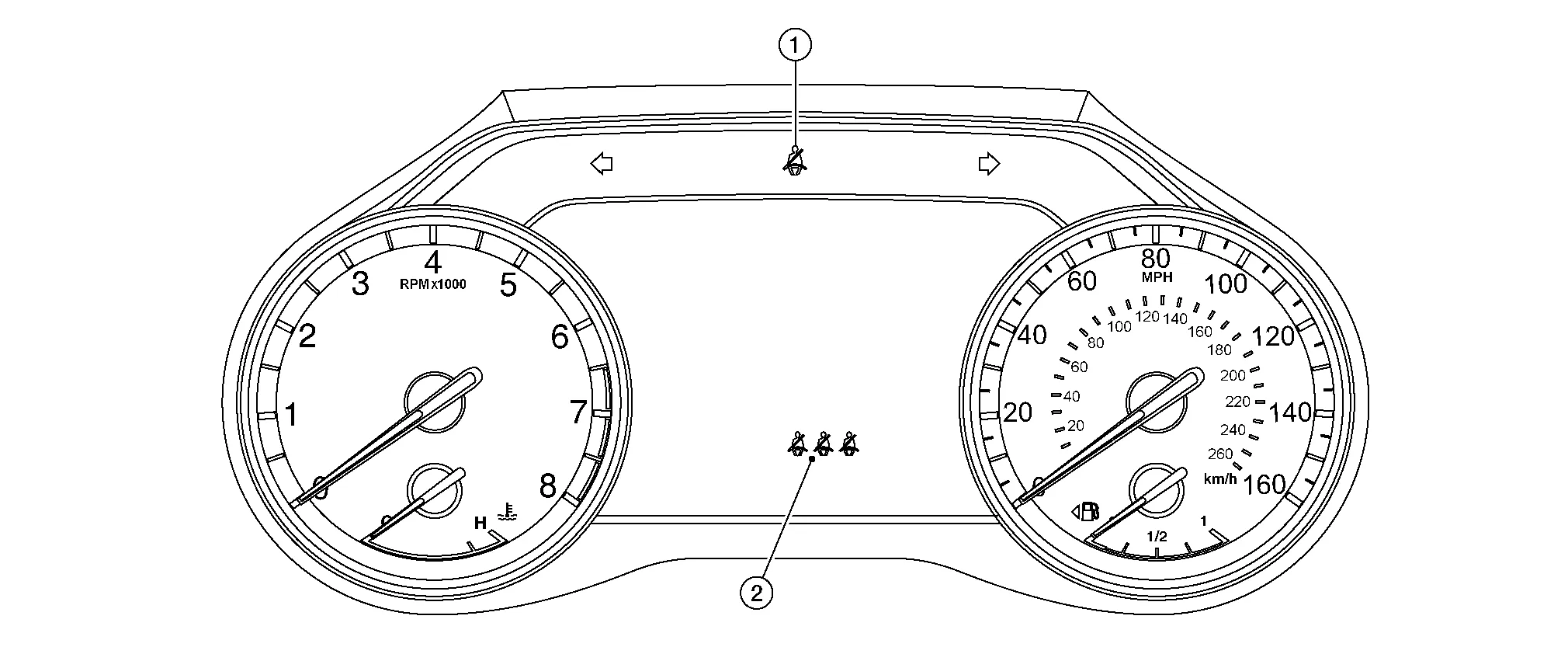
The seat belt warning lamp (1) will remind the driver if the driver or front passenger seat belt should be buckled. The seat belt warning display (2) will remind the driver if the rear seat belt should be buckled. The system works in conjunction with the occupant classification system. Refer to System Description.
|
Driver seat status (ignition switch ON) | Passenger seat status | Front seat belt buckle switch LH status | Front seat belt buckle switch RH status | Seat belt warning lamp |
|---|---|---|---|---|
| Seat occupied | Seat occupied | Buckled | Buckled | Off |
| Unbuckled | On | |||
| Seat unoccupied | — | Off | ||
| — | Unbuckled | On |
| Rear seat status | Rear seat belt buckle switch LH status | Rear seat belt buckle switch RH status | Rear seat belt buckle switch CTR status | Seat belt warning |
|---|---|---|---|---|
| Seat occupied | Buckled | Buckled | Buckled | Off |
| Unbuckled | Unbuckled | Unbuckled | On | |
| Seat unoccupied | Buckled | Buckled | Buckled | Off |
| Unbuckled | Unbuckled | Unbuckled | On |
 Occupant Classification System
System Description
SYSTEM DIAGRAMSystem DescriptionThe occupant classification system (OCS) identifies different size occupants, out of position occupants, and detects if a child seat is present in the front passenger seat...
 Diagnosis System (air Bag)
Diagnosis Description
CAUTION:
Do not use electrical test equipment on any circuit related to the SRS unless instructed to do so in this Service Manual...
Other information:
Nissan Murano (Z52) 2015-2024 Service Manual: Open/closure Function
Diagnosis Procedure Back door auto closure function does not operate when back door opening and closing operations are performed.CHECK DTC WITH AUTOMATIC BACK DOOR CONTROL MODULE Check that DTC is not detected with automatic back door control module. Is the inspection result normal? YES>> GO TO 2...
Nissan Murano (Z52) 2015-2024 Service Manual: Procedure for Temporarily Disabling the Ignition Battery Saver System
Description The ignition battery saver system can be temporarily disabled, without using CONSULT, to prevent it from functioning when performing trouble diagnosis. Work Procedure Enter the vehicle carrying a registered Intelligent Key. Push-button ignition switch OFF...
Categories
- Manuals Home
- Nissan Murano Owners Manual
- Nissan Murano Service Manual
- Settings
- Warning lights
- GAS STATION INFORMATION
- New on site
- Most important about car
Front manual seat adjustment (if so equipped)
Your vehicle seats can be adjusted manually. For additional information about adjusting the seats, refer to the steps outlined in this section.
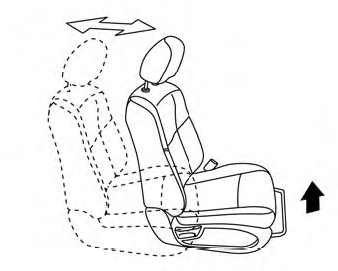
Forward and backward

Copyright © 2026 www.nimurano.com