
Nissan Murano: Under Cover / Rear Under Cover
REMOVAL
Remove the rear under cover screws.
Remove the rear under cover.
INSTALLATION
Installation is in the reverse order of removal.
 Floor Under Cover
Removal and Installation
REMOVALRemove the floor under cover bolts.
Remove the floor under cover.INSTALLATIONInstallation is in the reverse order of removal...
 Roof Side Molding
Exploded View
1.
Roof side molding
Metal clips
Removal and Installation
REMOVALBeginning at the front of the vehicle, release roof side molding (1) metal clips using a suitable tool (A) then remove...
Other information:
Nissan Murano (Z52) 2015-2024 Service Manual: Immu
CONSULT Function (BCM - IMMU) ECU IDENTIFICATIONThe BCM part number is displayed.SELF DIAGNOSTIC RESULTRefer to DTC Index.DATA MONITOR Monitor Item [Unit] Description CONFRM ID ALL [Yet/DONE] Switches to DONE when an Intelligent Key is registered...
Nissan Murano (Z52) 2015-2024 Service Manual: Exterior :: Preparation. Preparation
Special Service Tools The actual shape of the tools may differ from those illustrated here. Tool number (TechMate No.) Tool name Description — (J-39570) Chassis Ear Locating the noise — (J-50397) NISSAN Squeak and Rattle Kit Repairing the cause of noise — (J-46534) Trim Tool Set Removing trim components Commercial Service Tools (TechMate No...
Categories
- Manuals Home
- Nissan Murano Owners Manual
- Nissan Murano Service Manual
- Fuel recommendation
- Power Steering Fluid (PSF)
- Turning the AEB system on/off
- New on site
- Most important about car
Driver and passenger supplemental knee air bag
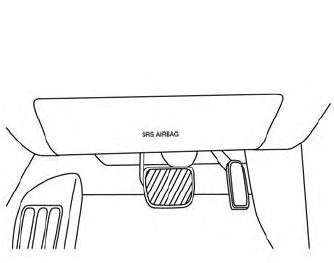
Driver’s side
The knee air bag is located in the knee bolster, on the driver’s and passenger’s side. All of the information, cautions and warnings in this manual apply and must be followed. The knee air bag is designed to inflate in higher severity frontal collisions, although it may inflate if the forces in another type of collision are similar to those of a higher severity frontal impact. It may not inflate in certain collisions.
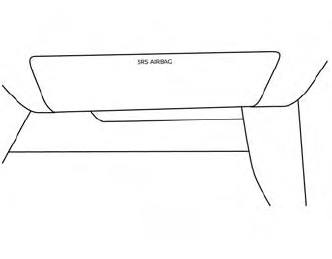
Passenger’s side

Copyright © 2026 www.nimurano.com