
Nissan Murano: Chassis and Body Maintenance / In-Cabin Microfilter
REMOVAL
Remove center console side finisher (RH). Refer to Exploded View.
Remove glove box assembly. Refer to Removal and Installation.
Release the in-cabin microfilter cover tab (1) and remove the cover from under the RH side of the instrument panel.
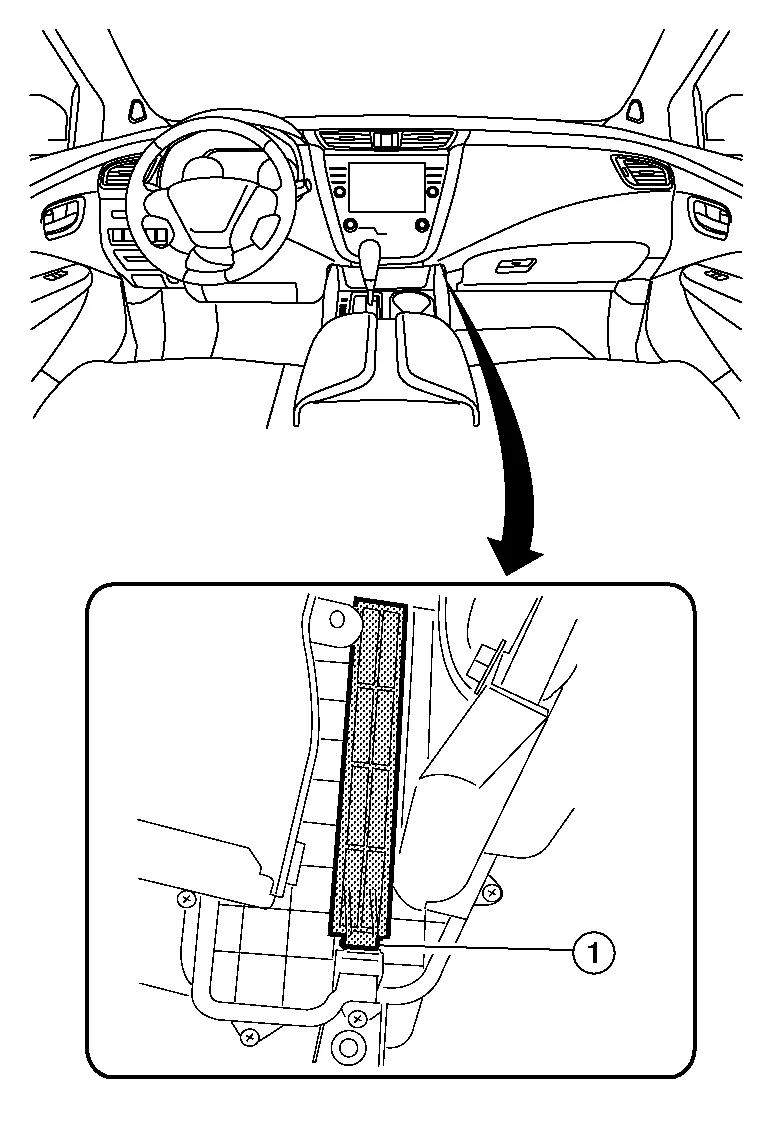
CAUTION:
Use care when lifting up on the tab to avoid damaging it.
Remove the in-cabin microfilter.
CAUTION:
If the filter is deformed/damaged when removing, replace it with a new one. A deformed or damaged filter may affect the dust collecting performance.
INSTALLATION
Installation is in the reverse order of removal.
CAUTION:
When installing, handle the filter with extreme care to avoid deforming or damaging the filter.
 NOTE:
NOTE:
The in-cabin microfilter is marked with an air flow arrow. The end of the microfilter with the arrow should face the passenger side of the Nissan Murano vehicle. The arrow should point towards the rear of the vehicle.

 Exhaust System
Checking Exhaust System
Check exhaust pipes, muffler and mounts for improper attachment, leaks, cracks, damage or deterioration. Repair or replace as necessary...
Other information:
Nissan Murano (Z52) 2015-2024 Owners Manual: System temporarily unavailable
Condition A When the radar sensor picks up interference from another radar source, making it impossible to detect a vehicle ahead, the AEB system is automatically turned off. The AEB system warning light (orange) will illuminate. Action to take: When the above conditions no longer exist, the AEB system will resume automatically...
Nissan Murano (Z52) 2015-2024 Owners Manual: Memory storage function (key-link)
Use the following process to setup key-link: Unlock the vehicle with the desired Intelligent Key while the ignition is OFF. Place the ignition in the ON position. Within the “Settings” menu of the vehicle information display, select “Key- Linked Settings” and press the OK button on the steering switch...
Categories
- Manuals Home
- Nissan Murano Owners Manual
- Nissan Murano Service Manual
- Jacking up vehicle and removing the damaged tire
- Settings
- Vehicle Dynamic Control (VDC) OFF switch
- New on site
- Most important about car
Autolight system

The autolight system allows the headlights to turn on and off automatically. The autolight system can:
Turn on the headlights, front parking, tail, license plate and instrument panel lights automatically when it is dark. Turn off all the lights (except daylight running lights) when it is light. Keep all the lights on for a period of time after you place the ignition switch in the OFF position and all doors are closed.