
Nissan Murano: General Information :: How to Use This Manual / How to Follow Trouble Diagnoses
 NOTE:
NOTE:
Trouble diagnoses indicate work procedures required to diagnose problems effectively. Observe the following instructions before diagnosing:
-
Before performing trouble diagnoses, read the “Work Flow” in each section.
-
After repairs, re-check that the problem has been completely eliminated.
-
Refer to Component Parts and Harness Connector Location for the Systems described in each section for identification/location of components and harness connectors.
-
When checking circuit continuity, ignition switch should be OFF.
-
Refer to the Circuit Diagram for quick pinpoint check.
If you need to check circuit continuity between harness connectors in more detail, such as when a sub-harness is used, refer to Wiring Diagram in each individual section and Harness Layout in PG section for identification of harness connectors.
-
Before checking voltage at connectors, check battery voltage.
-
After accomplishing the Diagnosis Procedures and Electrical Components Inspection, check that all harness connectors are reconnected as they were.
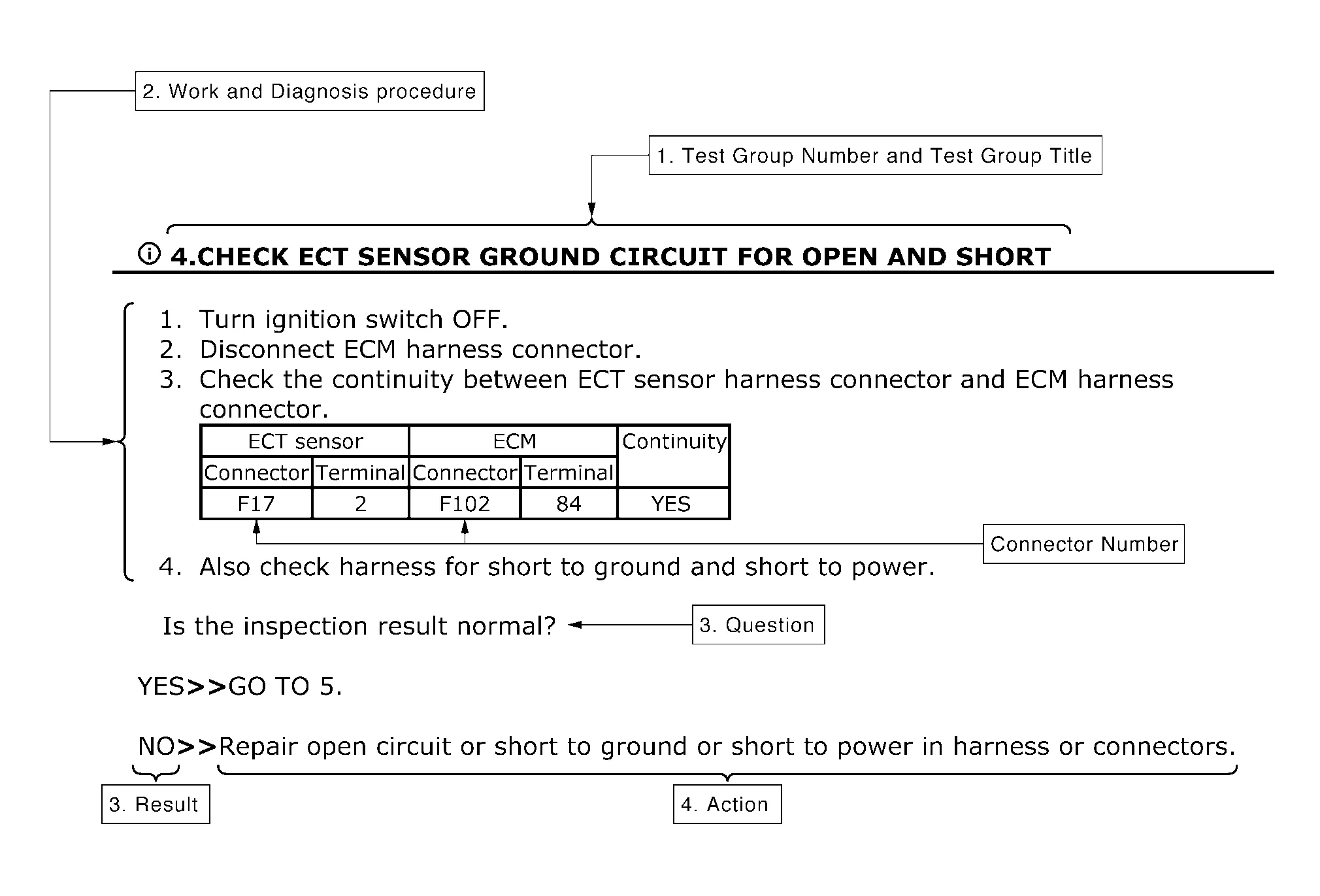
-
Test group number and test group title
-
Test group number and test group title are shown in the upper portion of each test group.
-
-
Work and diagnosis procedure
-
Start to diagnose a problem using procedures indicated in enclosed test groups.
-
-
Questions and results
-
Questions and required results are indicated in test group.
-
-
Action
-
Next action for each test group is indicated based on result of each question.
-
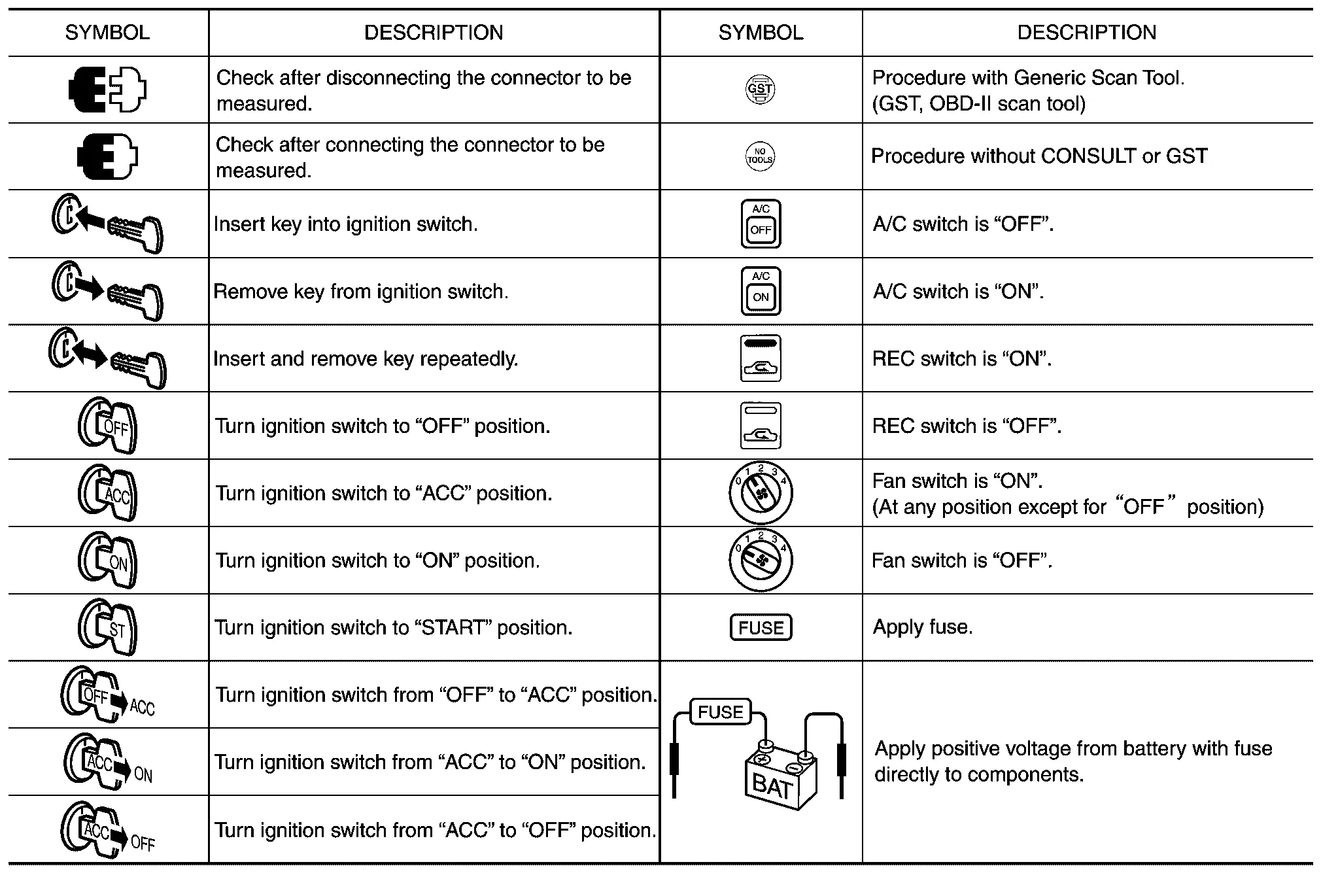
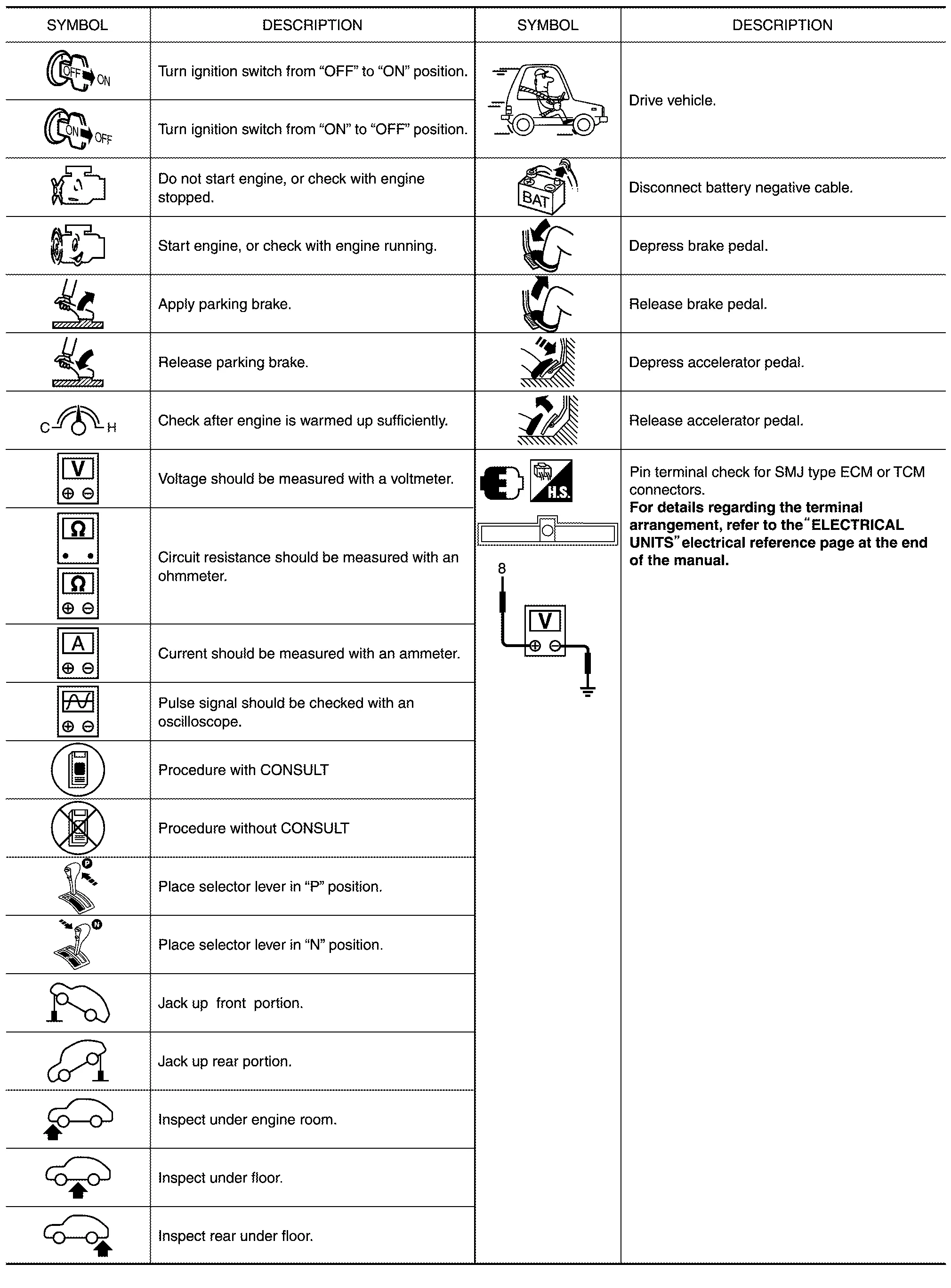
 How to Use This Manual
Description
This volume explains “Removal, Disassembly, Installation, Inspection and Adjustment” and “Trouble Diagnoses”.
Terms
The captions WARNING and CAUTION warn you of steps that must be followed to prevent personal injury and/or damage to some part of the Nissan Murano vehicle...
 How to Read Wiring Diagrams
Connector Symbols
Most connector symbols in wiring diagrams are shown from the terminal side.
Connector symbols shown from the terminal side are enclosed by a single line and followed by the direction mark...
Other information:
Nissan Murano (Z52) 2015-2024 Service Manual: B13ec Factory Mode
DTC Description DTC DETECTION LOGIC DTC No. CONSULT screen terms (Trouble diagnosis content) DTC detection condition B13EC–52 Factory mode (AV control unit) [—] Diagnosis condition When ignition switch is ON. Signal (terminal) – Threshold – Diagnosis delay time 30 seconds or more B13EC–55 [CONFIG] Diagnosis condition When ignition switch is ON...
Nissan Murano (Z52) 2015-2024 Service Manual: Diagnosis and Repair Work Flow
Work Flow OVERALL SEQUENCEDETAILED FLOWINTERVIEW FOR MALFUNCTION It is also important to clarify the customer concerns before starting the inspection. Interview the customer about the concerns carefully and understand the symptoms fully. NOTE: The customers are not professionals...
Categories
- Manuals Home
- Nissan Murano Owners Manual
- Nissan Murano Service Manual
- Turning the AEB system on/off
- Shift lock release
- GAS STATION INFORMATION
- New on site
- Most important about car
Luggage hooks
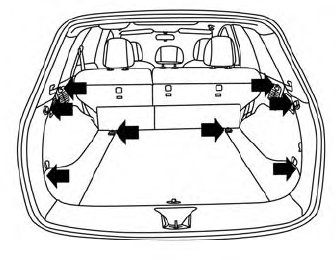
When securing items using luggage hooks located on the back of the seat or side finisher do not apply a load over more than 6.5 lbs. (29 N) to a single hook.
The luggage hooks that are located on the floor should have loads less than 110 lbs. (490 N) to a single hook.
