
Nissan Murano: Exterior :: Removal and Installation / Back Door Outer Finisher
Nissan Murano (Z52) 2015-2024 Service Manual / Body Exterior, Doors, Roof & Vehicle Security / Exterior :: Removal and Installation / Back Door Outer Finisher
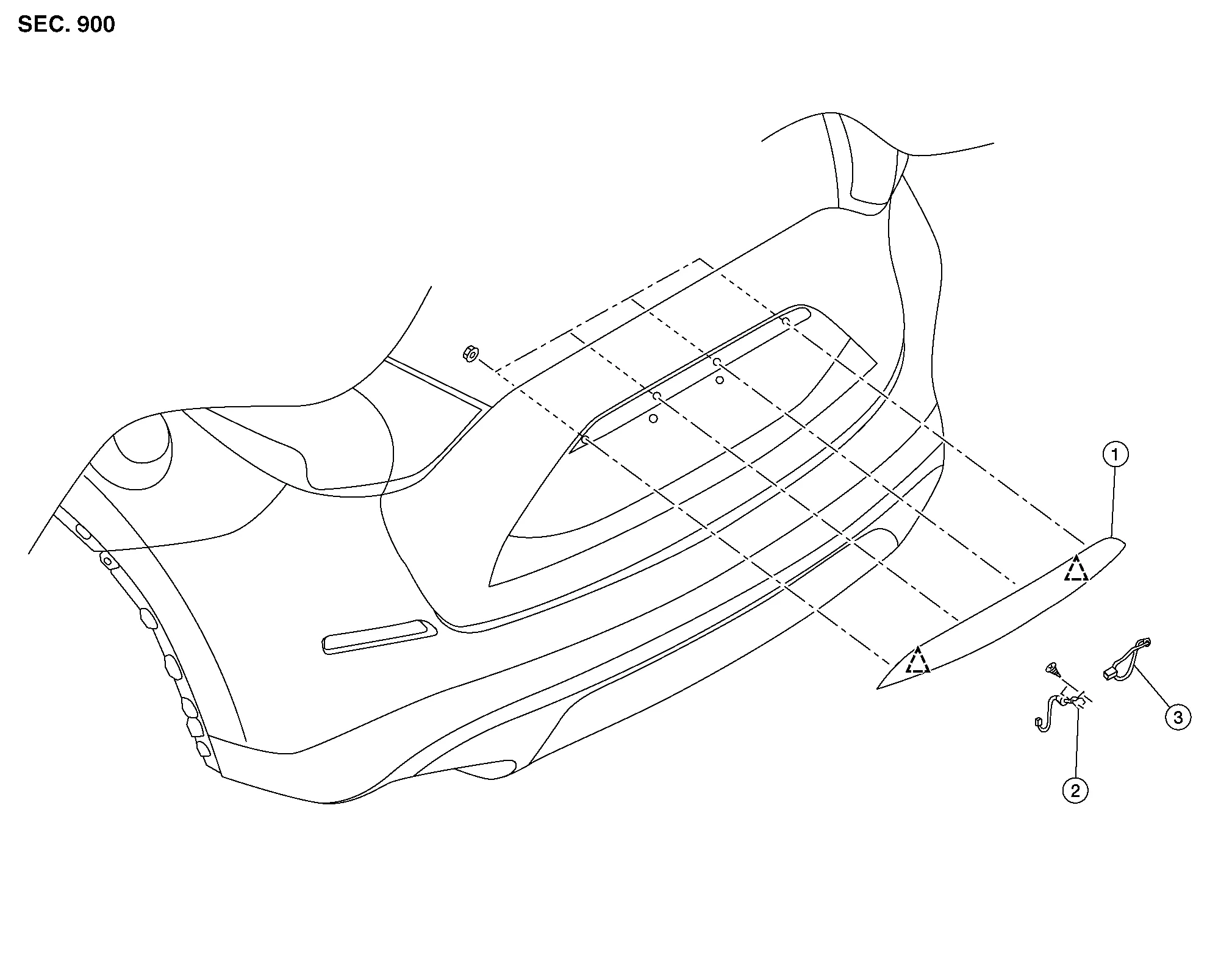
| 1. | Back door outer finisher | 2. | Rear view camera | 3. | Back door request switch |
 |
Clip | ||||
REMOVAL
Remove back door lower finisher. Refer to Removal and Installation.
Disconnect the harness connectors from back door request switch and rear view camera.
Remove back door outer finisher nuts.
Release clips and remove the back door outer finisher.
INSTALLATION
Installation is in the reverse order of removal.
CAUTION:
-
When installing back door finisher, check that clips are securely placed into body panel holes.
-
Perform camera image calibration (with intelligent around view monitor). Refer to Description (WITH DISPLAY AUDIO) or Description (WITH NAVIGATION).
 Side Air Spoiler
Exploded View
1.
Rear spoiler
2.
Side air spoiler
Clip
Removal and Installation
REMOVALRemove luggage side upper finisher. Refer to Removal and Installation...
 Emblem
Exploded View
1.
Emblem A
2.
Emblem B
3.
Emblem L (if equipped)
4.
Emblem C/D/E/F/G/H/J/K (if equipped)
Removal and Installation
REMOVALRemove the emblem from the panel heating with a heat gun...
Other information:
Nissan Murano (Z52) 2015-2024 Service Manual: Starting System :: Precaution. Precautions
Precaution for Supplemental Restraint System (SRS) "AIR BAG" and "SEAT BELT PRE-TENSIONER" The Supplemental Restraint System such as “AIR BAG” and “SEAT BELT PRE-TENSIONER”, used along with a front seat belt, helps to reduce the risk or severity of injury to the driver and front passenger for certain types of collisions...
Nissan Murano (Z52) 2015-2024 Service Manual: Front Wheel Hub
Exploded View 1. Cotter pin 2. Nut retainer 3. Disc brake rotor 4. Wheel hub and bearing 5. Wheel stud 6. Splash guard 7. Steering knuckle Front Removal and Installation REMOVALRemove disc brake rotor. Refer to Removal and Installation...
Categories
- Manuals Home
- Nissan Murano Owners Manual
- Nissan Murano Service Manual
- Rear bench seat adjustment
- System malfunction
- Warning lights
- New on site
- Most important about car
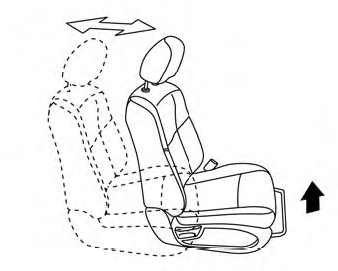
Front manual seat adjustment (if so equipped)
Your vehicle seats can be adjusted manually. For additional information about adjusting the seats, refer to the steps outlined in this section.
Forward and backward

Copyright © 2026 www.nimurano.com