Nissan Murano: Road Wheels & Tires :: Basic Inspection / Id Registration Procedure
This procedure must be performed after replacement of a tire pressure sensor or BCM.
TPMS ID registration can be performed using one of the following procedures:
-
Transmitter Activation tool [KV48105501 (J-45295-A)] using CONSULT (preferred method)
-
Signal Tech II tool [– (J-50190)] with CONSULT (preferred method)
-
Signal Tech II tool [– (J-50190)] without CONSULT
-
CONSULT only
TPMS REGISTRATION WITH TRANSMITTER ACTIVATION TOOL [KV48105501 (J-45295-A)]
 CONSULT
-
Ignition switch ON.
-
Select “ID REGIST” in “Work support” mode of "AIR PRESSURE MONITOR".
-
Select “Start” on “ID REGIST” screen.
-
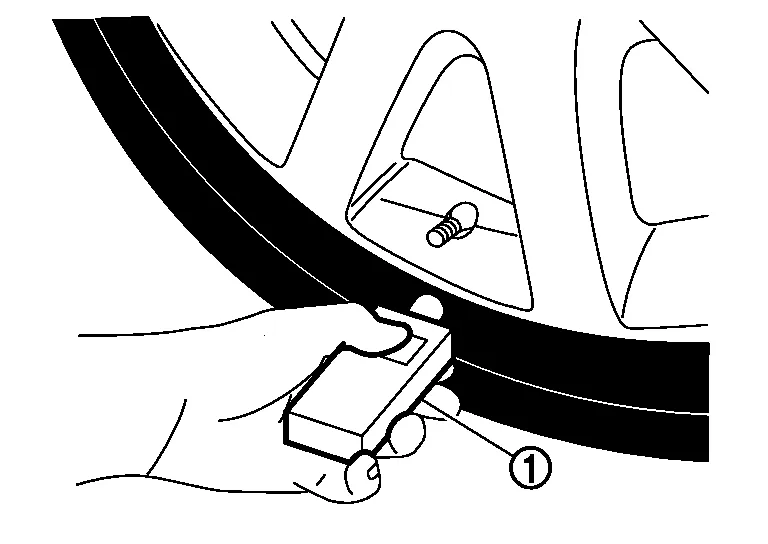
Hold the transmitter activation tool [KV48105501 (J-45295-A)] (1) against the side of the left front tire, near the valve stem.
-
With the tool held at a 0 to 15 degree angle to the tire, press and hold the transmitter activation tool button until the indicator lamp turns OFF (approximately 5 seconds).
-
Repeat steps 4 and 5 for the remaining tires in this order: right front, right rear and left rear.
-
When ID registration is complete, check the following pattern at each wheel:
Sequence ID registration position Turn signal lamp CONSULT 1 Front LH 2 blinks “Yet (red)”
↓
“Done (green)”2 Front RH 3 Rear RH 4 Rear LH -
After the ID registration procedure for all wheels is complete, press “End” on the CONSULT to finish ID registration.
-
Test drive the Nissan Murano vehicle to ensure that the TPMS lamp is OFF and no warning messages are present.
TPMS REGISTRATION WITH SIGNAL TECH II TOOL [– (J-50190)]
 NOTE:
NOTE:
The Signal Tech II must be updated with the newest software version in order to perform the below procedures. The Signal Tech II software updates can only be downloaded from a CONSULT unit with ASIST. Other versions of ASIST will not show the updates.
CONSULT
-
Adjust the tire pressure for all tires to the recommended value. Refer to Tire Air Pressure.
-
Ignition switch ON.
-
Select “ID REGIST” in “Work support” mode of "AIR PRESSURE MONITOR".
-
Select “Start” on “ID REGIST” screen.
-
Turn on the Signal Tech II tool [– (J-50190)].
-
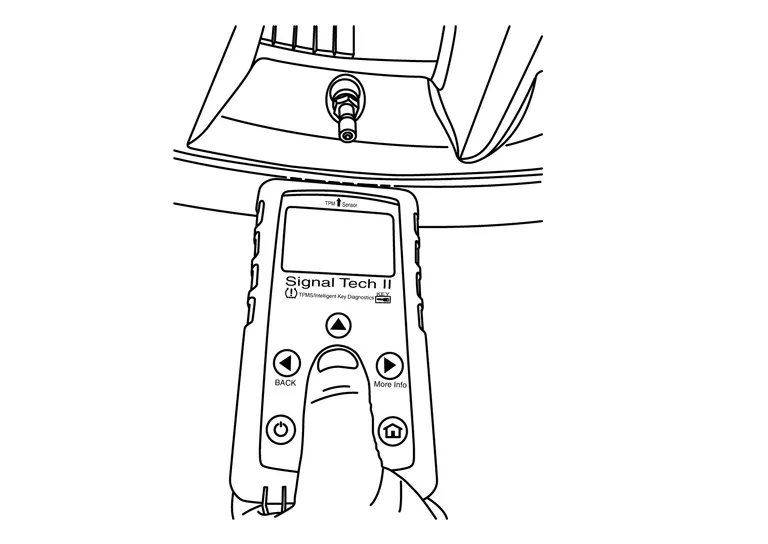
Hold the Signal Tech II against the side of the left front tire, near the valve stem.
-
With the tool held at a 0 to 15 degree angle to the tire, select “Activate Sensor” from the main menu, then press and release the “OK” button to activate the sensor. Once the sensor is activated, the Nissan Murano vehicle parking lamps will flash and the sensor ID will appear on the CONSULT screen.
-
Repeat steps 6 and 7 for the remaining tires in this order: right front, right rear and left rear.
-
When ID registration is complete, check the following pattern at each wheel:
Sequence ID registration position Turn signal lamp CONSULT 1 Front LH 2 blinks “Yet (red)”
↓
“Done (green)”2 Front RH 3 Rear RH 4 Rear LH -
Once all sensors have been activated, select “End” on the CONSULT to finish ID registration.
-
Test drive the Nissan Murano vehicle to ensure that the TPMS lamp is OFF and no warning messages are present.
 CONSULT
-
Adjust the tire pressure for all tires to the recommended value. Refer to Tire Air Pressure.
-
Turn on the Signal Tech II tool [– (J-50190)] and select “TPMS Check” from the main menu.
-
Select Nissan Murano vehicle model and year.
-
When prompted, hold the Signal Tech II against the side of the left front tire, near the valve stem.
-
With the tool held at a 0 to 15 degree angle to the tire, press and release the “OK” button to activate the sensor. Once the sensor is activated, the tool will sound a tone and the tire pressure will be displayed.
-
Repeat steps 4 and 5 for the remaining tires in this order: right front, right rear and left rear.
-
When prompted, connect the tool to the data link connector. The tool will connect to the BCM, read the VIN, read sensor IDs and check for TPMS DTCs. Along with DTCs detected, one of the following will be displayed next to each wheel:
-
N/A - Not applicable because no ID found by the tool
-
OK - Wheel and sensor are in original position
-
NEW - New ID found compared to BCM
-
RT - Wheel has been rotated
-
Low Press - Low tire pressure
-
-
If no DTC is present or the repair has been completed, press the “OK” button to register the IDs and clear DTCs.
-
Test drive the Nissan Murano vehicle to ensure that the TPMS lamp is OFF and no warning messages are present.
-
Print a Signal Tech II Audit Report for your records. Refer to the Signal Tech II User Guide for instructions.
TPMS REGISTRATION WITH CONSULT ONLY
CONSULT
-
Adjust the tire pressure for all wheels to match the list below.
Tire position Tire pressure psi (kPa, kg/cm2) Front LH 35 (240, 2.4) Front RH 32 (220, 2.2) Rear RH 29 (200, 2.0) Rear LH 26 (180, 1.8) -
Ignition switch ON.
-
Select “ID REGIST” in “Work support” mode of "AIR PRESSURE MONITOR".
-
Select “Start” on “ID REGIST” screen.
-
Drive the Nissan Murano vehicle at a speed greater than 25 MPH (40 km/h) for 3 minutes or more.
-
After ID registration for all wheels is complete, press “End” on the CONSULT to finish ID registration.
ID registration position CONSULT Front LH “Yet (red)”
↓
“Done (green)”Front RH Rear RH Rear LH -
Adjust the tire pressures for all tires to the recommended value. Refer to Tire Air Pressure.
-
Test drive the Nissan Murano vehicle to ensure that the TPMS lamp is OFF and no warning messages are present.
 Diagnosis and Repair Work Flow
Work Flow
NOTE:
The Signal Tech II Tool [– (J-50190)] can be used to perform the following functions: Refer to the Signal Tech II User Guide for additional information...
 Configuration (tire Pressure Monitoring System)
Work Procedure
NOTE:
Use “Manual Configuration”.
If an error occurs during configuration, start over from the beginning.
CHECK DATA PART NO. (TYPE ID)
Use FAST (service parts catalog) to search TPMS “DATA PART NO...
Other information:
Nissan Murano (Z52) 2015-2024 Owners Manual: Tire equipment
SUMMER tires have a tread designed to provide superior performance on dry pavement. However, the performance of these tires will be substantially reduced in snowy and icy conditions. If you operate your vehicle on snowy or icy roads, NISSAN recommends the use of MUD & SNOW or ALL SEASON TIRES on all four wheels...
Nissan Murano (Z52) 2015-2024 Service Manual: Climate Controlled Seat Switch Indicator
Component Function Check CHECK CLIMATE CONTROLLED SEAT SWITCH INDICATOR FUNCTION Check that the related indicator lamp illuminates when climate controlled seat switch is set to HEAT or COOL mode. Is the inspection result normal? YES>> Inspection End...
Categories
- Manuals Home
- Nissan Murano Owners Manual
- Nissan Murano Service Manual
- Shift lock release
- Power Steering Fluid (PSF)
- Checking engine oil level
- New on site
- Most important about car
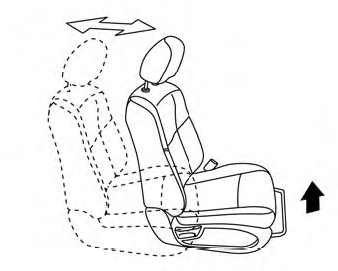
Front manual seat adjustment (if so equipped)
Your vehicle seats can be adjusted manually. For additional information about adjusting the seats, refer to the steps outlined in this section.
Forward and backward