
Nissan Murano: Removal and Installation / Side Radar

| 1. | Side radar | 2. | Rear fender |  |
Front |
 NOTE:
NOTE:
LH shown, RH similar.
REMOVAL
Remove the rear bumper fascia. Refer to Removal and Installation.
Disconnect the harness connector from side radar.
Remove the nuts and remove the side radar.
INSTALLATION
Installation is in the reverse order of removal.
 Distance Sensor
Removal and Installation
REMOVALThe removal and installation of the distance sensor is located in the Cruise Control System section.
For removal and installation of the distance sensor...
 Blind Spot Warning Indicator
Exploded View
1.
Door mirror corner finisher
2.
Blind spot warning indicator
Clip
Removal and Installation
REMOVALRemove the front door finisher...
Other information:
Nissan Murano (Z52) 2015-2024 Owners Manual: Warning and indicator lights
..
Nissan Murano (Z52) 2015-2024 Service Manual: Starting System :: Basic Inspection. Diagnosis and Repair Workflow
Work Flow (With 165-DSS-5000P) STARTING SYSTEM DIAGNOSIS WITH 165-DSS-5000PTo test the starting system, use the following special service tool: Battery and electrical diagnostic analyzer 165-DSS-5000P. NOTE: Refer to the diagnostic analyzer instruction manual for proper starting system diagnosis procedures...
Categories
- Manuals Home
- Nissan Murano Owners Manual
- Nissan Murano Service Manual
- Shift lock release
- All-Wheel Drive (AWD) (if so equipped)
- Settings
- New on site
- Most important about car
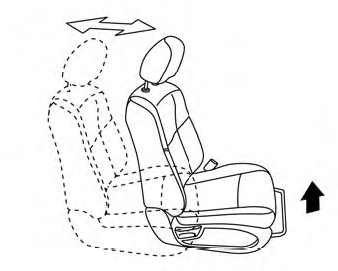
Front manual seat adjustment (if so equipped)
Your vehicle seats can be adjusted manually. For additional information about adjusting the seats, refer to the steps outlined in this section.
Forward and backward

Copyright © 2026 www.nimurano.com