
Nissan Murano: Audio, Visual & Navigation System :: Intelligent Around View Monitor with Navigation System / Preparation. Preparation
The actual shape of the tools may differ from those illustrated here.
|
Tool number (TechMate No.) Tool name | Description | |
|---|---|---|
|
— (J-46534) Trim Tool Set |
|
Removing trim components |

| Tool name | Description | |
|---|---|---|
| Power tool |
|
Loosening nuts, screws and bolts |

 Precaution. Precautions
Precaution for Supplemental Restraint System (SRS) "AIR BAG" and "SEAT BELT PRE-TENSIONER"
The Supplemental Restraint System such as “AIR BAG” and “SEAT BELT PRE-TENSIONER”, used along with a front seat belt, helps to reduce the risk or severity of injury to the driver and front passenger for certain types of collisions...

Other information:
Nissan Murano (Z52) 2015-2024 Owners Manual: How to park with predicted course lines
WARNING If the tires are replaced with different sized tires, the predicted course lines may be displayed incorrectly. On a snow-covered or slippery road, there may be a difference between the predicted course line and the actual course line...
Nissan Murano (Z52) 2015-2024 Service Manual: Component Parts. Interior Room Lamp Control System
Component Parts Location No. Component Function 1. Meter control switch Transmits the meter control switch signal to the combination meter. Refer to Meter Control Switch for detailed component location. 2. BCM (Body Control Module) Activates the interior room lamp timer depending on the Nissan Murano vehicle condition to turn the interior room lamps ON/OFF...
Categories
- Manuals Home
- Nissan Murano Owners Manual
- Nissan Murano Service Manual
- Fuel recommendation
- Settings
- How to enable/disable the LDW system
- New on site
- Most important about car
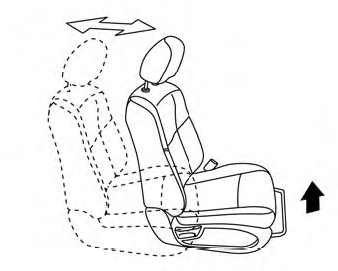
Front manual seat adjustment (if so equipped)
Your vehicle seats can be adjusted manually. For additional information about adjusting the seats, refer to the steps outlined in this section.
Forward and backward

Copyright © 2026 www.nimurano.com