
Nissan Murano: System Description / Component Parts. Navigation with Bose
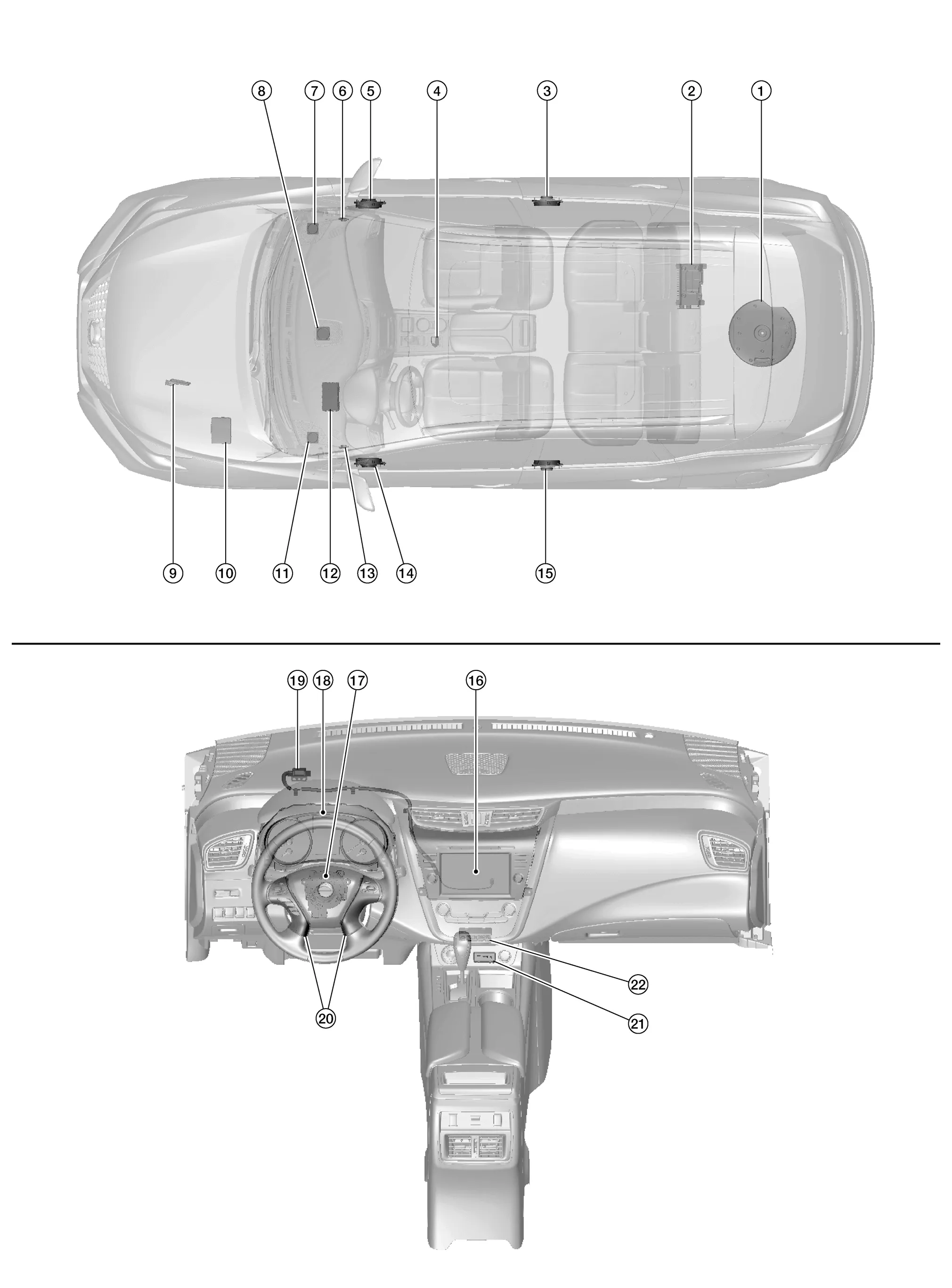
| No. | Component | Function |
|---|---|---|
| 1. | Subwoofer | Refer to Speakers. |
| 2. | Bose® speaker amp. | Refer to Bose Speaker Amp.. |
| 3. | Rear door speaker RH | Refer to Speakers. |
| 4. | Microphone | Refer to Microphone. |
| 5. | Front door speaker RH | Refer to Speakers. |
| 6. | Front tweeter RH | |
| 7. | Instrument panel tweeter RH | |
| 8. | Center speaker | |
| 9. | ECM (Engine Control Module) |
Provides AV control unit with engine RPM signal via CAN communication. Refer to Component Parts Location for detailed component location. |
| 10. | IPDM E/R (Intelligent Power Distribution Module Engine Room) |
Provides AV control unit with battery voltage signal via CAN communication. Refer to Component Parts Location for detailed component location. |
| 11. | Instrument panel tweeter LH | Refer to Speakers. |
| 12. | BCM (Body Control Module) |
Provides AV control unit with door switches state signals via CAN communication. Refer to Component Parts Location for detailed component location. |
| 13. | Front tweeter LH | Refer to Speakers. |
| 14. | Front door speaker LH | |
| 15. | Rear door speaker LH | |
| 16. | AV control unit | Refer to AV Control Unit. |
| 17. | Combination switch (spiral cable) | Refer to Combination Switch (Spiral Cable). |
| 18. | Combination meter | Refer to Combination Meter. |
| 19. | GPS antenna | Refer to Antenna and Antenna Feeder. |
| 20. | Steering switches | Refer to Steering Switches. |
| 21. | Front auxiliary input jacks | Refer to Front Auxiliary Input Jacks. |
| 22. | Front auxiliary input jacks control unit | Refer to Front Auxiliary Input Jacks Control Unit. |
-
A 8-inch color display with multi-touch control, an AM/FM HD electronic tuner radio with RDS, CD drive, audio amplifier and camera controller are integrated into the AV control unit.

-
The 8-inch color display is a high resolution monitor that includes touch panel functions.
-
Music files stored in iPod®*/USB memory can be played using the separate USB interface.
-
Music files stored in an external audio device can be played using the separate AUX input jack.
*: iPod® is a registered trademark of Apple, Inc. All rights reserved.
-
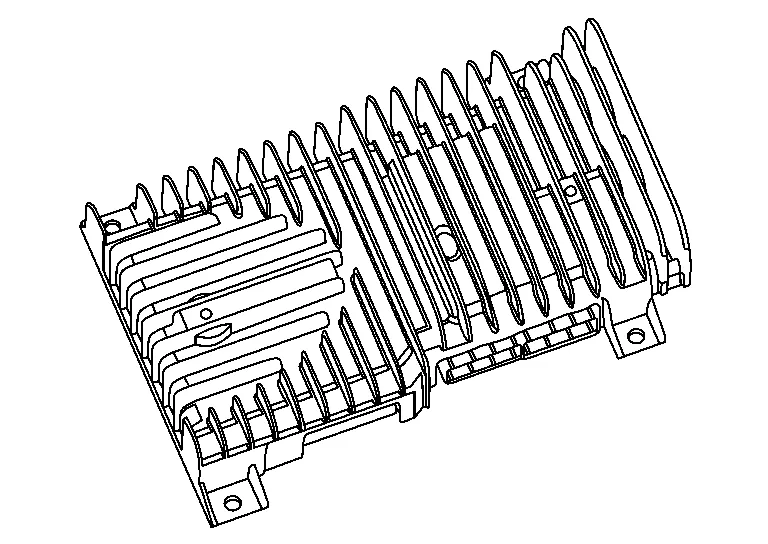
Bose speaker amp. is located in the rear cargo area.
-
It receives sound signals from AV control unit and outputs sound signals to each speaker, tweeter, and the subwoofer.
INSTRUMENT PANEL TWEETER
-
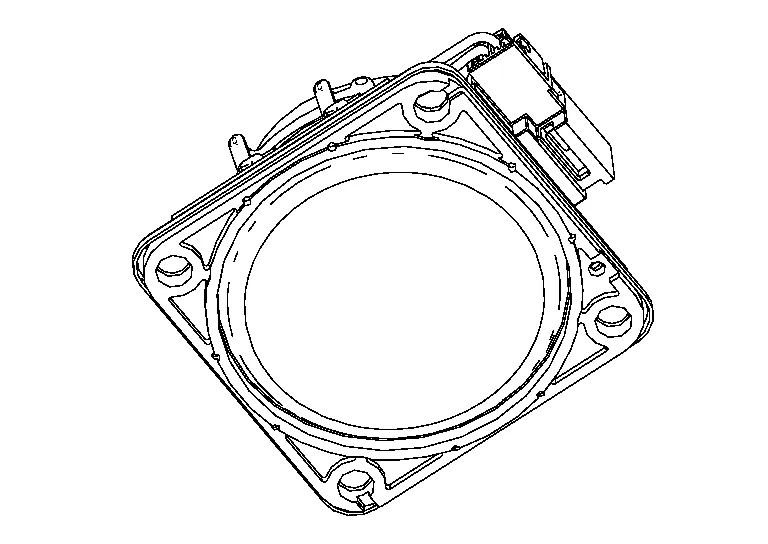
5.01 cm (2 in) tweeters are installed in the top corners of instrument panel.
-
Sound signals generated by the Bose speaker amp. output high range sounds.
CENTER SPEAKER
-
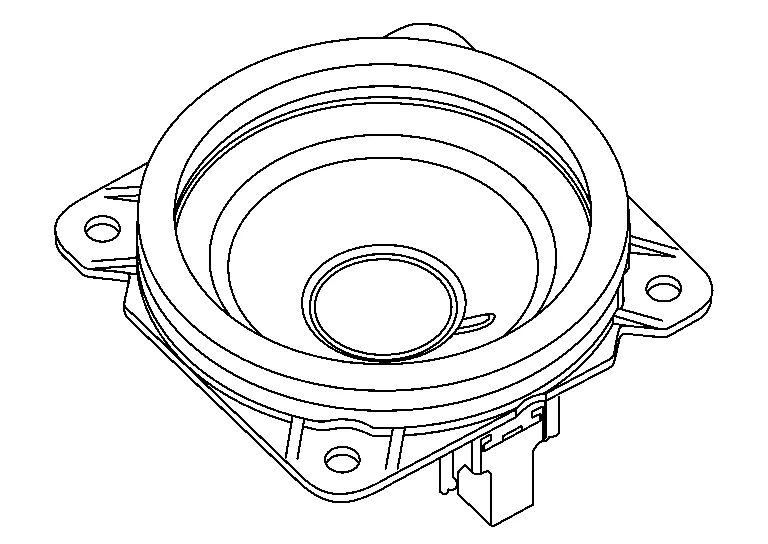
7.62 cm (3 in) speaker is installed in the center of the instrument panel.
-
Sound signals generated by the Bose speaker amp. output mid range sounds.
FRONT TWEETER
-
2.5 cm (1 in) tweeters are installed in the front pillar finishers.
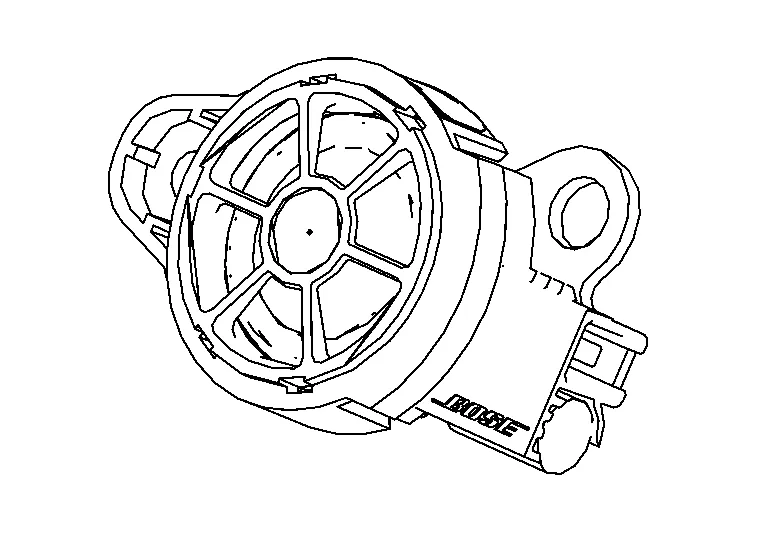
-
Sound signals generated by the Bose speaker amp. output high range sounds.
FRONT DOOR SPEAKER
-
16.5 cm (6.5 in) speakers are installed in the bottom of the front doors.
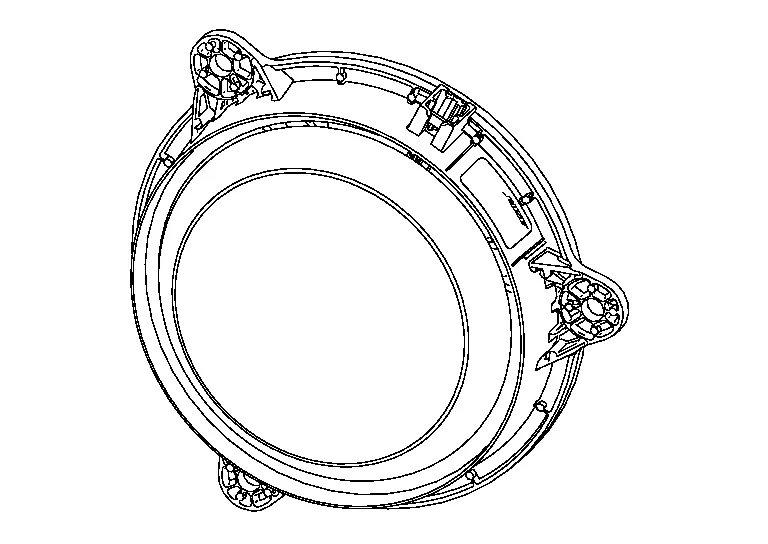
-
Sound signals generated by the Bose speaker amp. output low range sounds.
REAR DOOR SPEAKER
-
12.7 cm (5 in) speakers are installed in the bottom of the rear doors.
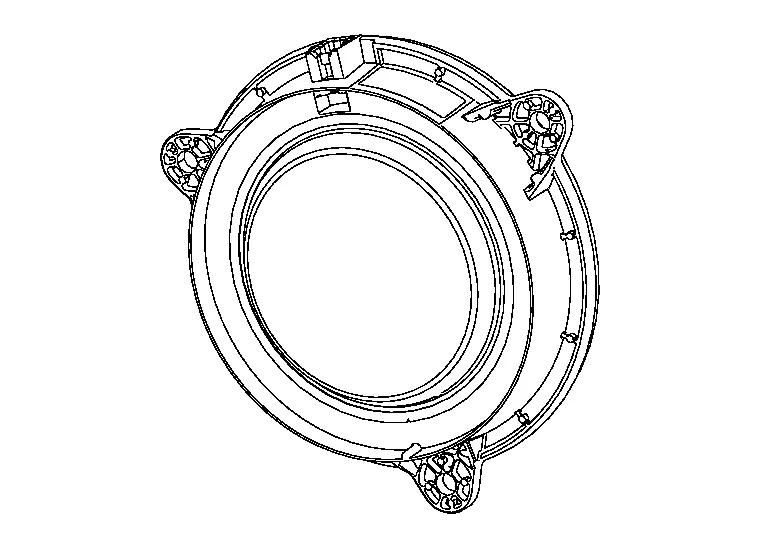
-
Sound signals generated by the Bose speaker amp. output high and mid range sounds.
SUBWOOFER
-
Installed on top of the spare tire underneath the spare tire cover.
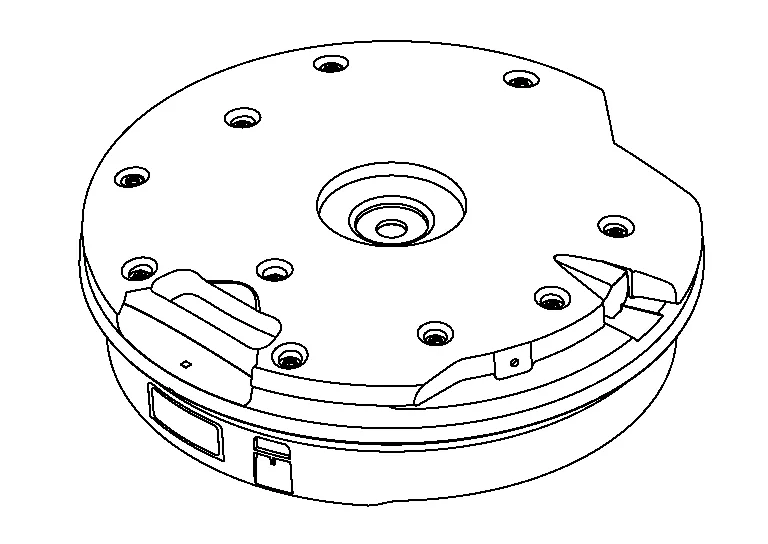
-
Sound signals generated by the Bose speaker amp. output low range sounds.
-
Front auxiliary input jacks are installed in the console.

-
iPod® and USB memory can be connected to the AV control unit through the type-A and type-C USB interfaces.
-
An external audio device can be connected to the AV control unit through the AUX input jack.
-
Front auxiliary input jacks control unit is installed underneath the A/C switch assembly.

-
The USB interface signals from the front auxiliary input jacks are transferred to the AV control unit.
-
Steering switches are installed in the steering wheel.

-
Operations for audio and hands-free phone are possible.
-
Switches are connected to the combination meter.
-
Combination meter is connected to the AV control unit via AV communication.
-
The microphone is installed in the roof in the map lamp assembly.

-
The power is supplied from the AV control unit.
-
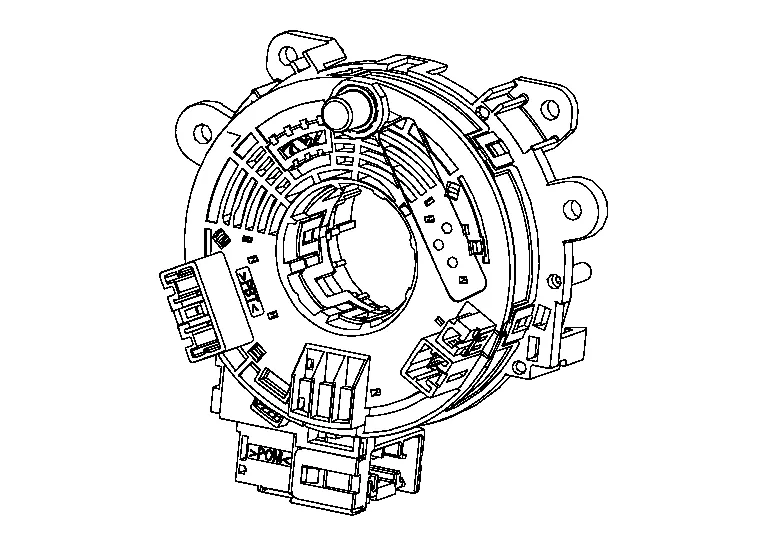
Combination switch (spiral cable) is installed on the combination switch.
-
Steering switch signals pass through the combination switch (spiral cable) to the combination meter.
-
Combination meter sends the steering switch signals to the AV control unit via AV communication.
-
Combination meter sends the speed signal to the AV control unit via CAN communication.

-
Steering switches are connected to the combination meter through the combination switch (spiral cable).
-
Combination meter sends the steering switch signals to the AV control unit via AV communication.
GPS ANTENNA
-
GPS antenna is installed in the instrument panel.

-
Power is supplied from the AV control unit.
-
This antenna amplifies radio waves received from the GPS satellite and transmits the GPS signal to the AV control unit.
 NOTE:
NOTE:
An object on the instrument panel may cause the reception sensitivity to be decreased.
ANTENNA BASE
-
Antenna base is installed on the rear center of the roof.

-
Antenna base incorporates the satellite antenna, AM/FM antenna and antenna amp.
-
Receives satellite radio waves and outputs them to AV control unit.
-
Receives AM/FM radio waves and outputs them to AV control unit.
ANTENNA SIGNAL PATH
-
AM/FM radio antenna located in the antenna base.
-
The AM/FM radio antenna has an antenna amp. to obtain sufficient reception power.

ANTENNA FEEDER LAYOUT

| 1. | Antenna base | 2. | R202, R203 | 3. | R102, R200 |
| 4. | R103, R201 | 5. | M99, R100 | 6. | M98, R101 |
| 7. | M164, M165, M167 | 8. | GPS antenna |

 System
System Description
SYSTEM DIAGRAMAV Control Unit Input Signal (AV Communication)Transmit unitSignal name
Combination meter
Steering switch signal
AV Control Unit Input Signal (CAN Communication)Transmit unitSignal name
BCM
Door switches state signal
Combination meter
Nissan Murano Vehicle speed signal
Hand brake switch signal
ECM
Engine RPM Signal
IPDM E/R
Battery voltage signal
AUDIO SYSTEMThe audio system consists of the following components:
AV control unit
Bose speaker amp...
Other information:
Nissan Murano (Z52) 2015-2024 Service Manual: Precaution. Precautions
Precaution for Supplemental Restraint System (SRS) "AIR BAG" and "SEAT BELT PRE-TENSIONER" The Supplemental Restraint System such as “AIR BAG” and “SEAT BELT PRE-TENSIONER”, used along with a front seat belt, helps to reduce the risk or severity of injury to the driver and front passenger for certain types of collisions...
Nissan Murano (Z52) 2015-2024 Service Manual: S Terminal Circuit
Diagnosis Procedure CAUTION: Perform diagnosis under the condition that engine cannot start by the following procedure: Remove fuel pump fuse. Crank or start the engine (where possible) until the fuel pressure is released. CHECK STARTER MOTOR MAGNETIC SWITCH CIRCUIT Ignition switch OFF...
Categories
- Manuals Home
- Nissan Murano Owners Manual
- Nissan Murano Service Manual
- Jacking up vehicle and removing the damaged tire
- Settings
- Checking engine oil level
- New on site
- Most important about car
Driver and passenger supplemental knee air bag

Driver’s side
The knee air bag is located in the knee bolster, on the driver’s and passenger’s side. All of the information, cautions and warnings in this manual apply and must be followed. The knee air bag is designed to inflate in higher severity frontal collisions, although it may inflate if the forces in another type of collision are similar to those of a higher severity frontal impact. It may not inflate in certain collisions.

Passenger’s side
