
Nissan Murano: In case of emergency / Hazard warning flasher switch
Nissan Murano (Z52) 2015-2024 Owners Manual / In case of emergency / Hazard warning flasher switch
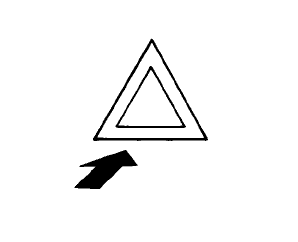
Push the switch on to warn other drivers when you must stop or park under emergency conditions. All turn signal lights flash.
WARNING
- If stopping for an emergency, be sure to move the vehicle well off the road.
- Do not use the hazardwarning flashers while moving on the highway unless unusual circumstances force you to drive so slowly that your vehicle might become a hazard to other traffic.
- Turn signals do not work when the hazard warning flasher lights are on.
The flashers will operate with the ignition switch placed in any position.
Some jurisdictions may prohibit the use of the hazard warning flasher switch while driving.

 Emergency engine shut off
To shut off the engine in an emergency
situation while driving, perform the following
procedure:
Rapidly push the push-button ignition
switch three consecutive times in less
than 1...
Other information:
Nissan Murano (Z52) 2015-2024 Service Manual: Sheet Metal Work (aluminum)
Sheet Metal Work (Aluminum) Repairing aluminum alloy panels is basically the same as repairing steel panels. Special considerations for repairing aluminum alloy are listed below. Sanding Aluminum alloy panels are softer than steel plates. It is important to select the proper type and grade of sanding disc...
Nissan Murano (Z52) 2015-2024 Service Manual: Front Seat Belt
Exploded View 1. Seat belt height adjuster bolt cover 2. Seat belt height adjuster (RH) 3. Seat belt retractor (RH) 4. Seat belt buckle (RH) 5. Seat belt buckle (LH) 6. Seat belt retractor (LH) 7. Seat belt height adjuster (LH) 8...
Categories
- Manuals Home
- Nissan Murano Owners Manual
- Nissan Murano Service Manual
- Warning lights
- Turning the AEB system on/off
- System malfunction
- New on site
- Most important about car

Copyright © 2026 www.nimurano.com